> For AI agents: the complete documentation index is available at /llms.txt, the full documentation bundle is available at /llms-full.txt.
# How to Manage Autoresponders in DirectAdmin
:::info
If you are using the Standard theme on DirectAdmin, expand the Standard theme section below and follow those steps. To switch to the Refreshed theme, see [How to change theme or layout on DirectAdmin](https://wiki.crowncloud.net/?How_to_change_theme_or_layout_on_DirectAdmin).
:::
## In the Refreshed Theme
### Add an Autoresponder
### Log in to DirectAdmin
Log in to your DirectAdmin account.
### Open Autoresponders
Select **Menu** in the navbar and click on **Autoresponders** under **E-Mail Manager**.
 ### Click Create Autoresponder
Click the **Create Autoresponder** button.
 ### Fill in the details
Fill in the details and click **Save**.
 ### Modify an Autoresponder
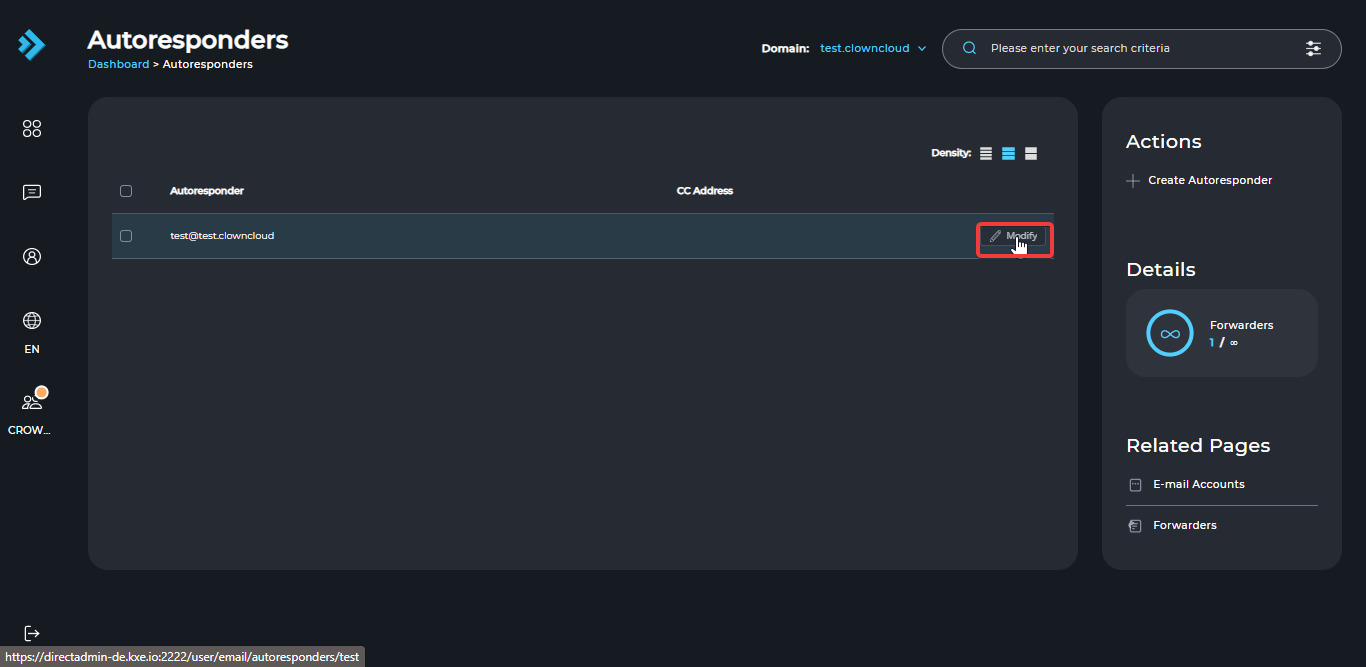
To modify an autoresponder, click the **Modify** button next to it.
### Remove an Autoresponder
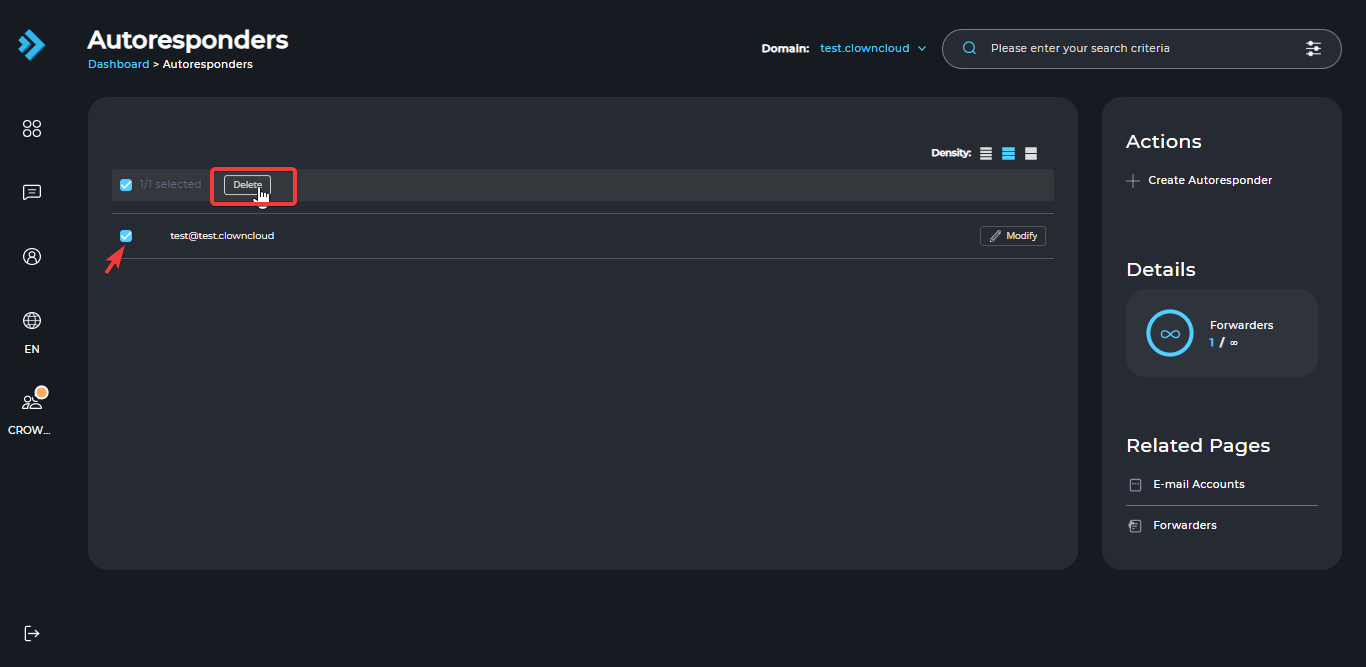
To delete an autoresponder, select it and click the **Delete** button.
## In the Standard Theme
Click here to show the steps
### Add an Autoresponder
### Log in to DirectAdmin
Log in to your DirectAdmin account.
### Open Autoresponders
Click on **Autoresponders** under **E-Mail Manager**.
 ### Click Create Autoresponder
Click the **Create Autoresponder** button.
 ### Fill in the details
Enter the details below.
 ### Save the autoresponder
Click **Save**.
 ### Modify an Autoresponder
To modify an autoresponder, click the **Modify** button next to it.
 ### Remove an Autoresponder
To delete an autoresponder, select it and click the **Delete** button.
