

How to Use Hurricane Electric with Your VPS
Using Hurricane Electric DNS with your VPS is simple to set up and can be completed in under 10 minutes.
Set Up DNS
Sign up
Sign up at dns.he.net.
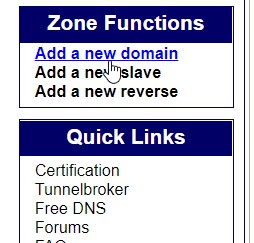
Add your domain
Add your domain to your Hurricane Electric account.

Select the domain
Select the domain you want to edit the entries for.

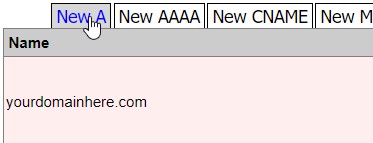
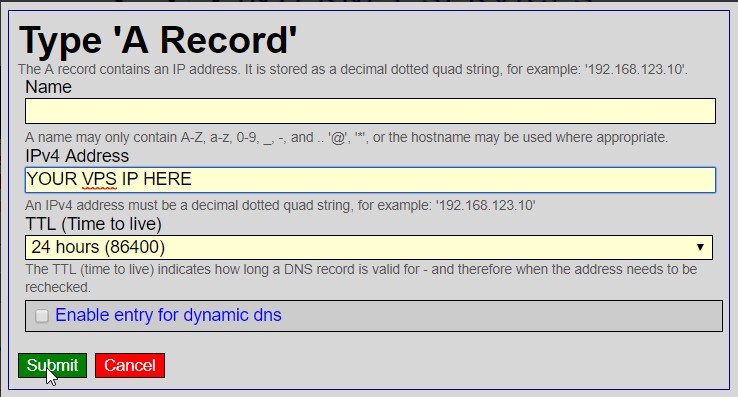
Add an A record for the root domain
Add a new A record with the name @ and your VPS's IP address in the IPv4 Address box.
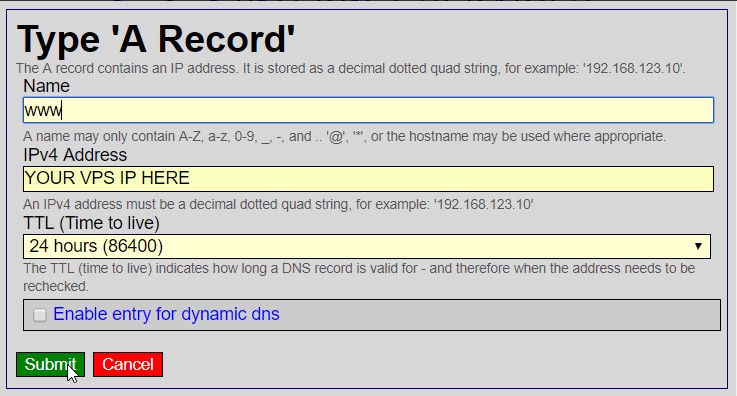
Add an A record for www
Add another A record with the name www and your VPS's IP address in the IPv4 Address box.
Change your nameservers
Go to your domain registrar's panel and change your nameservers to the following: