

Recover Data from a Crash by Mounting Rescue CD on a VPS
Mount the Rescue CD on Your VPS
Select the VPS
Log in to your CrownPanel account and select the VPS you need to recover data from.
Mount the Rescue CD
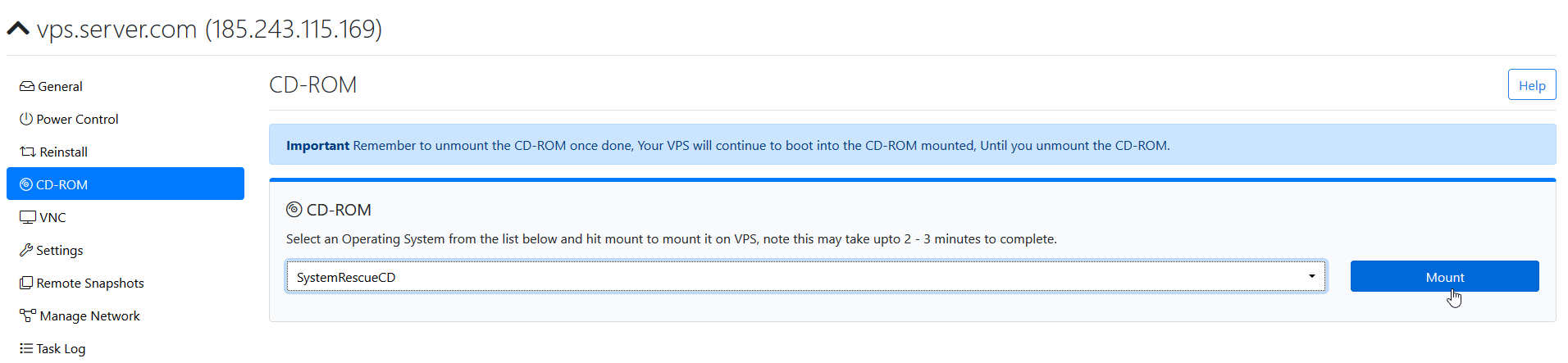
From the CD-ROM tab, select SystemRescueCD and mount it.
Launch the VNC Console
Launch the VNC console after mounting the Rescue CD and wait for the Rescue CD boot screen to appear.
You should see a screen similar to the following:
Select Default boot options
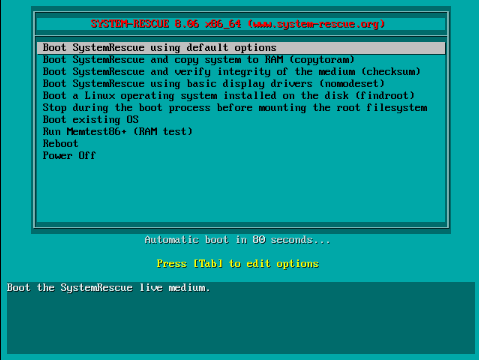
Press Enter to continue.
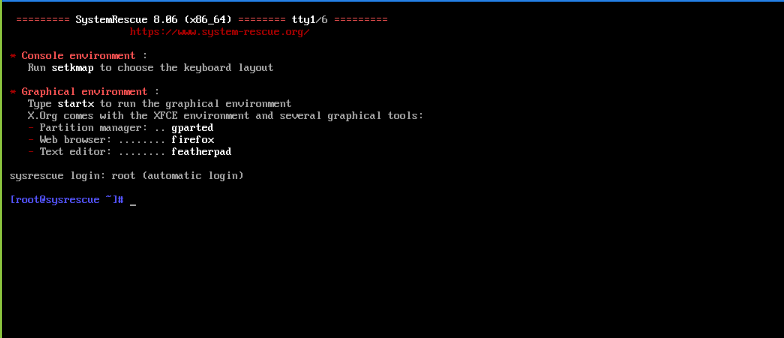
You have now entered the Rescue CD environment.
Verify the Network
The network should be configured automatically. Use the following commands to verify the network details and connectivity.
To view the network connections, run:
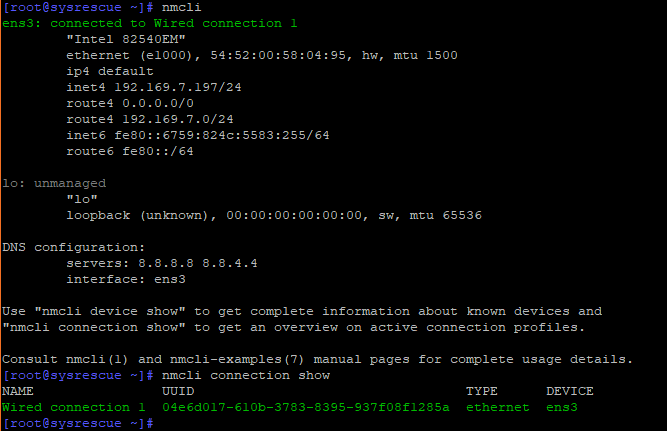
To verify that the network is up, run:
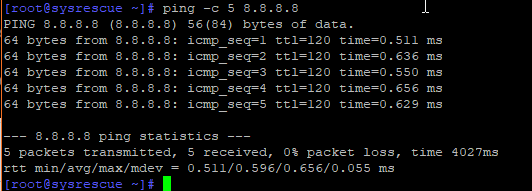
If the ping is successful, the network connection is working correctly.
Disable iptables
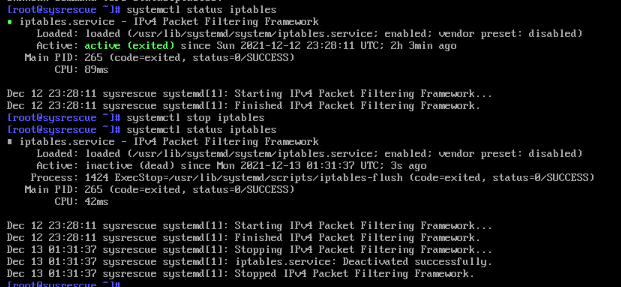
SystemRescueCD may have the iptables firewall enabled. Stop the iptables service with:
Mount the Disk
Set the Root Password
To connect to the VPS using SSH, set a root password with:

Keep the root password secure, as it will be used to access the Rescue CD environment through SSH.
Identify the Disk and Partitions
To identify the disks and partitions available on the VPS, use the following command:
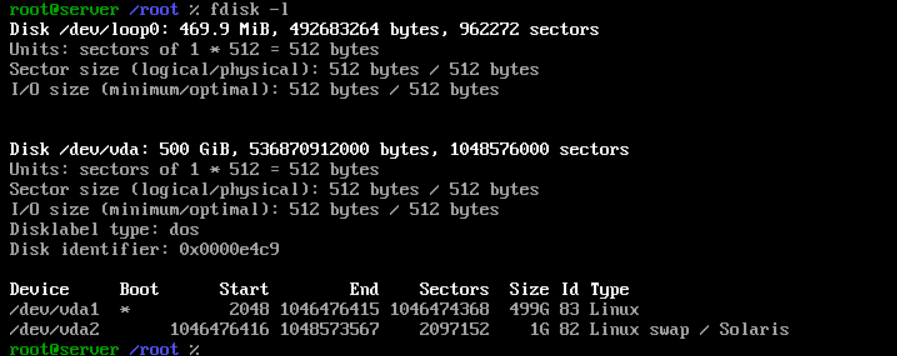
Output of Linux Operating System Partition:
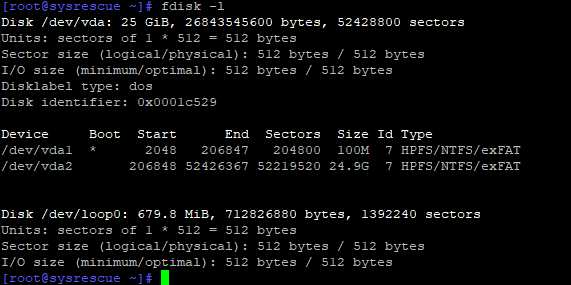
From the output, identify the partition containing the data you need to recover.
For example:
Or:
The largest partition generally contains the main filesystem and user data. Verify the partition details carefully before mounting it.
Create a Mount Point
Create a directory to use as the mount point:
Mount the Required Partition
Mount the required partition:
Replace /dev/vda1 with the correct partition identified using fdisk -l.
Access the Mounted Filesystem
You can now enter the hdd directory and list the files:
Output of files contained in the Linux Operating System:

Output of files contained in the Windows Operating System:

You can now access the filesystem and recover the required files.
Recover the Data
Once the partition is mounted, you can connect to the VPS using SSH with the VPS IP address and recover the required files.