

How to Add a Name to Snapshots in CrownPanel
Tip
Naming a snapshot is a very useful feature. For example:
- If you have multiple snapshots, it can be useful to name each one.
- If you run multiple versions of software, you can name the snapshot with the version it contains.
- And many more scenarios where a user-defined name on a snapshot is useful.
Add a Name to a Snapshot
Log in to CrownPanel
Log in to CrownPanel at https://crownpanel.com.
Open the Snapshot tab
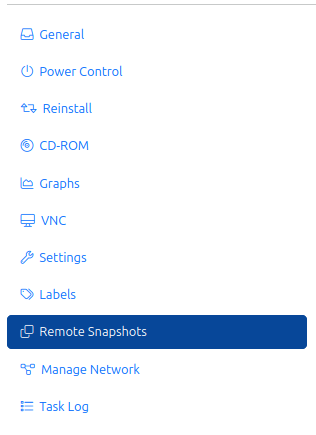
Click on the Manage button beside the VPS you wish to manage, then click on the Snapshot tab.
Edit the snapshot name
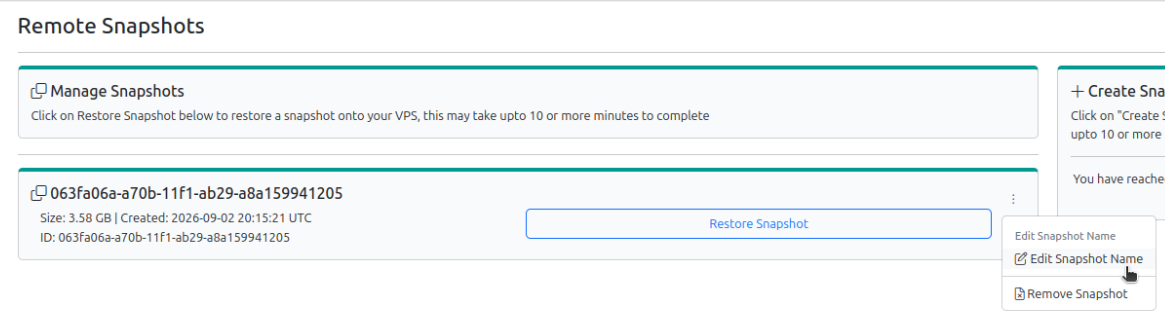
Click on the three-dot dropdown menu next to the snapshot and select Edit Snapshot Name.
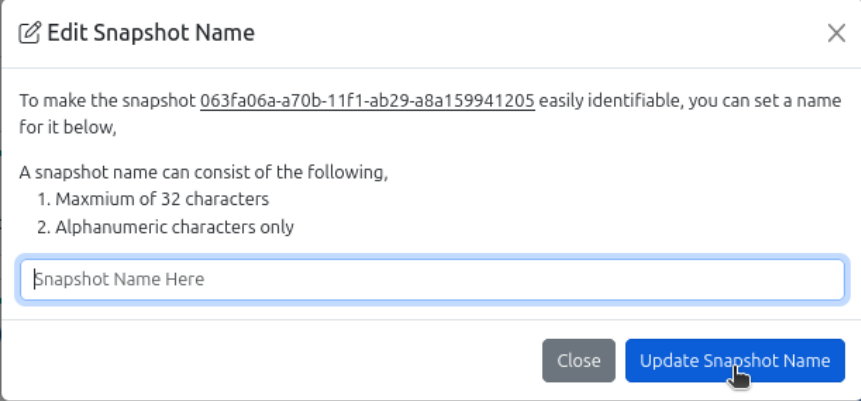
The name can be a maximum of 32 alphanumeric characters.
Update the name
Enter the name and click the Update Snapshot Name button.
Note
To learn how to use snapshots, see How to Use and Manage Snapshots in CrownPanel.