

How to Access a MySQL Database Remotely in cPanel
You can allow remote access to a MySQL database using the Remote MySQL feature in cPanel. This allows an external server or application to connect to your MySQL database.
Warning
Only add trusted IP addresses that require access to your database.
Add a Remote Host
Log in to cPanel
Log in to your cPanel account.
Open Remote MySQL
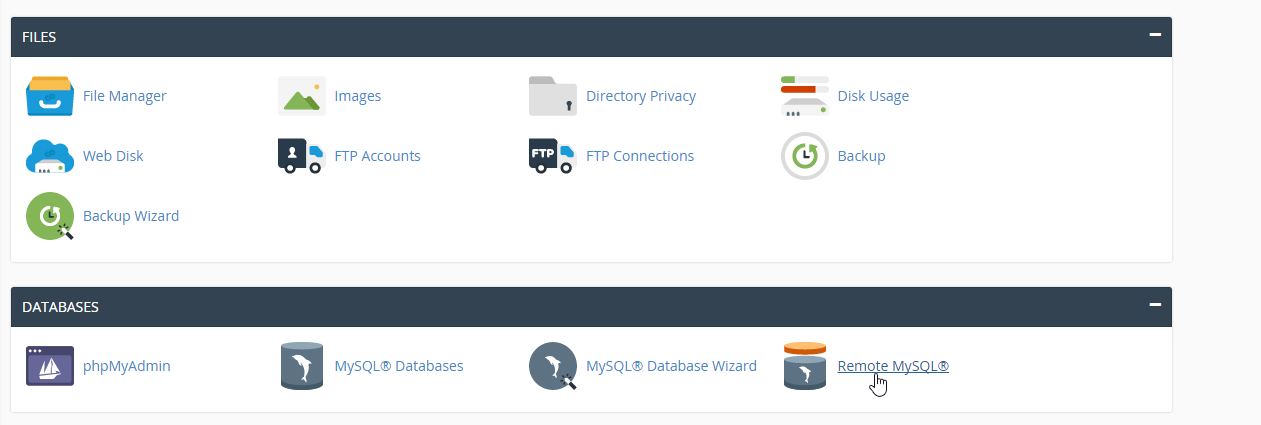
In the Databases section, click Remote MySQL.
Enter the remote IP address
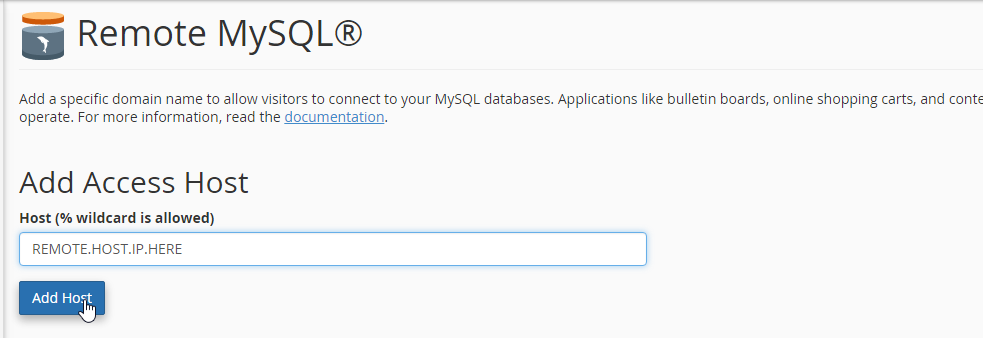
Enter the IP address of the remote server that needs to access your MySQL database. For example:
Add the host
Click Add Host. The specified IP address will now be allowed to connect to MySQL remotely.
Note
Make sure the remote application or server is configured with the correct MySQL hostname, database name, username, password, and port.