

How to Create an Email Account in cPanel
Create an Email Account
Log in to cPanel
Log in to your cPanel account.
Open Email Accounts
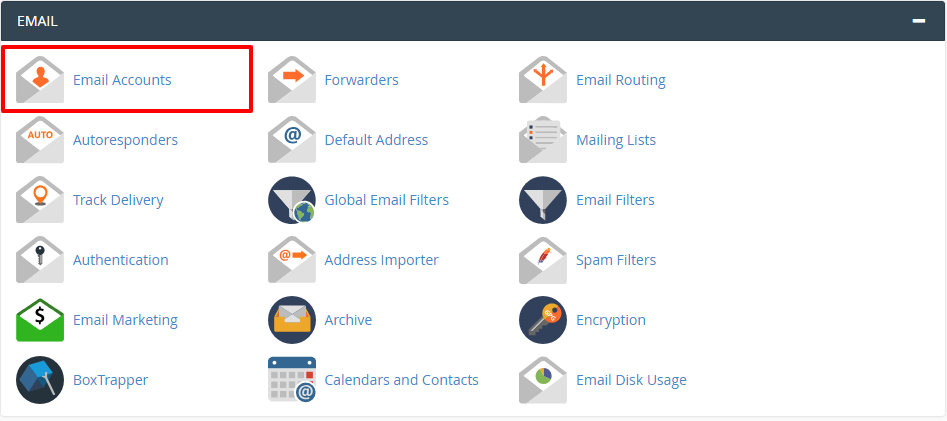
In the Email section, click Email Accounts.
Enter the email account details
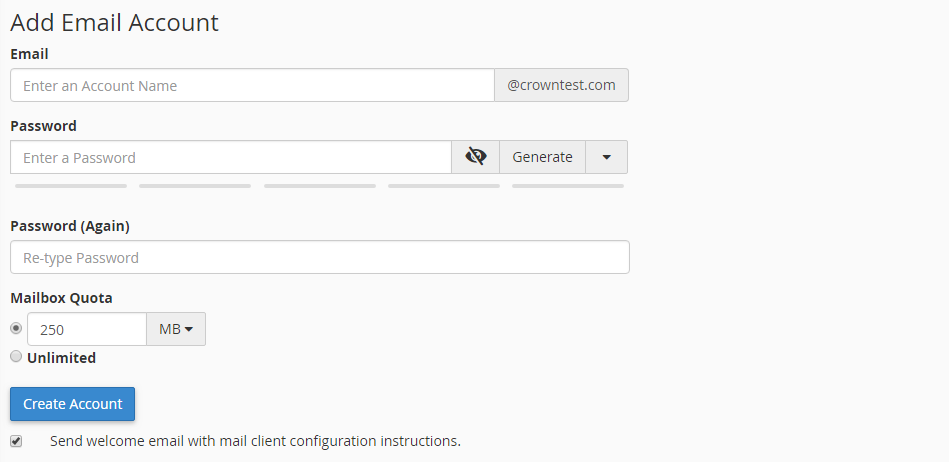
In the Add Email Account window, fill in the following fields:
- Email: Enter an account name.
- Password: Enter the password you want to set.
- Password (Again): Re-enter the new password.
- Mailbox Quota: Specify the mailbox quota.
Create the account
Click Create Account.
You can now access your email account.