

How to Change the PHP Version of a Subdomain in cPanel
Choosing a PHP Version for a Specific Directory
To set a different PHP version from the one assigned to your domain in cPanel, you may need to add a PHP handler to the directory's .htaccess file.
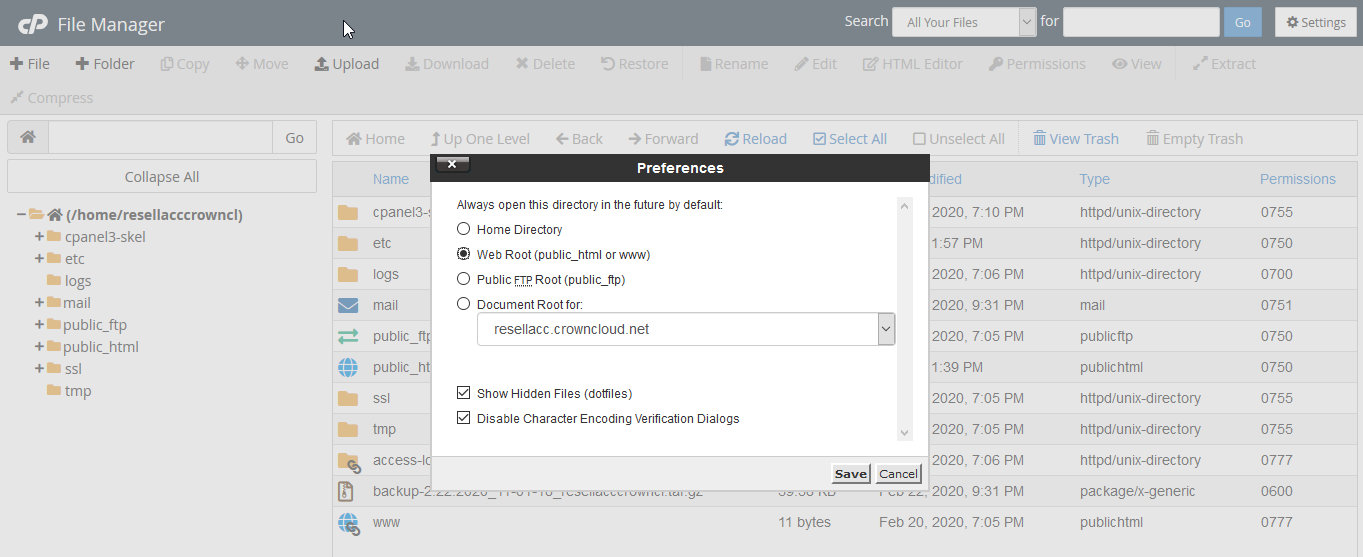
Make sure Show Hidden Files is enabled in File Manager so you can locate and edit the .htaccess file.
Open File Manager
In cPanel, navigate to the Files section and select File Manager.
Navigate to the directory
- For your main domain, navigate to the
public_htmlfolder. - For an addon domain, navigate to the corresponding directory, such as
public_html/your_addon_domain.com.
Enable hidden files
In File Manager, make sure Show Hidden Files is enabled so the .htaccess file is visible.
Edit the .htaccess file
Select the .htaccess file and click Edit in the toolbar, or right-click the file and select Edit.
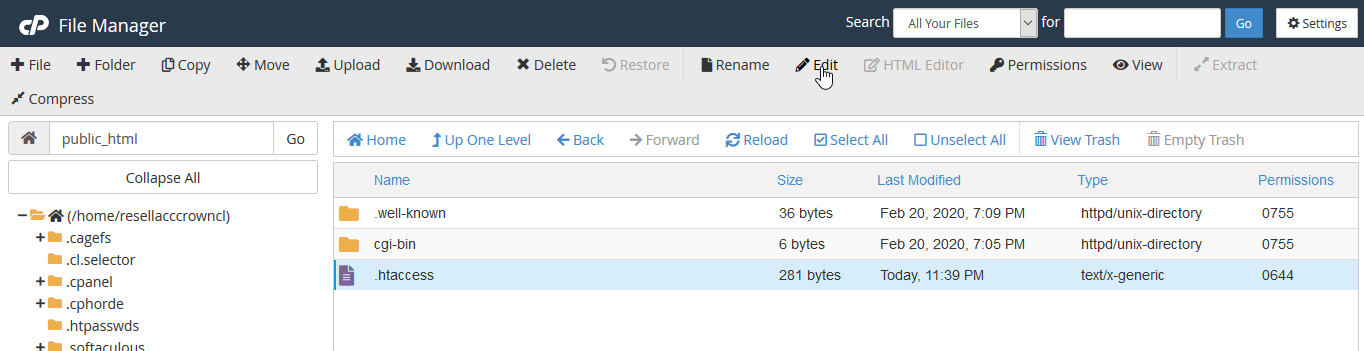
Confirm the edit
If a confirmation pop-up appears, click Edit to open the file editor.
If PHP Selector is enabled and a non-native PHP version is selected for the account, the PHP version assigned through .htaccess may not take effect in certain configurations.
For example, if the PHP version specified in .htaccess matches the system-default ea-php version configured in MultiPHP Manager, PHP Selector may take precedence and the effective version may differ from the one specified in .htaccess.
Refer to the CloudLinux documentation on using different PHP versions per directory for details.
Available PHP Handlers
At the top of the .htaccess file, add the handler corresponding to the PHP version you want to use.
The PHP versions listed below, particularly PHP 5.x and PHP 7.x, are outdated and may no longer receive security updates. Use an older version only when necessary for application compatibility. Prefer a currently supported PHP version where available.