

Finding IMAP and POP3 Details from cPanel
In this article, we will guide you through the process of finding the IMAP and POP3 details for your email accounts in cPanel.
Access Email Accounts
Log in to cPanel
Log in to your cPanel account.
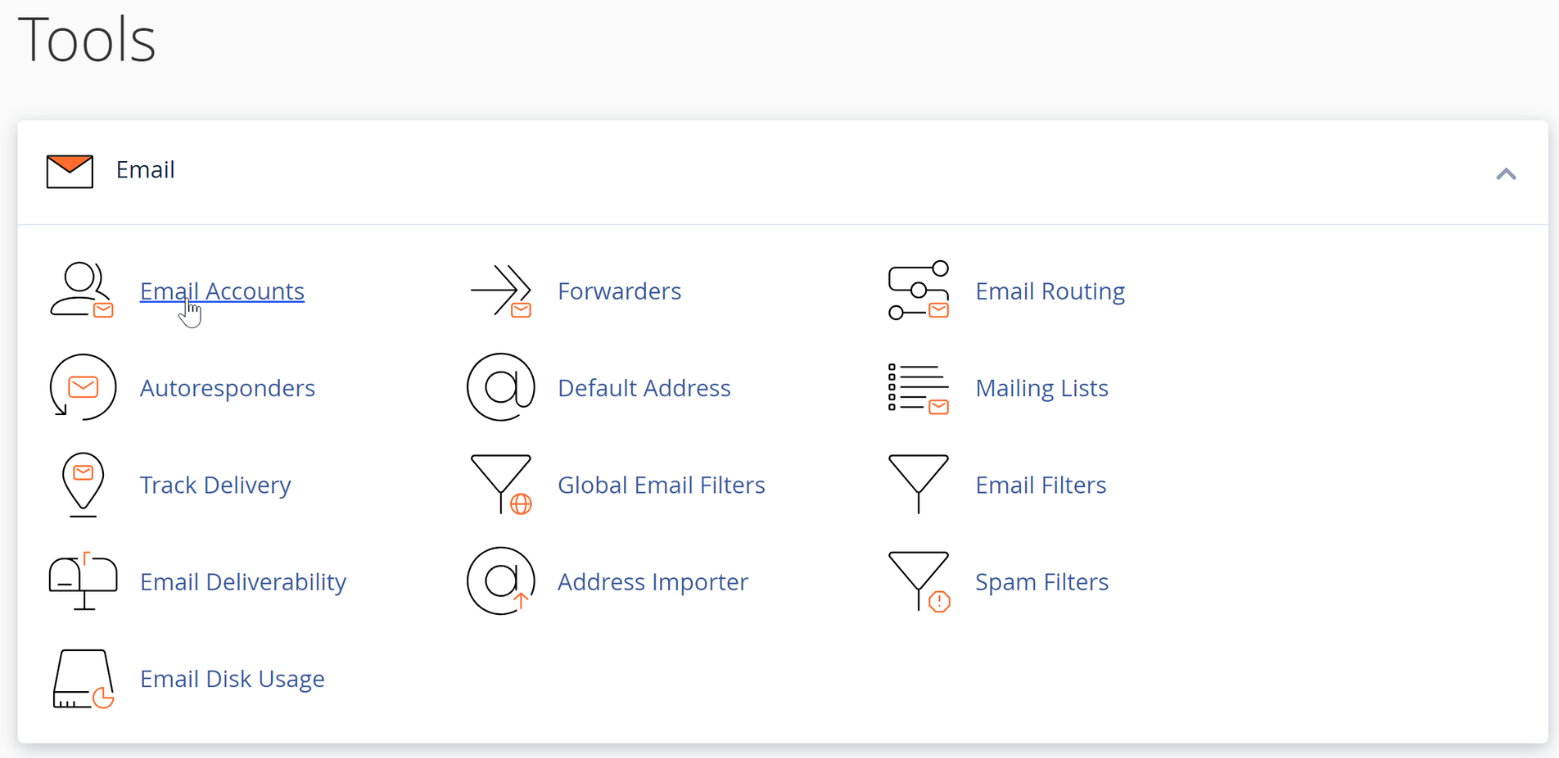
Open Email Accounts
Navigate to the Email Accounts section.
Warning
Make sure you select the correct email account before viewing the connection settings.
Find the Connection Settings
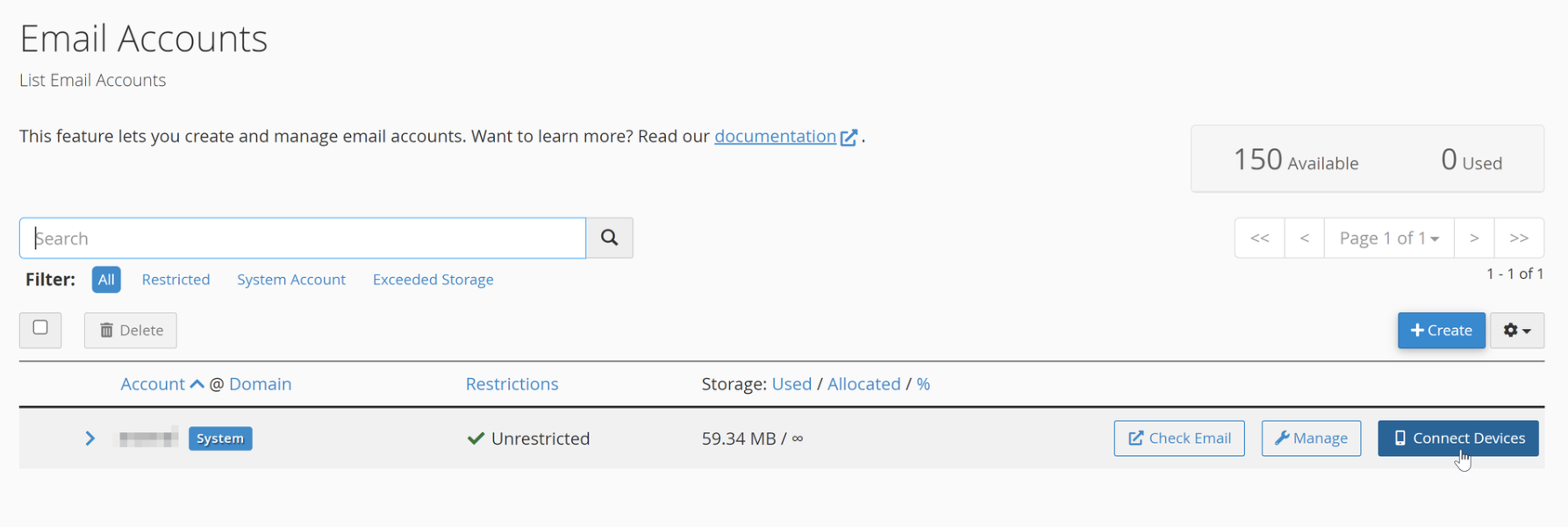
Open Connect Devices
Locate your email account and select Connect Devices.
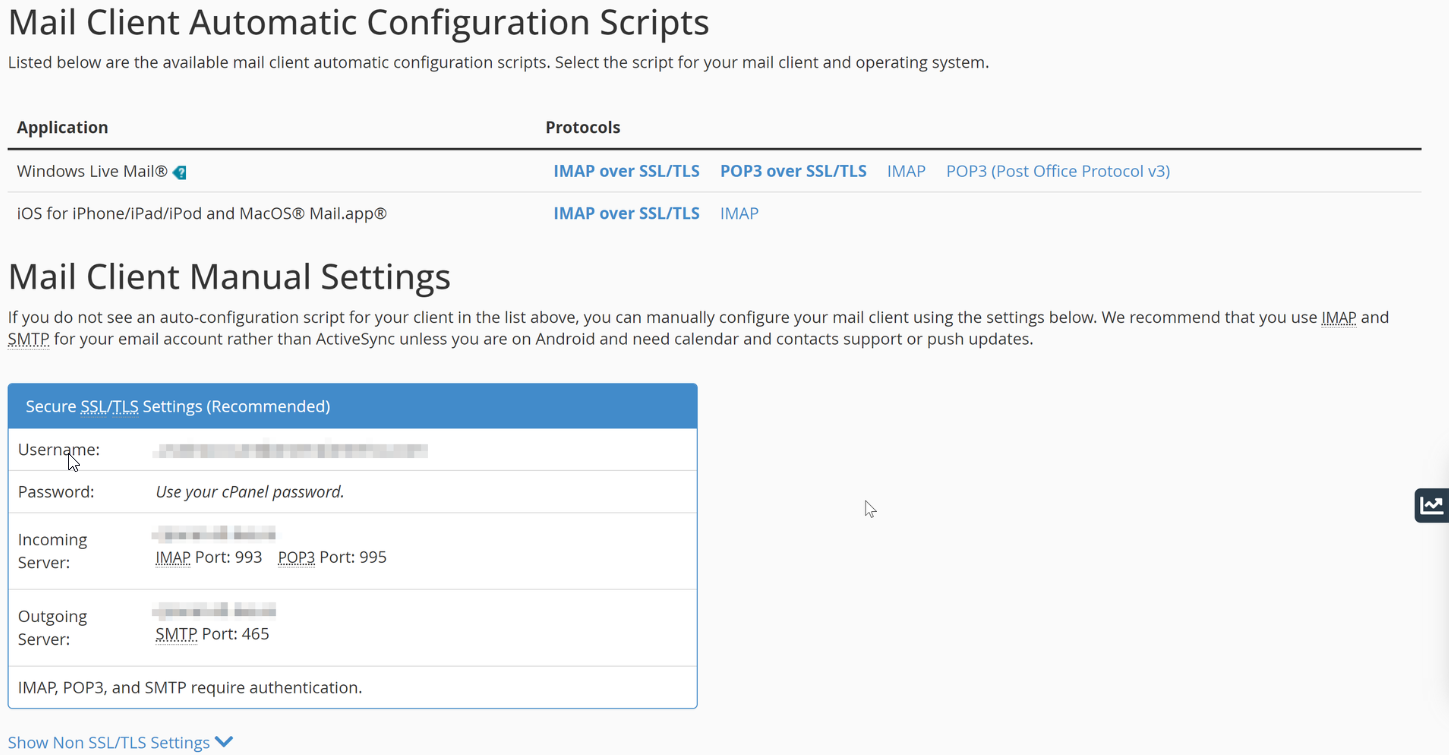
View the manual settings
Find the settings under Mail Client Manual Settings.
Note
The Mail Client Manual Settings section contains the IMAP and POP3 server details required to configure your email account.
These settings can be used to configure your email account on a mail client or mobile device.