

How to Create a Package in WHM
Web Host Manager (WHM) allows you to create hosting packages to standardize the hosting options offered to clients. A package defines resource limits such as disk space and bandwidth, as well as feature options such as the cPanel theme and available features.
Log in to WHM
Access WHM
Access WHM using the URL provided by your hosting provider.
Sign in to your account
Log in using the root user credentials or a reseller account with the Add/Remove Packages privilege.
You must have the required WHM privileges to create and manage hosting packages.
Navigate to the Packages Section
Open Add a Package
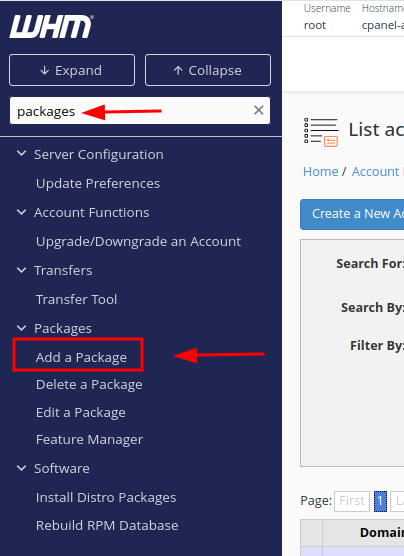
In WHM, go to Home > Packages > Add a Package.
Enter a Package Name
Name the package
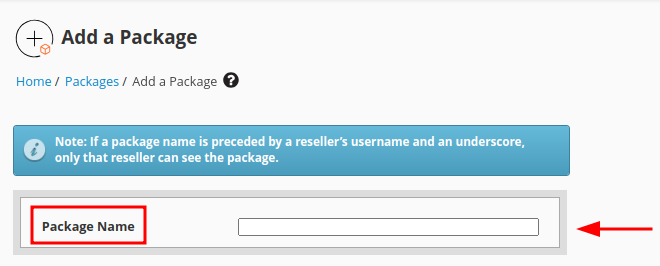
In the Package Name field, enter a unique name for the package.
The package name is used to identify the package when assigning it to hosting accounts.
Configure Resource Settings
Set resource limits
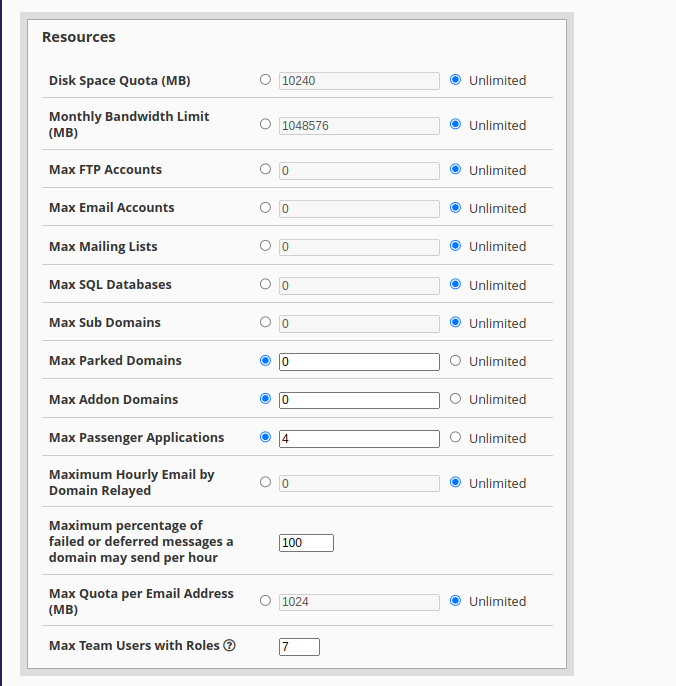
In the Resources section, specify the limits for the hosting accounts assigned to this package.
Common resource settings include:
- Disk Space: Specify the disk space limit in MB.
- Monthly Bandwidth: Specify the monthly bandwidth limit in MB.
- Maximum FTP Accounts: Set the maximum number of FTP accounts.
- Maximum Email Accounts: Set the maximum number of email accounts.
- Maximum Databases: Set the maximum number of databases.
- Maximum Subdomains: Set the maximum number of subdomains.
Set these values according to the resources you want to allocate to the package.
Configure Additional Options
Set package options
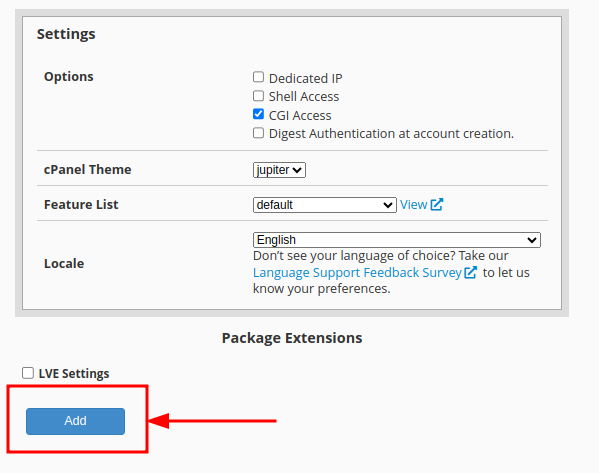
In the Settings section, configure the additional options for the package.
Common options include:
- cPanel Theme: Select the theme that users will see.
- Feature List: Select the features available to accounts using this package, such as SSH access and AutoSSL.
- Locale: Select the default language for cPanel.
Create the Package
Review and create the package
Review the package settings and click Add.
WHM will create the package with the configured resource limits and settings. The package can then be assigned to new or existing hosting accounts.
Review the resource limits and feature settings carefully before creating the package to ensure they meet your hosting requirements.
You have now successfully created a hosting package in WHM.