

How to Adjust PHP Options in MultiPHP
You can adjust PHP settings for your domain or subdomain using the MultiPHP INI Editor in cPanel.
Access MultiPHP INI Editor
Open MultiPHP INI Editor
In cPanel, navigate to the Software section and click MultiPHP INI Editor.

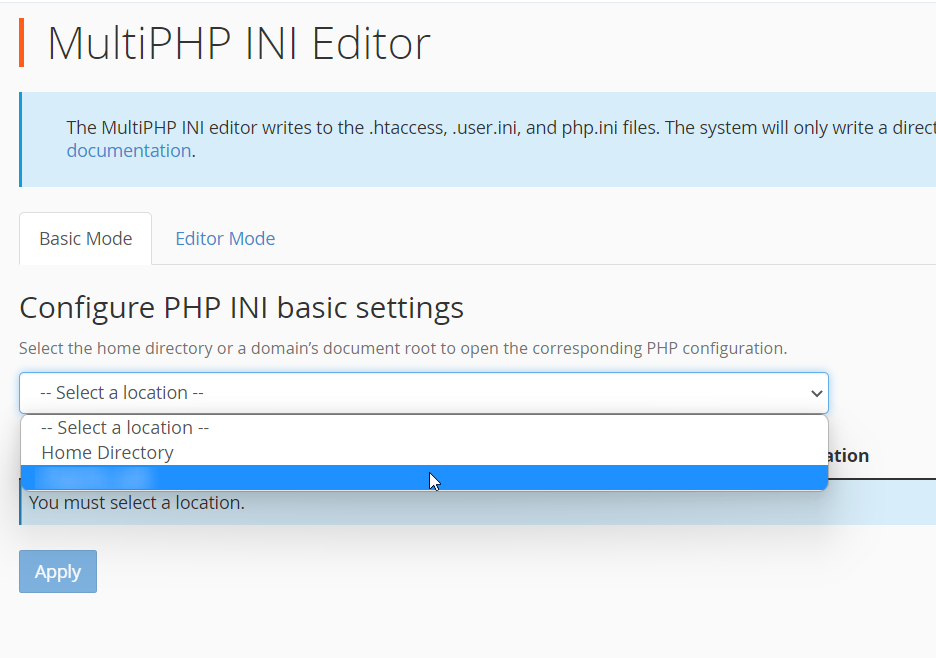
Select the Domain
Choose the domain
Select the domain or subdomain you want to modify from the dropdown list.
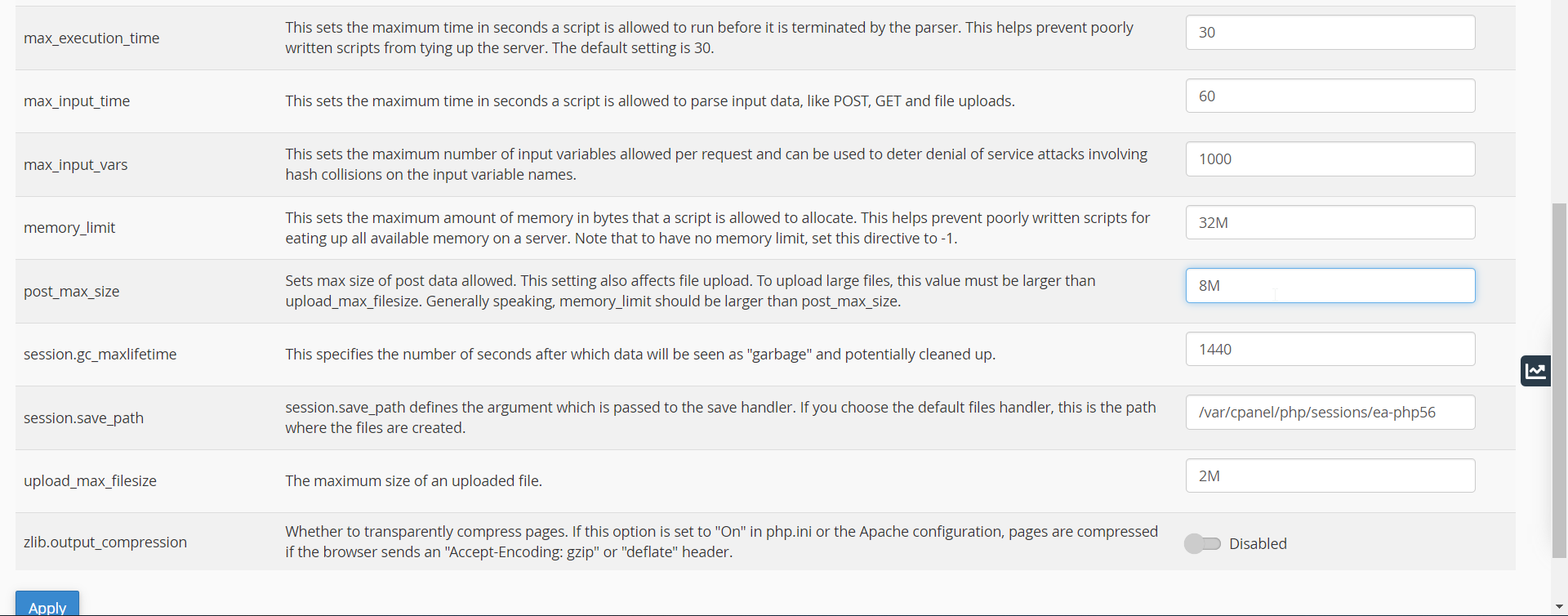
Adjust PHP Options
Configure PHP settings
Select or enter the required values for the PHP options.
Apply the changes
Click Apply to save the changes.
Note
The available PHP options may vary depending on the PHP version and server configuration.