

cPanel - Adding an EMail Account
Create an Email Account
Log in to cPanel
Log in to your cPanel account.
Open Email Accounts
Once logged in, click Email Accounts.
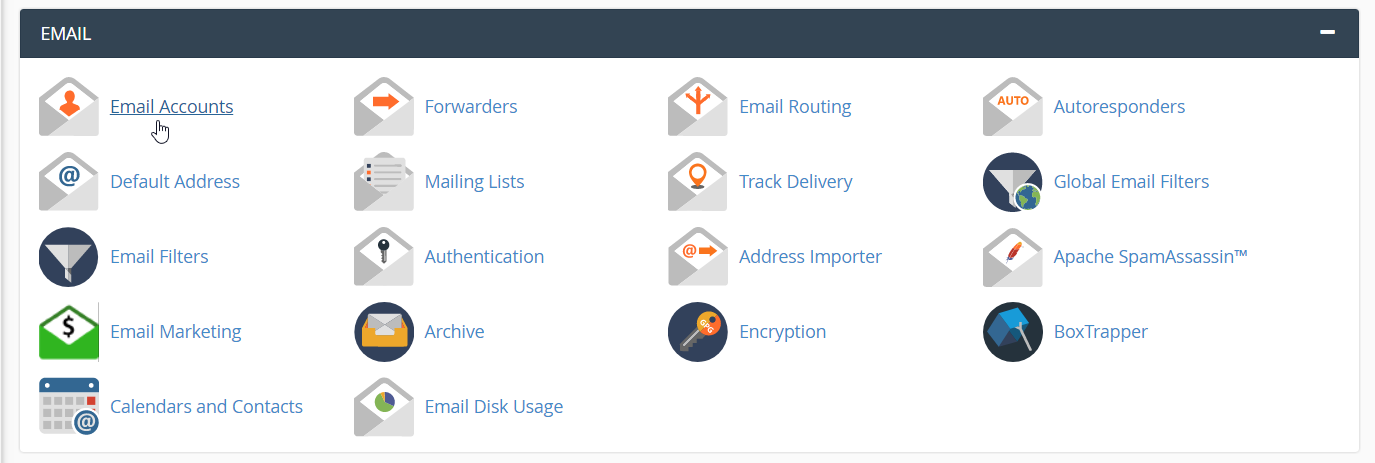
Open Add Email Account
Click the Add EMail Account tab.
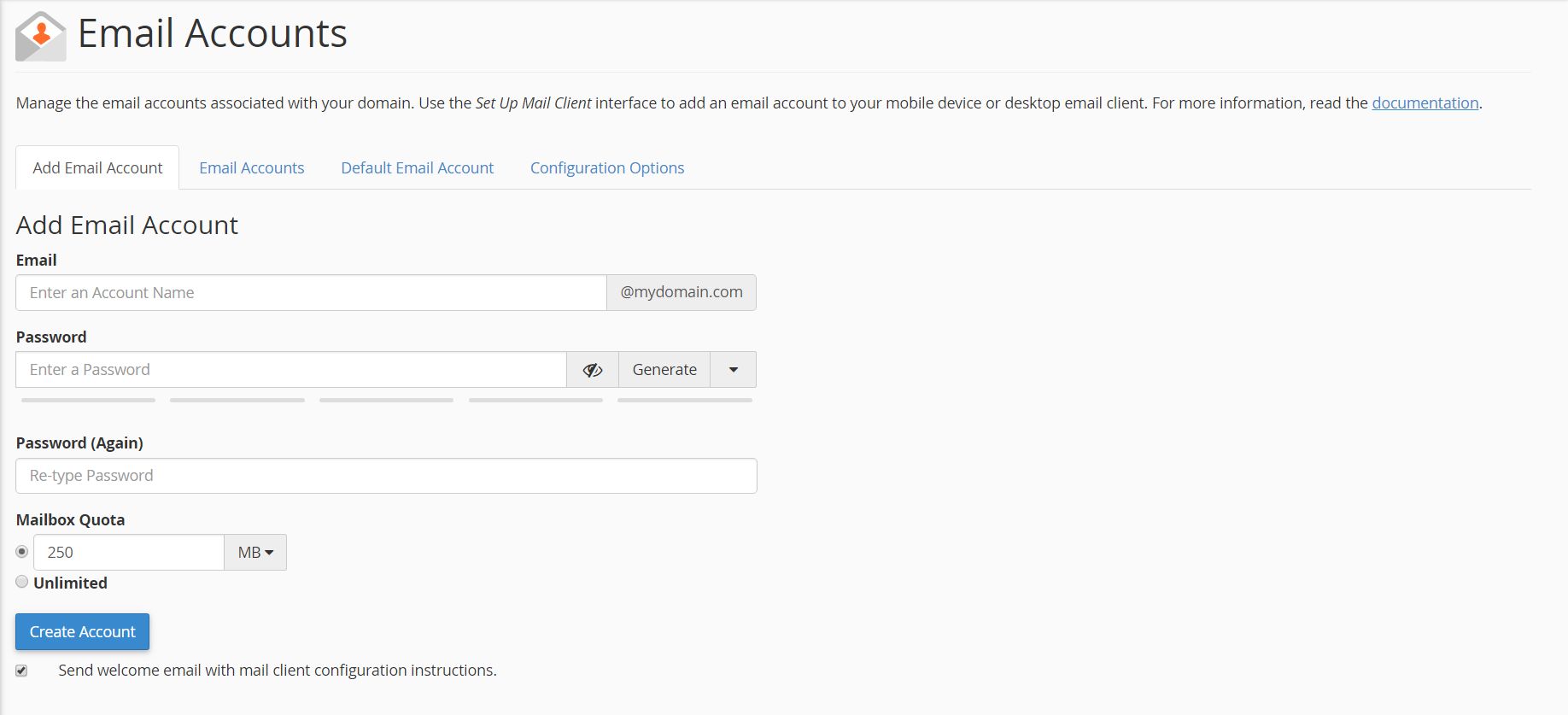
Enter the email account details
Fill in the following fields:
- EMail: Enter the email ID you'd like, for example,
user,admin, or your name. - Password: Enter the password that will be used to access the email account.
- Password (again): Repeat the password entered in the Password field.
- Mailbox Quota: Specify the amount of space you want to allocate for the user's emails.
Create the account
Once the fields are filled in, click Create Account.
Warning
Make sure to enter a strong password and select an appropriate mailbox quota for the email account.
Accessing WebMail
You can access your email inbox through WebMail using the following URL:
http://YourDomainHere/webmail
Tip
Replace YourDomainHere with your actual domain name to access WebMail for your account.