Managing Users and Packages in DirectAdmin (Reseller Guide)
Contents
Adding a Package
Access the reseller account
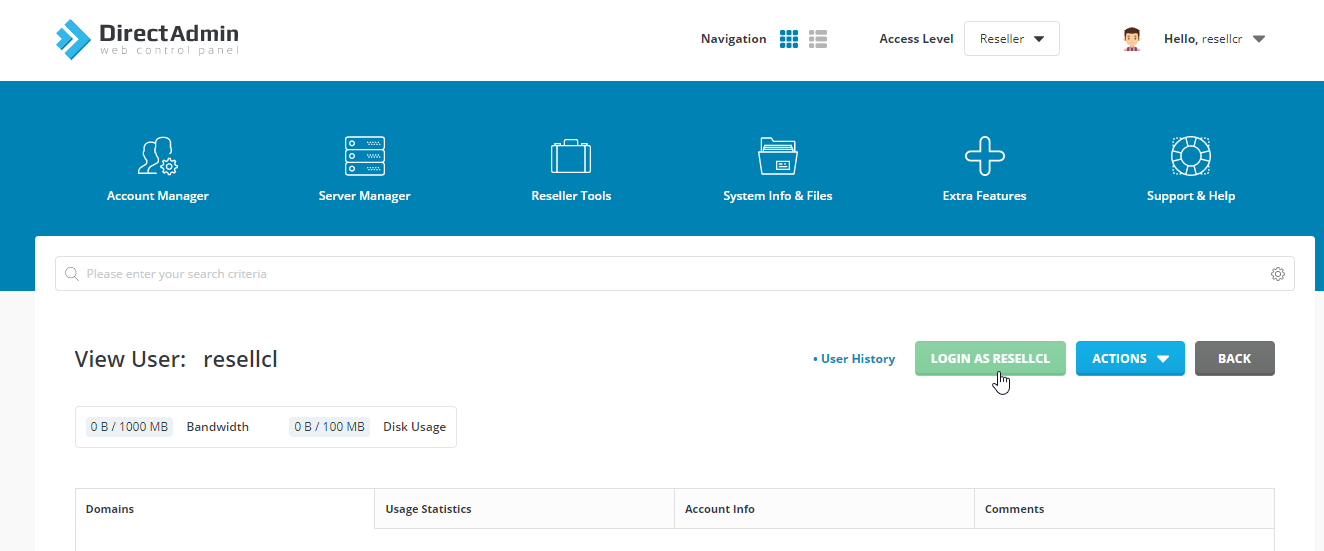
Log in to your reseller account in the DirectAdmin panel.
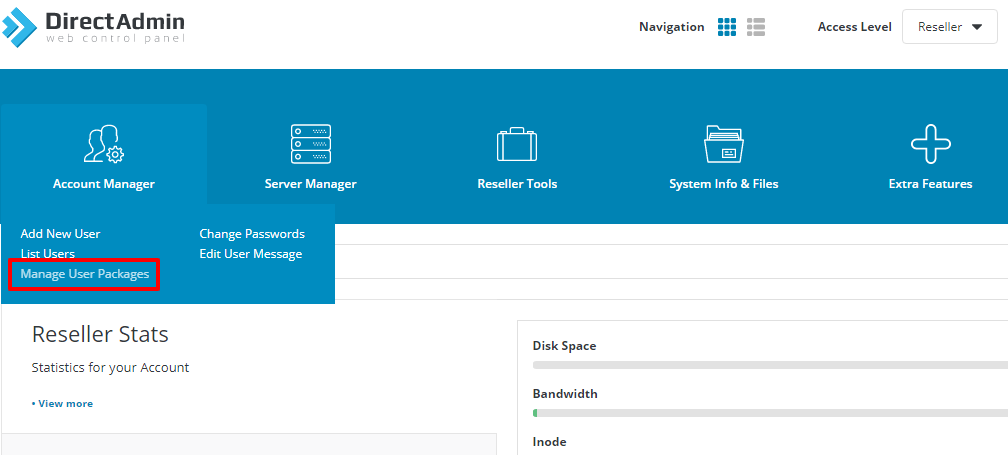
Open Manage User Packages
Under Account Manager, click Manage User Packages.
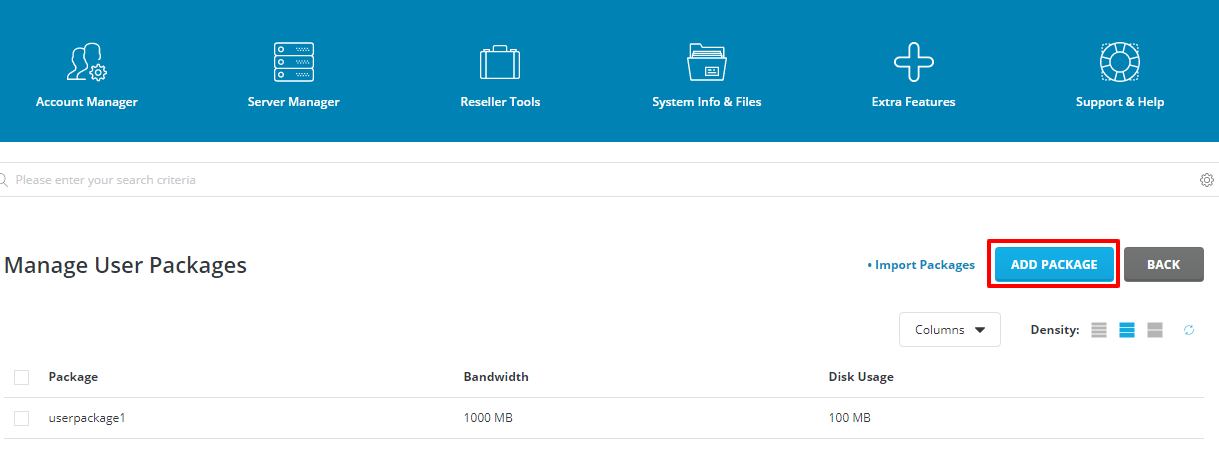
Add a package
Click Add Package.
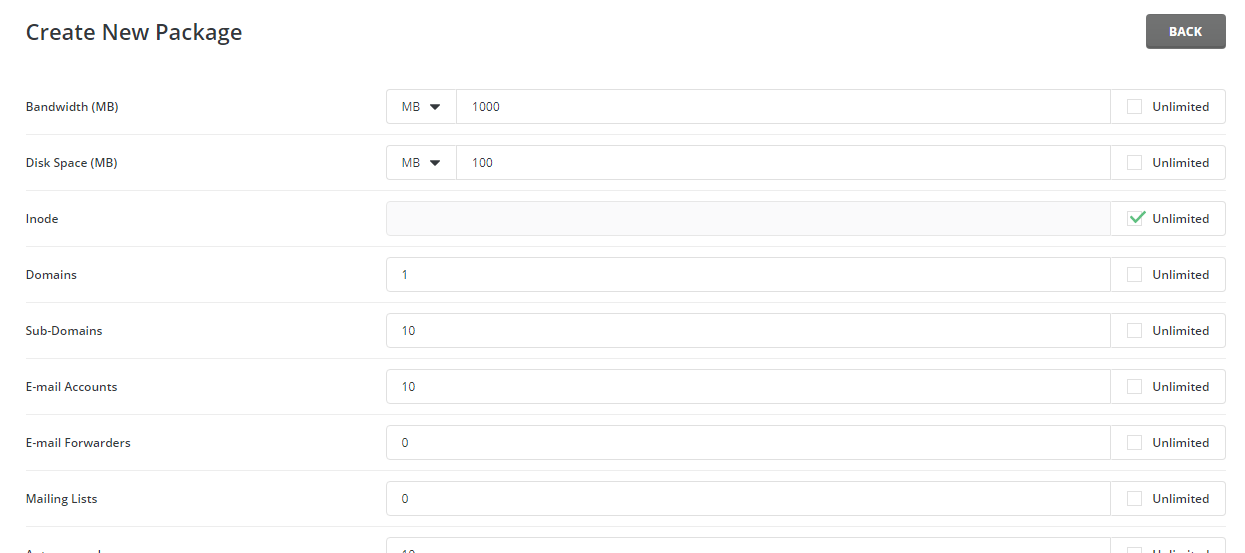
Configure package limits
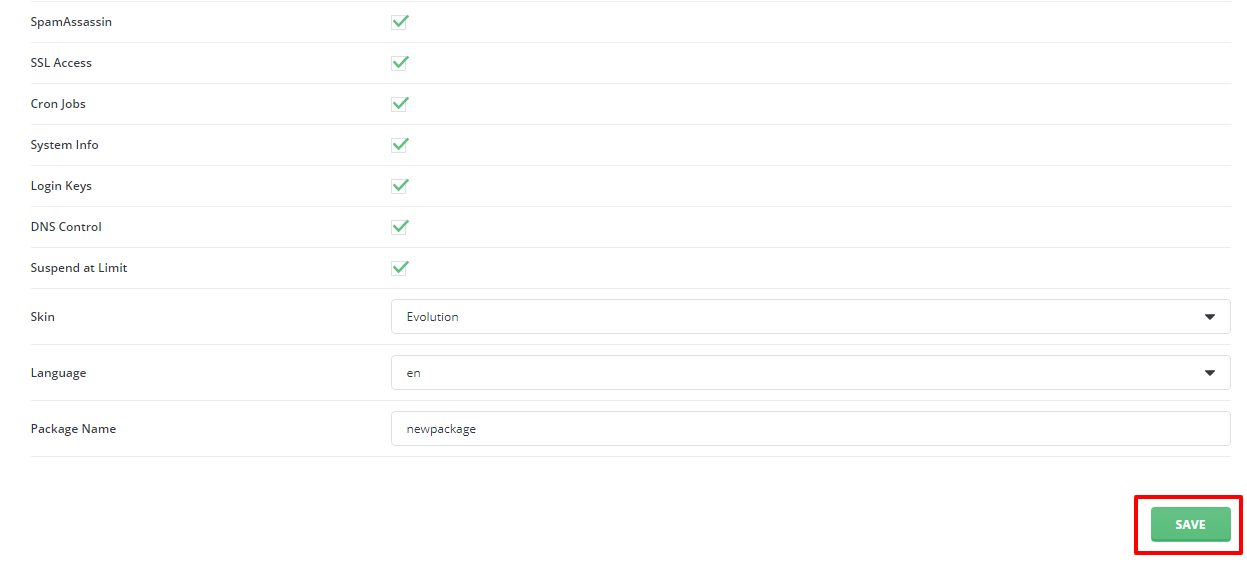
Set or select the limits according to your requirements and enter a package name.
Save the package
Click Save.
Adding a User
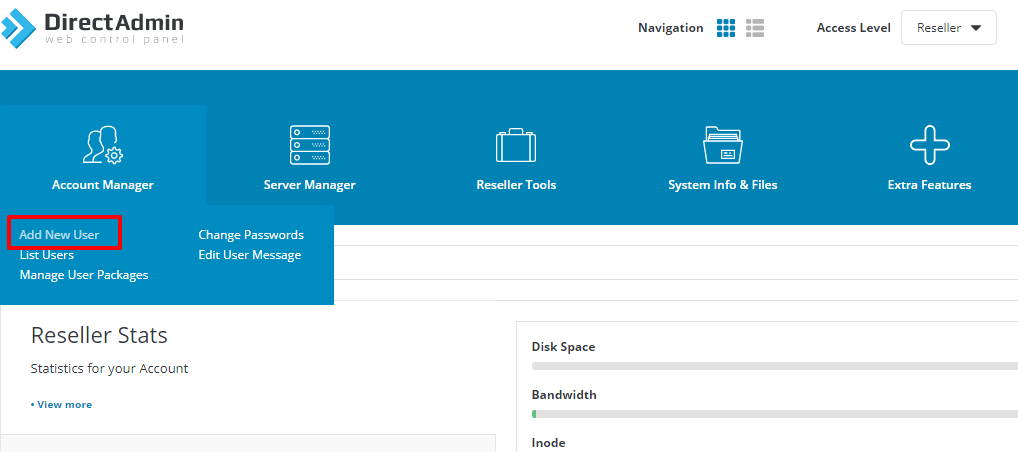
Open Add New User
Under Account Manager, click Add New User.
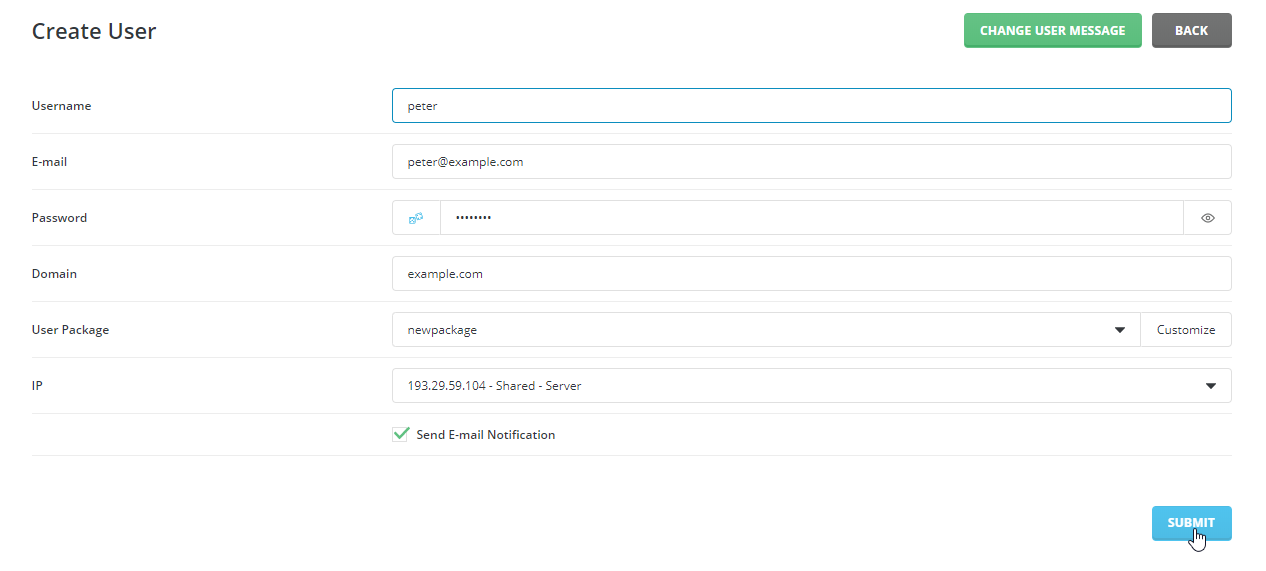
Enter user details
Enter all the required information and click Submit.
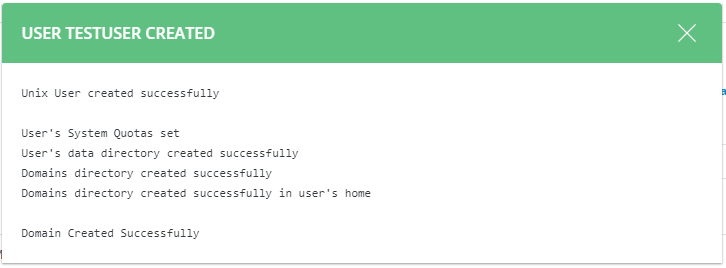
Verify user creation
After clicking Submit, the following window will appear.
Removing a User
Removing a user will also delete the user's data and files. This action cannot be reversed unless you have a local backup to restore later.
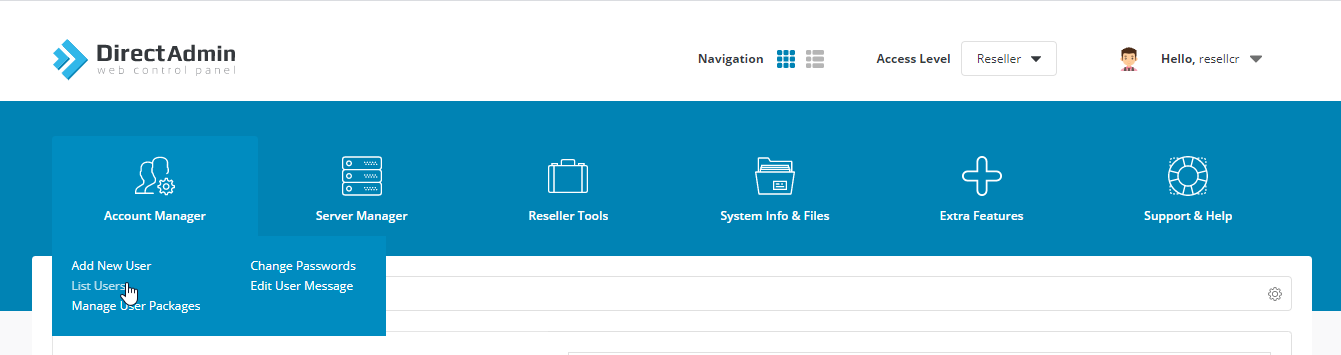
Open List User
Under Account Manager, click List User.
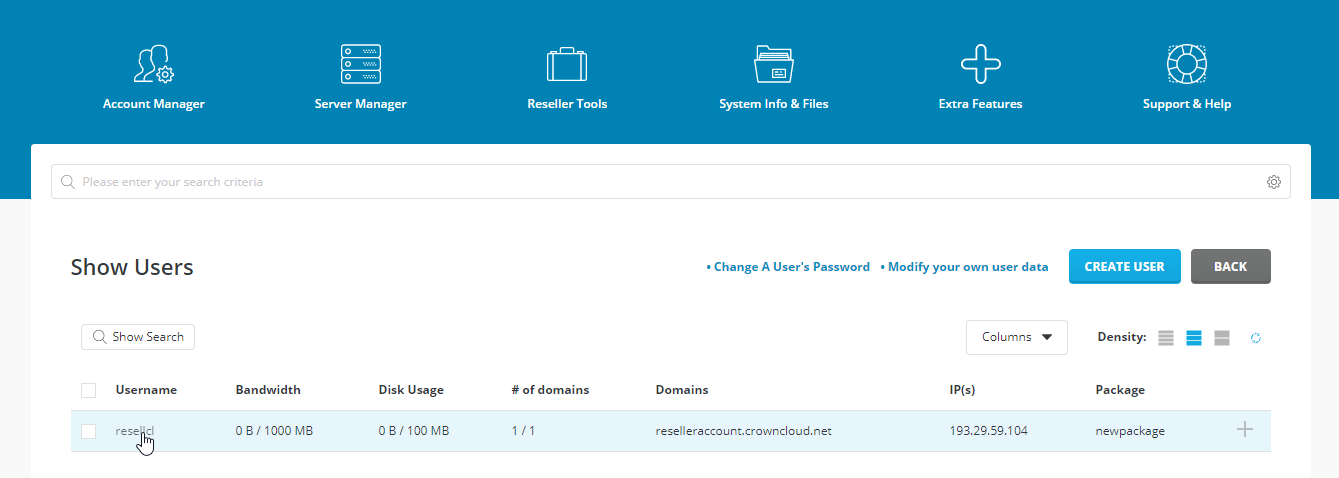
Select the user
Click the username you want to remove.
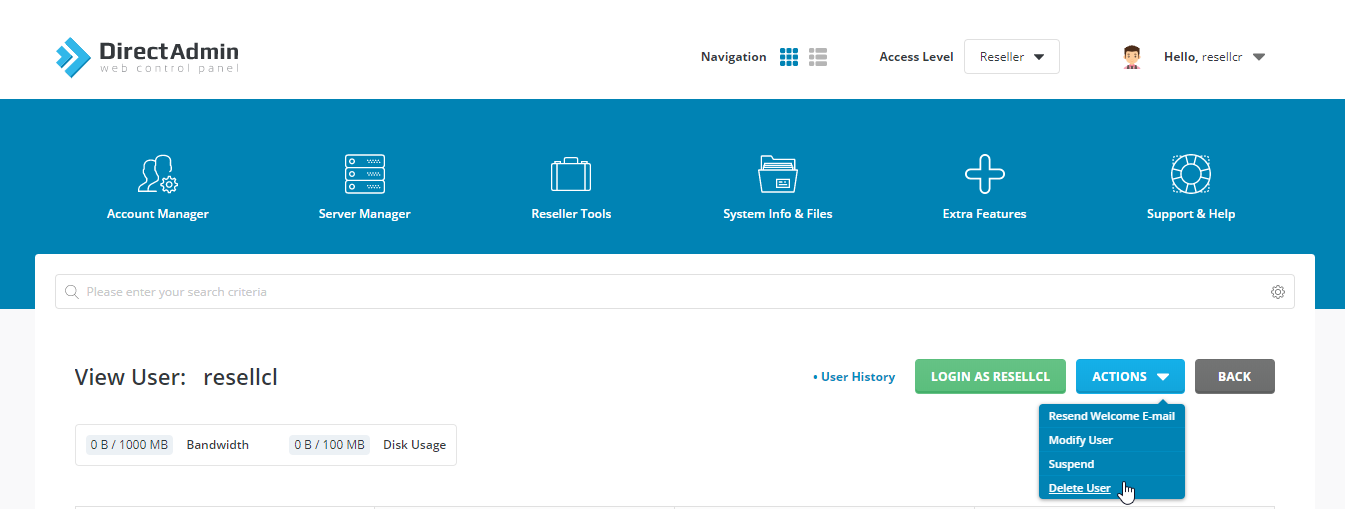
Delete the user
Select the Action button and choose the option to delete the user.
Modifying Resources of a User
Open List User
Under Account Manager, click List User.
Select the user
Click the username whose resources you want to modify.
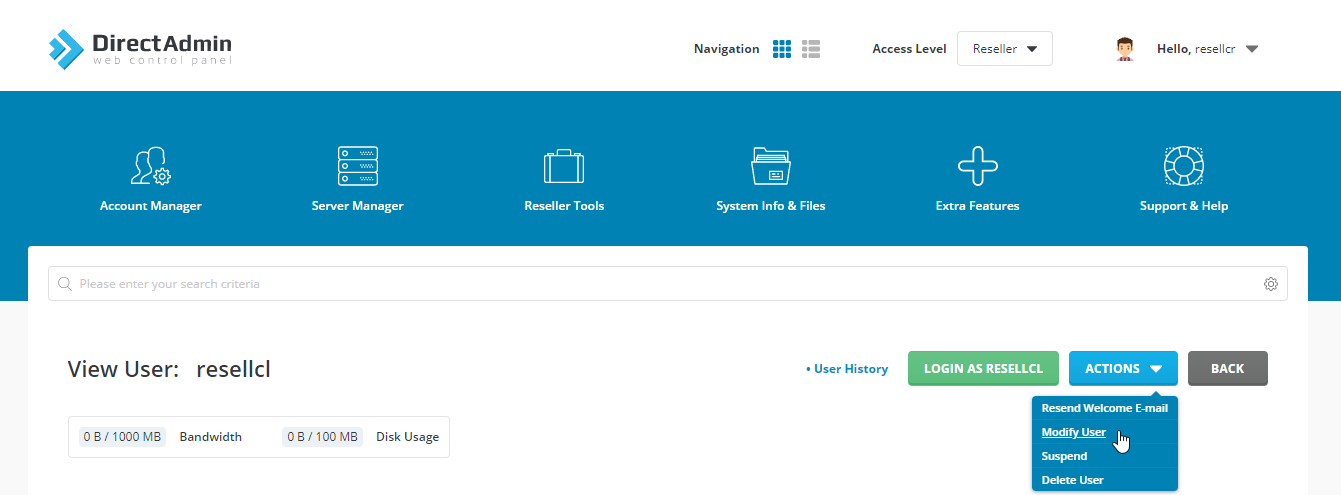
Modify the user's resources
Select the Action button and choose the option to modify the user.
Logging In as a User
Open List User
Under Account Manager, click List User.
Select the user
Click the username you want to log in as.
Log in as the user
Click Login as User.