How to Send a Notification to All Users in DirectAdmin
Info
If you are using the Standard theme on DirectAdmin, switch to the Refreshed theme as shown in How to change theme or layout on DirectAdmin.
In the Refreshed Theme
Log in to DirectAdmin
Log in to the DirectAdmin panel as a reseller.
Open Message All Users
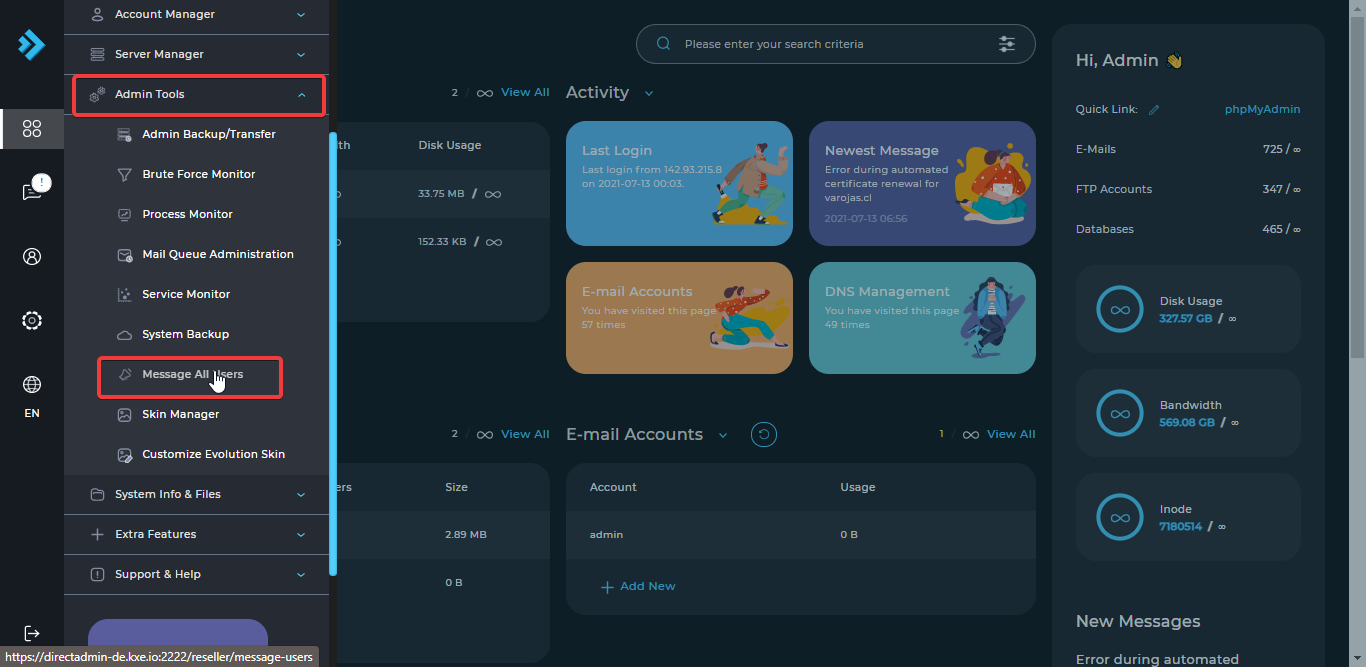
Click on Message All Users under Admin Tools.
Write and send the message
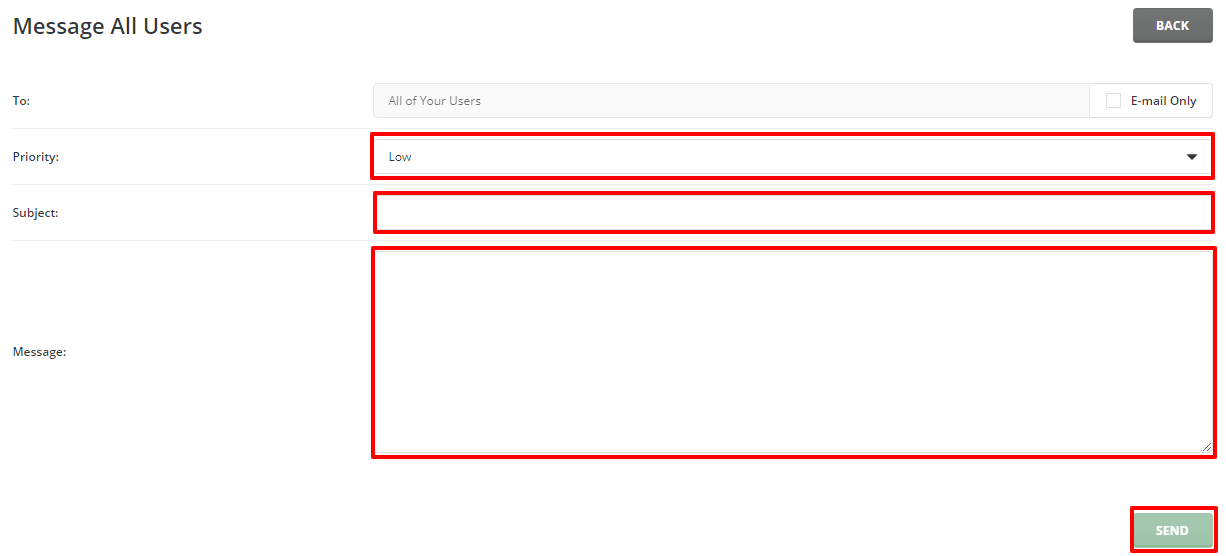
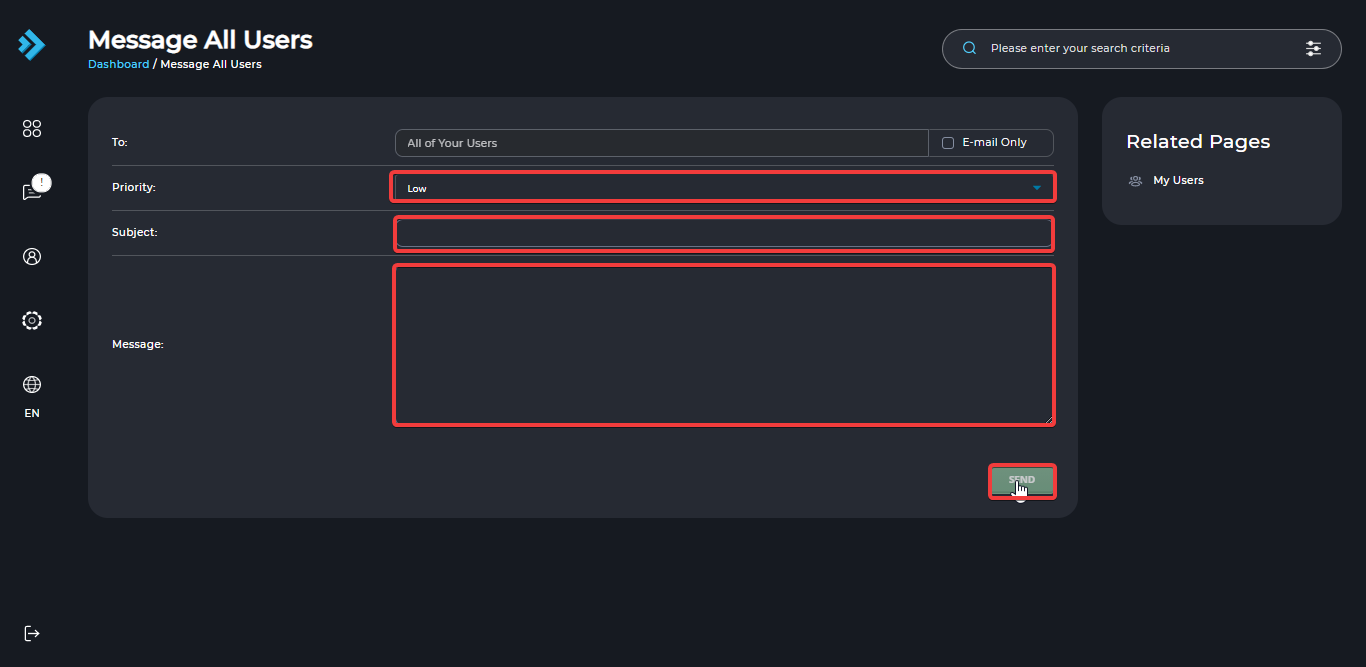
Select the Priority of the message, enter the Subject and Message, and click the Send button.
In the Standard Theme
Click here to show the steps
Log in to DirectAdmin
Log in to the DirectAdmin panel as a reseller.
Open Message All Users
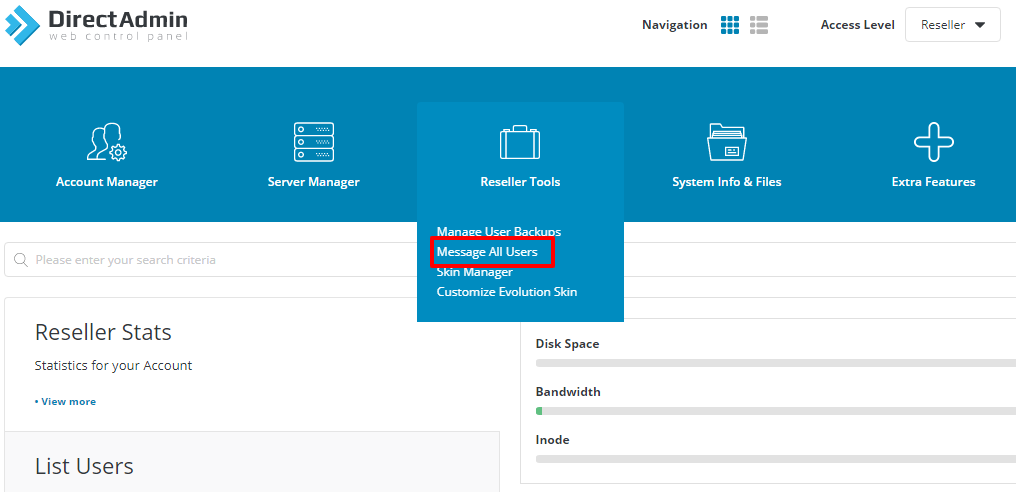
Click on Message All Users under Reseller Tools.
Write and send the message
Select the Priority of the message, enter the Subject and Message, and click the Send button.