

Creating Additional Administrator User in DirectAdmin
An additional administrator account, also known as a secondary or supplementary administrator account, has elevated privileges and permissions within a DirectAdmin panel. It is typically created to distribute administrative responsibilities or to serve as a backup when the primary administrator account has problems. These accounts contribute to better security, task delegation, and emergency access management.
This guide takes you step by step through creating additional administrator accounts in the DirectAdmin panel.
Create an Administrator User
Log in to DirectAdmin
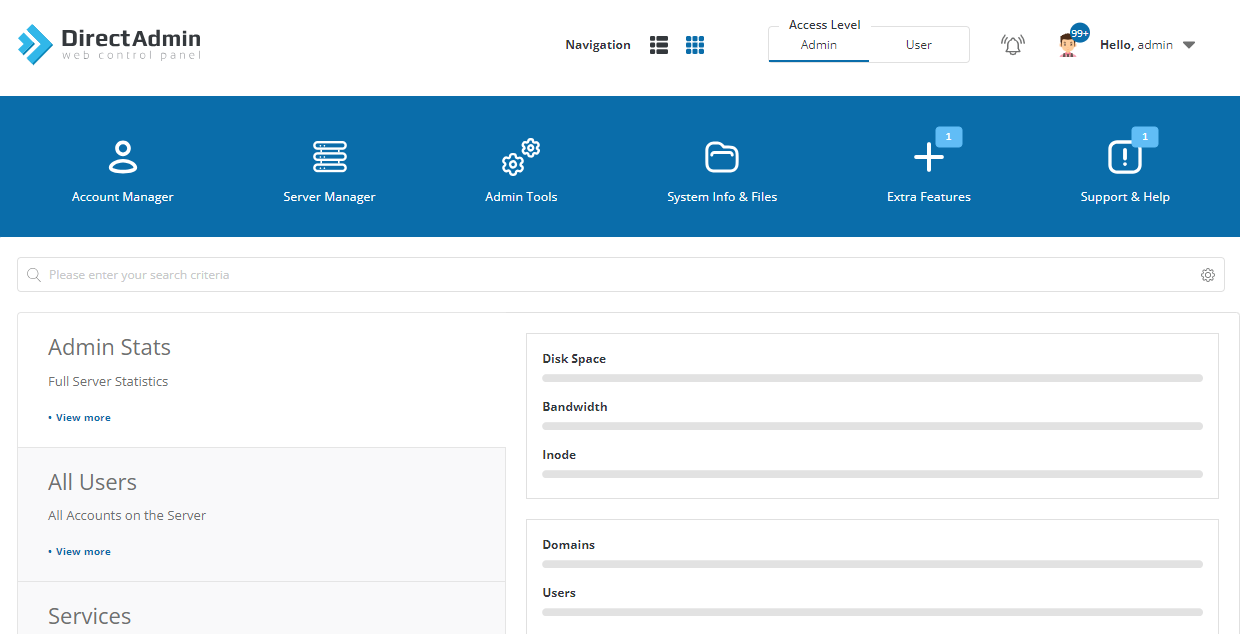
Log in to the DirectAdmin control panel as the Admin/Administrator user. It should be accessible at http://IP_ADDRESS:2222.
After logging in, you will see the homepage as shown below.
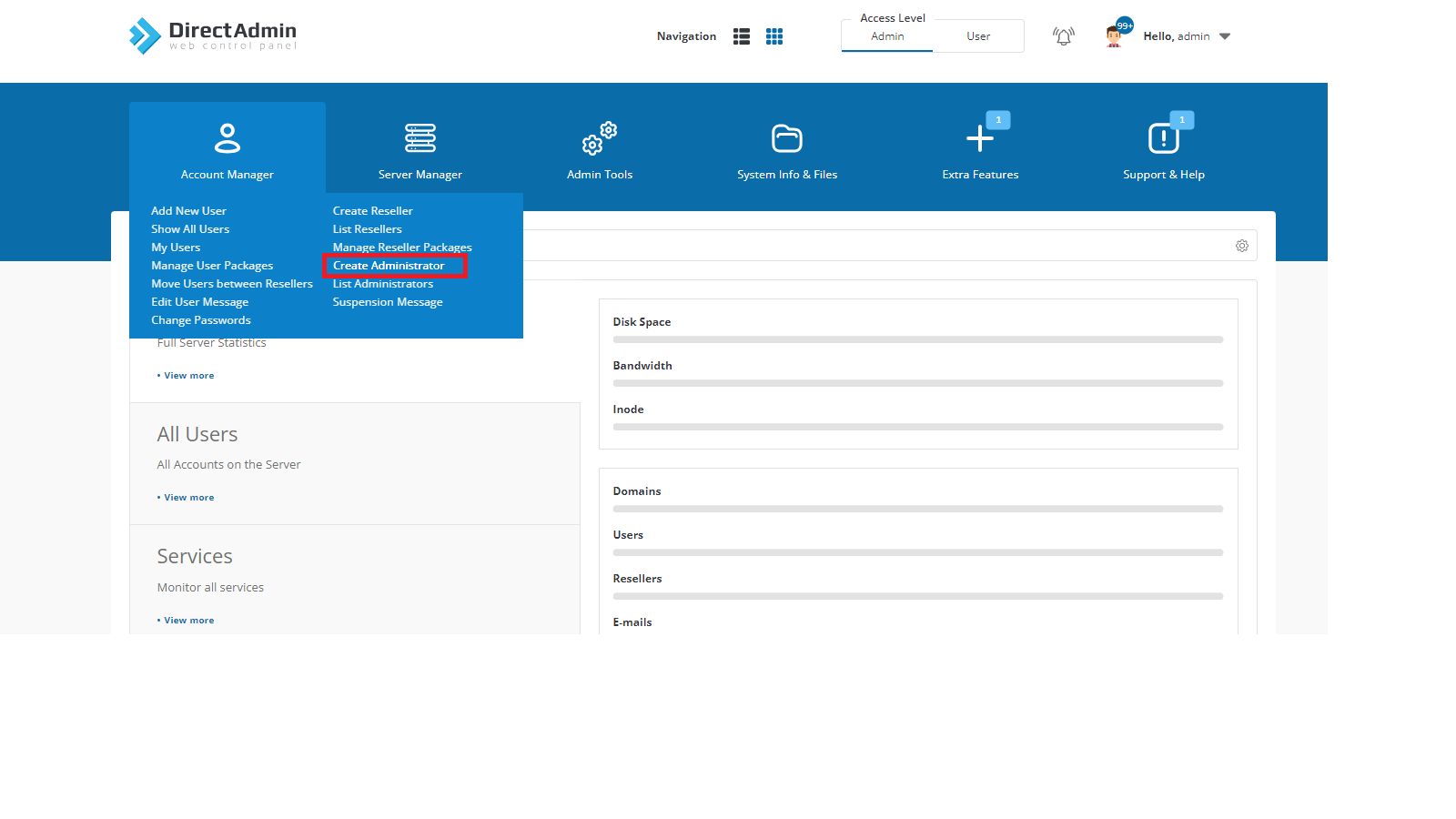
Click Create Administrator
Navigate to Account Manager and click on Create Administrator.
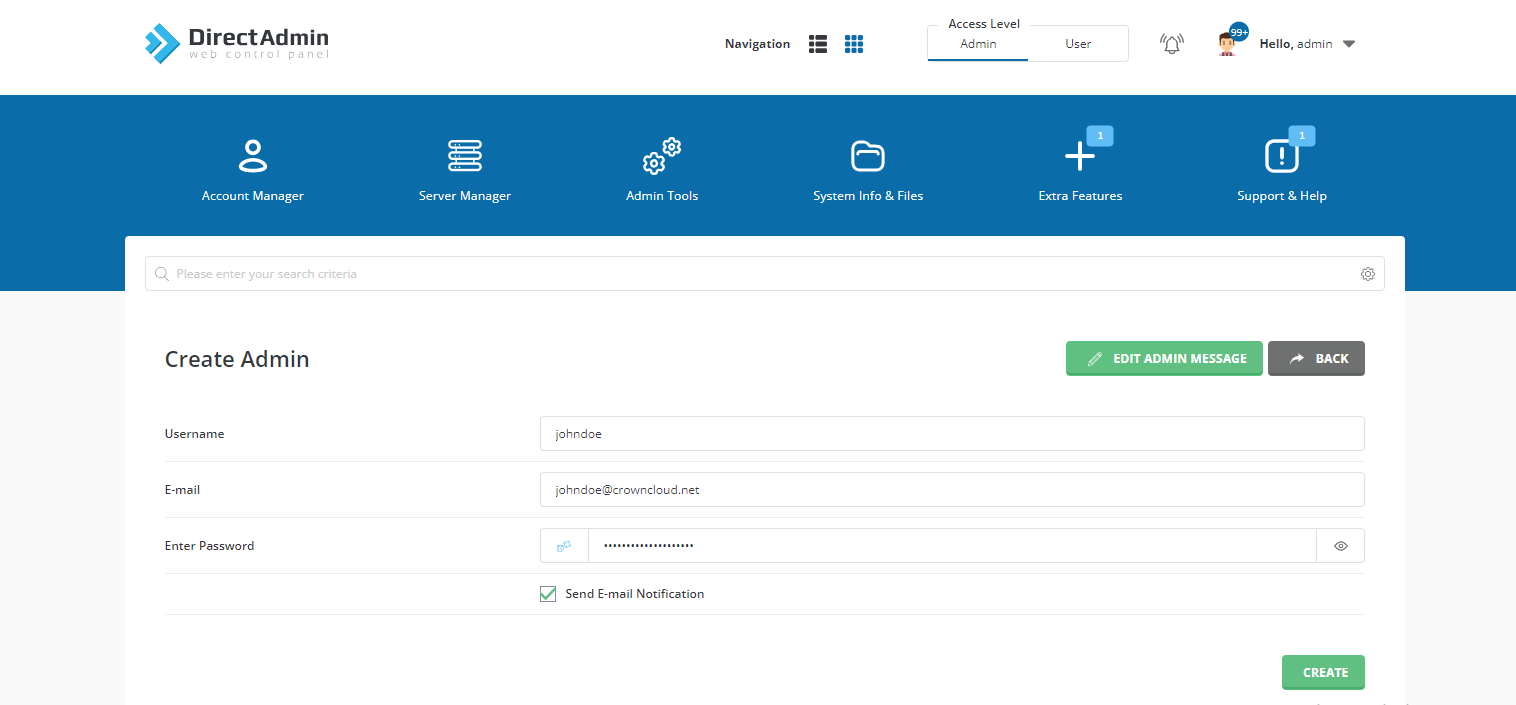
Enter the details
Fill in the following details:
- Username
- Email address
- Password
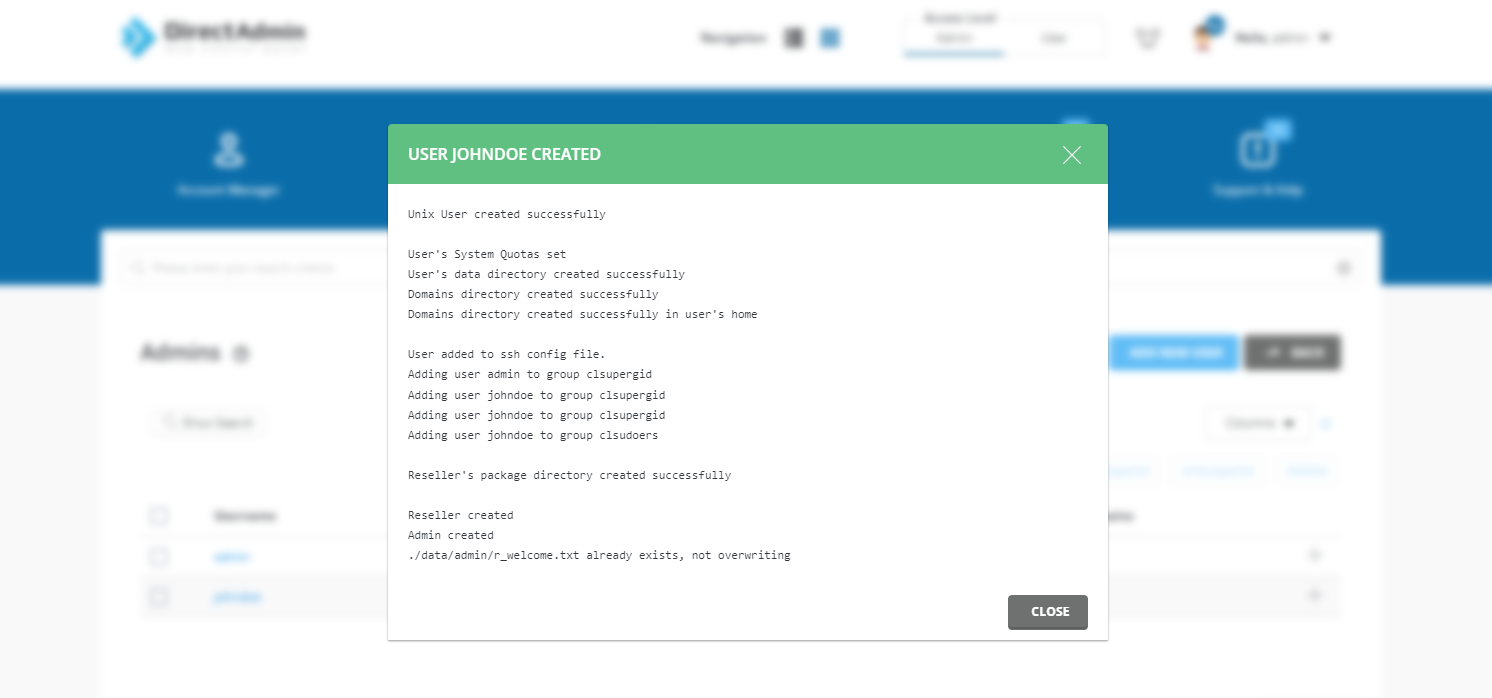
Create the user
Click the Create button. A message or pop-up will confirm that the user was created successfully.
Manage and View Administrators
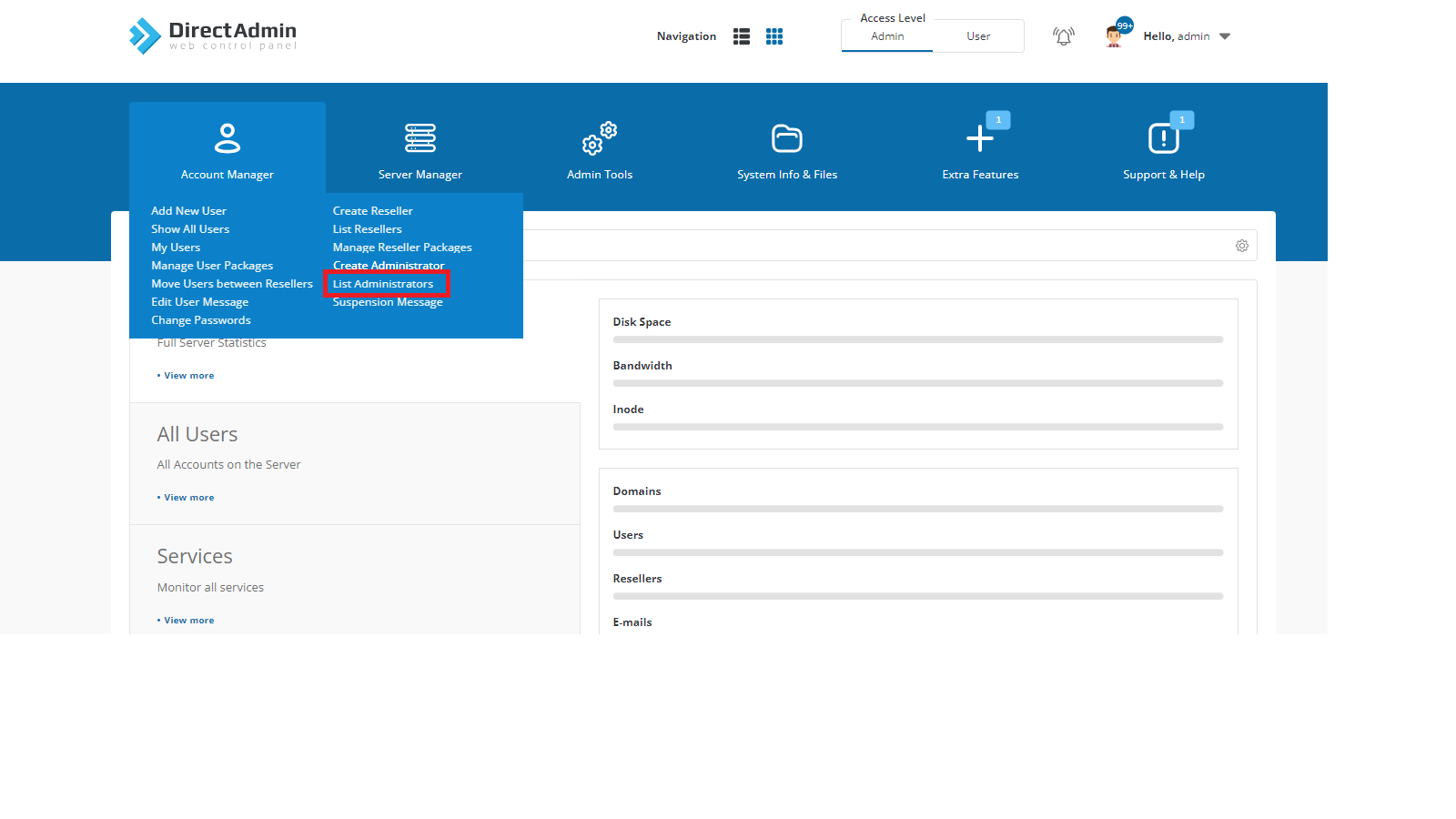
Click List Administrator
To view and manage the additional administrator users you created, navigate to Account Manager and click on List Administrator.
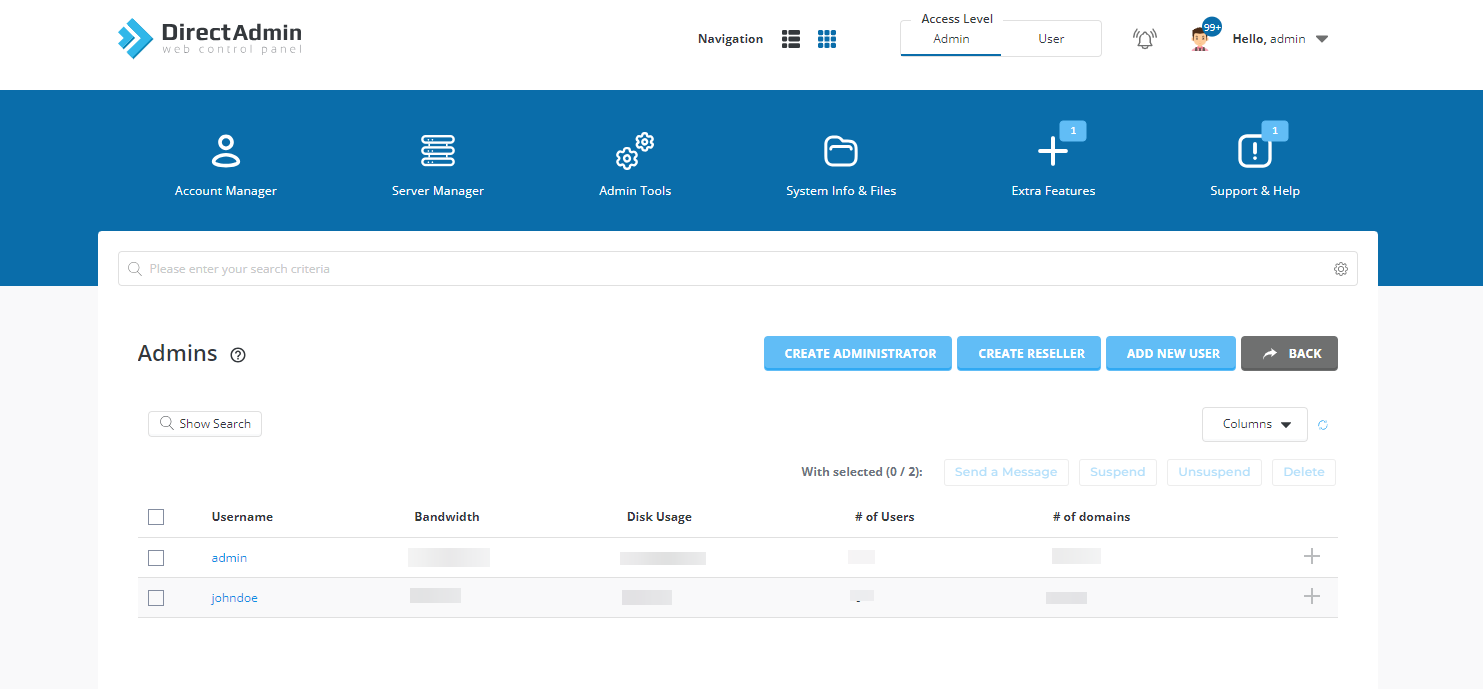
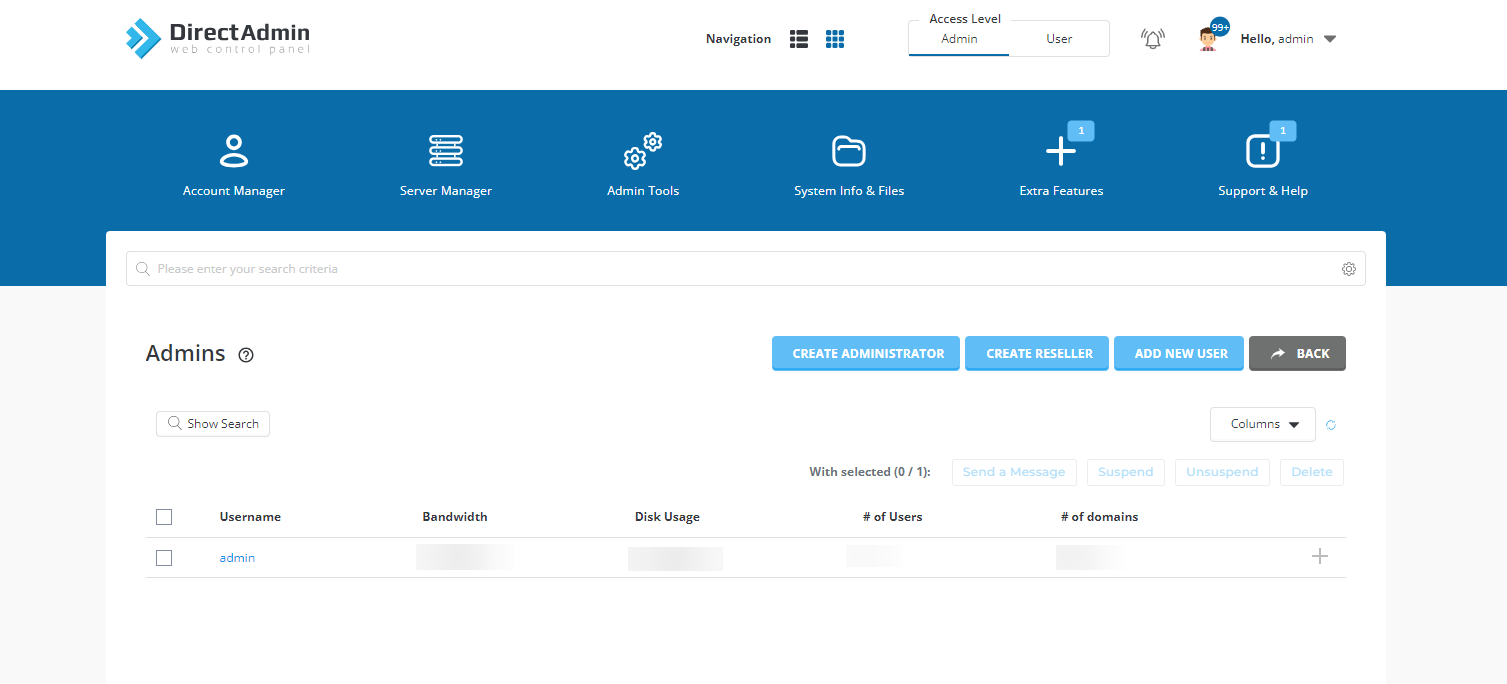
View the administrator users
This page shows all the Administrator users you have created.
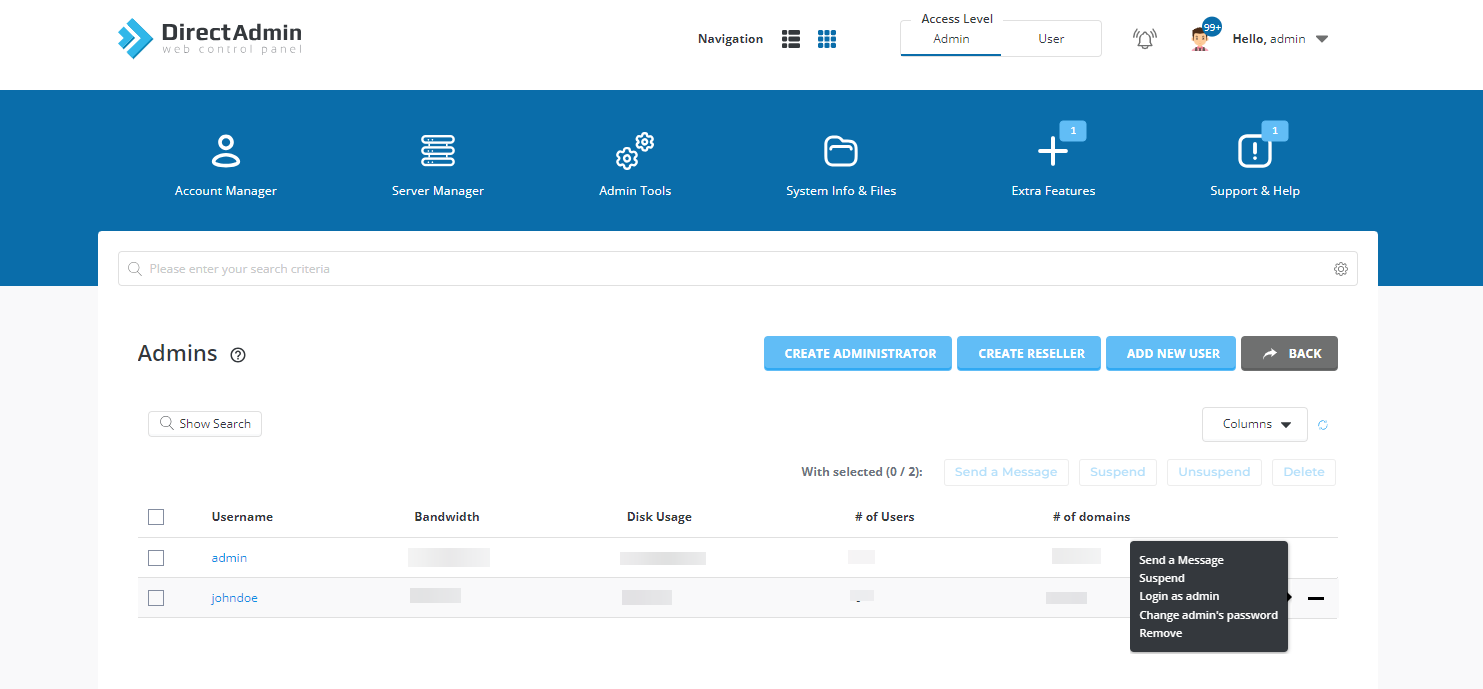
Open the actions
Click the + sign next to a user to see the available options: Send a Message, Suspend, Login as admin, Change admin's password and Remove.
Delete an Administrator User
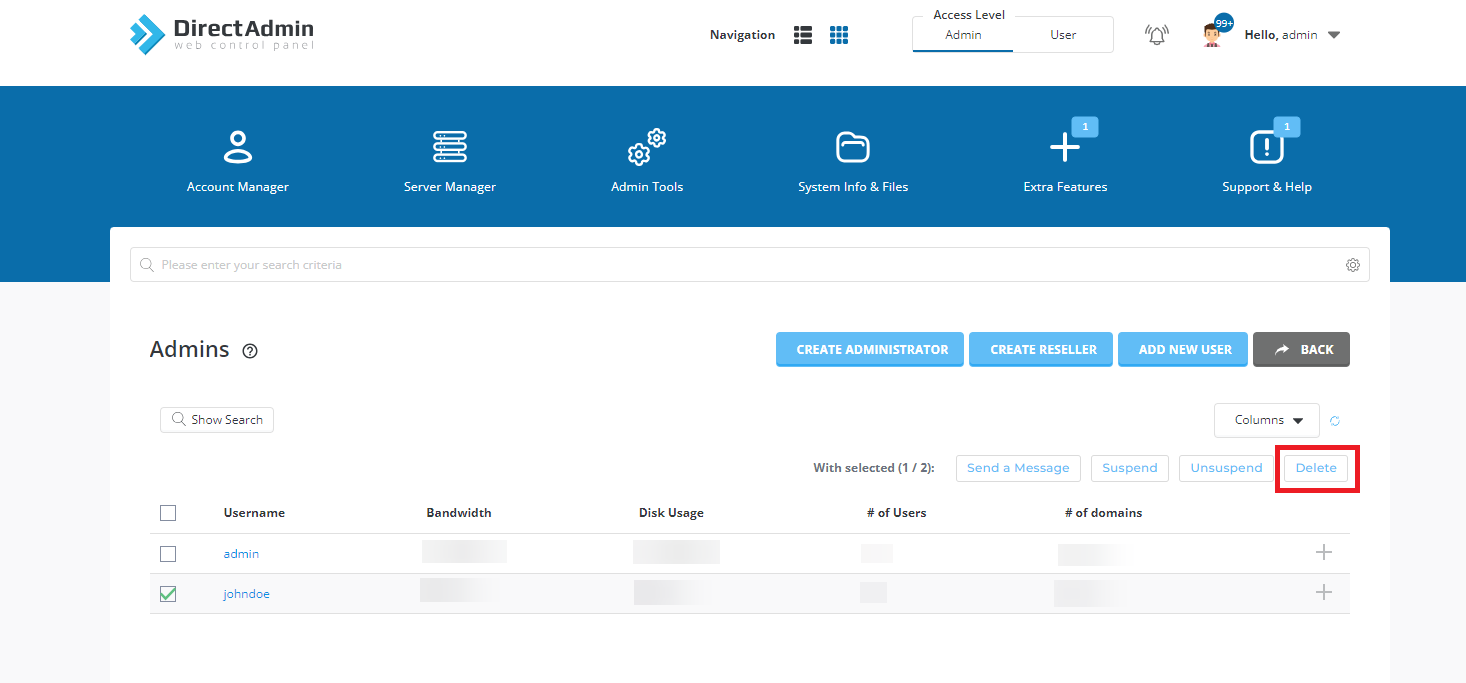
Select the user
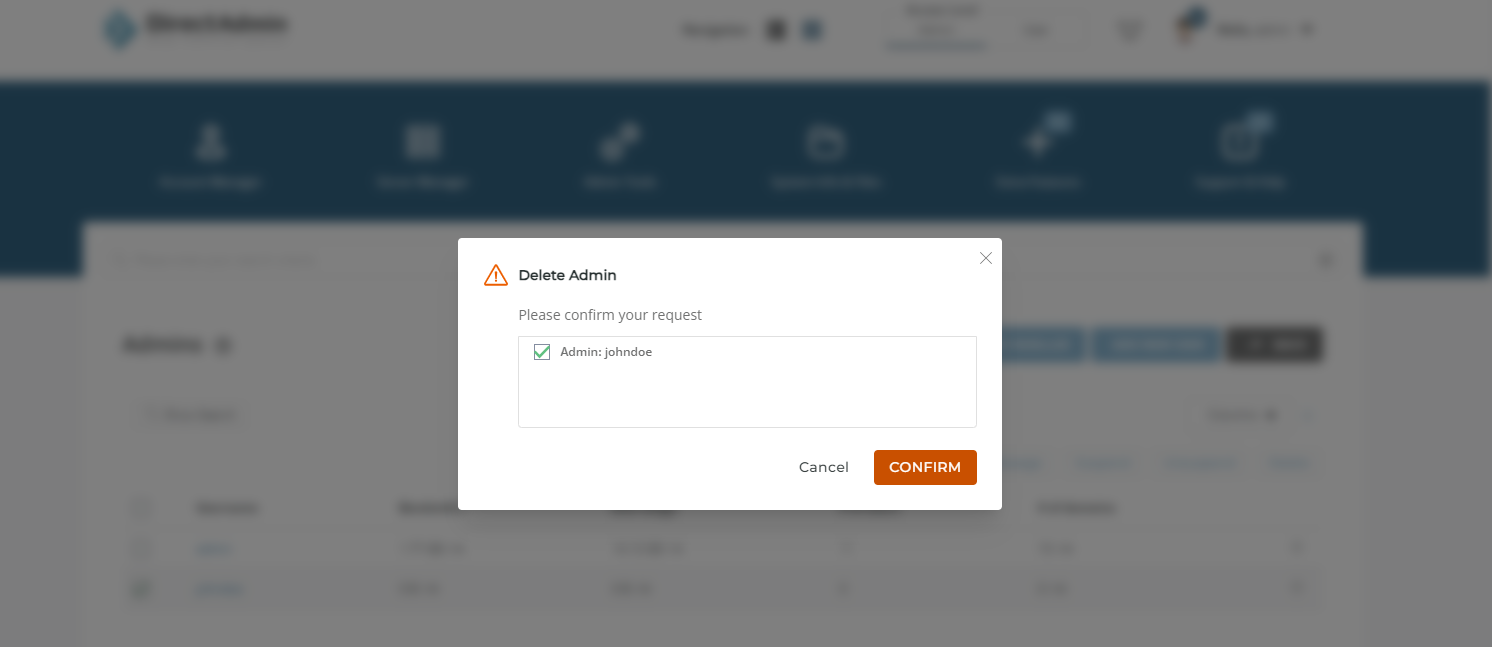
If you want to remove an additional administrator user you created, tick the checkbox next to that user and click the Delete button.
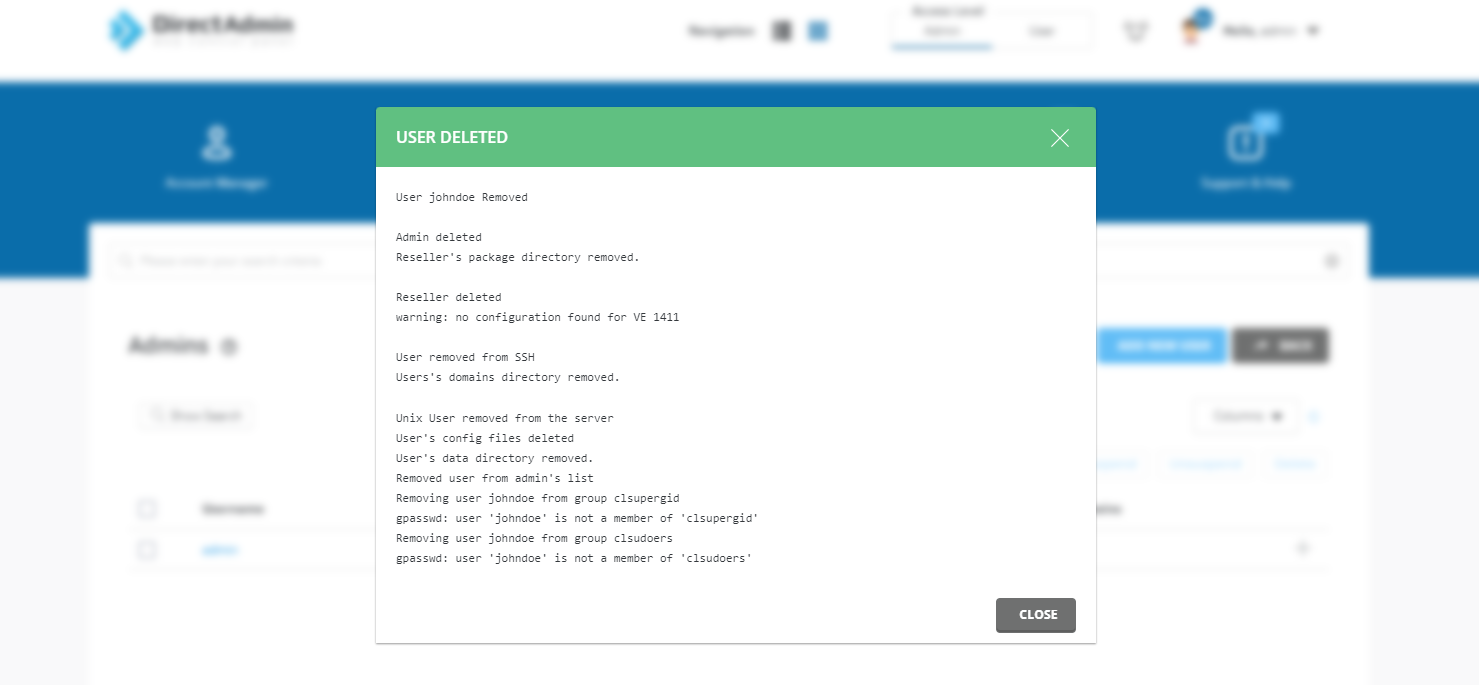
Confirm the deletion
A confirmation prompt will appear. Click to confirm the deletion.
Conclusion
Creating an additional administrator user in DirectAdmin is a straightforward process that gives you the privileges needed to manage and oversee your hosting environment efficiently.