Improving Email Spam Filtering in DirectAdmin
Move any spam email that has landed in your inbox into the Junk folder. The system learns what is spam and what is not, which significantly reduces the chance of the same spam email landing in your inbox again.
Enabling the Junk Folder if It Is Missing in Roundcube
Log in to Roundcube
Log in to the email account via Roundcube.
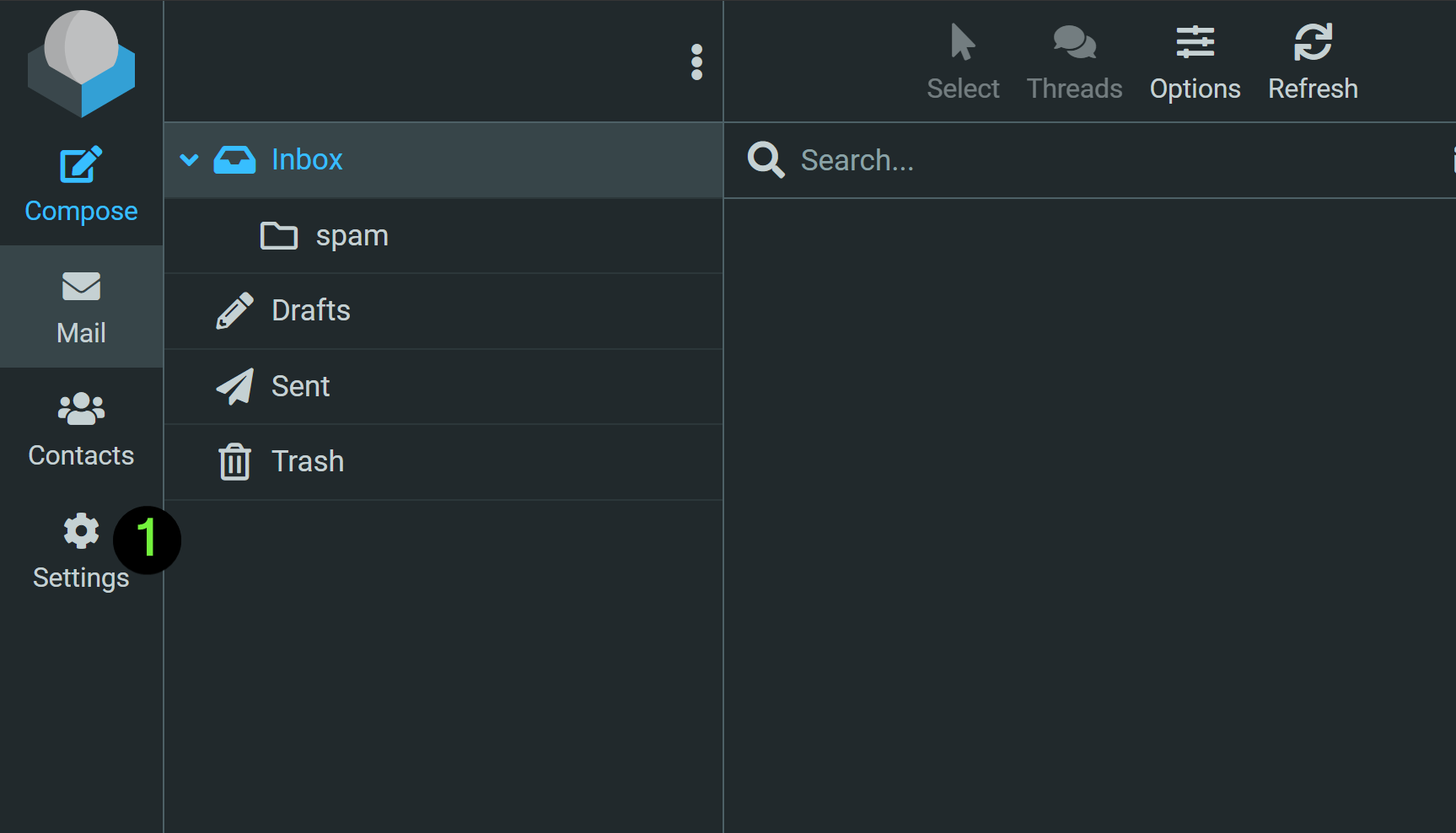
Open Settings
Click Settings in the left-hand menu bar.
Choose the Junk folder
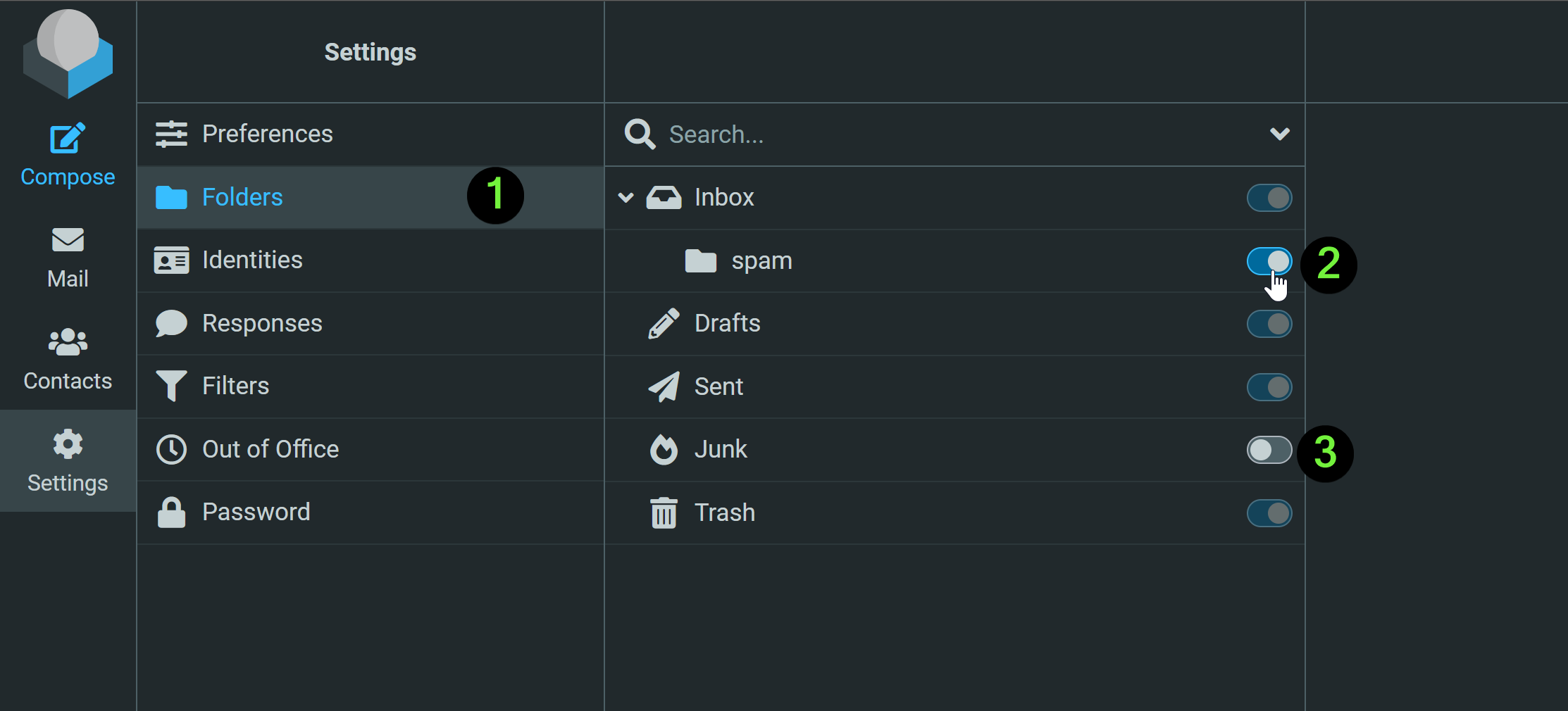
Click Folders, then untick spam and tick Junk.
Check the final selection
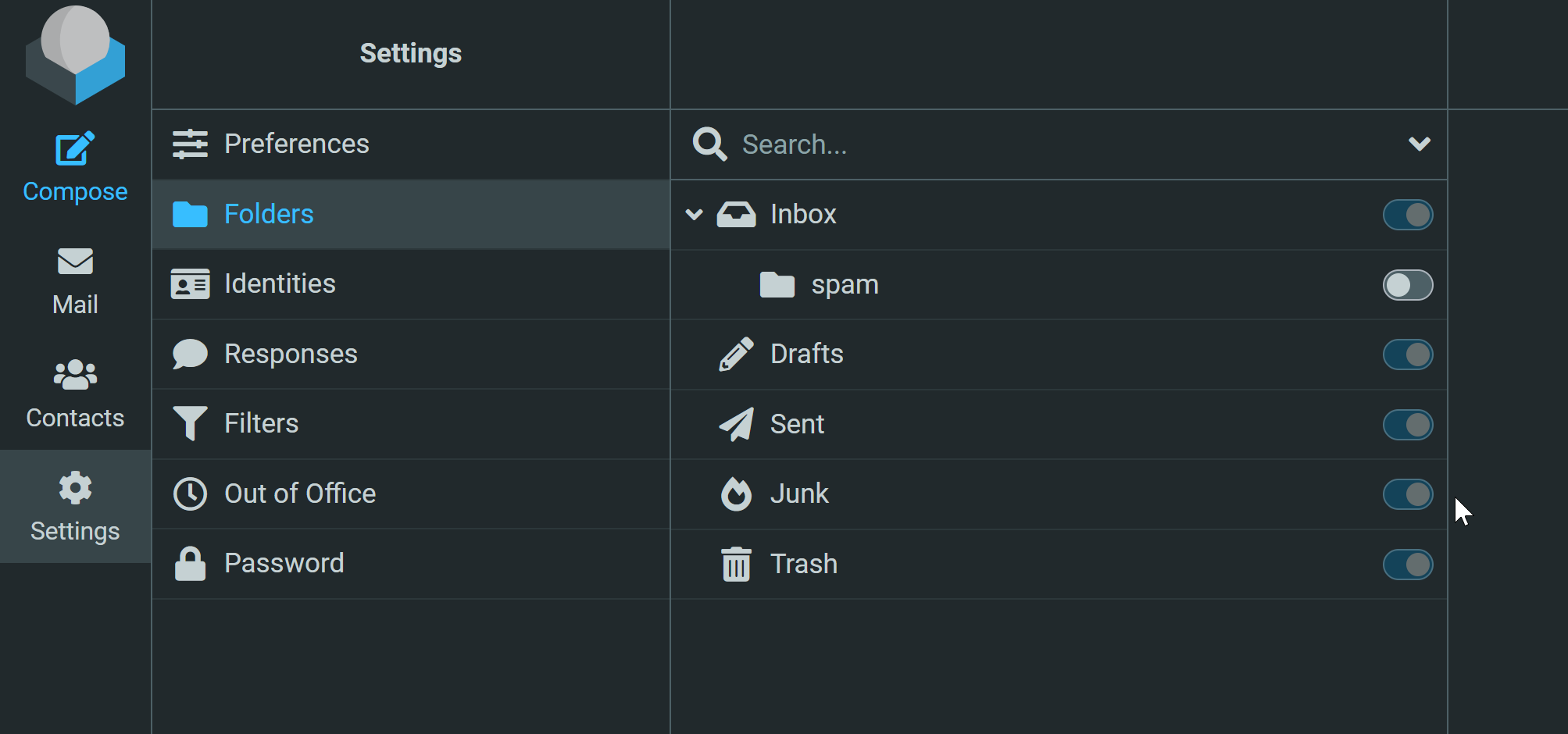
The final selection should look like this: the Junk folder enabled, and any older spam folder disabled.
Move spam into Junk
You can now see the Junk folder in the left-hand menu bar. Move any spam email into this folder.