How to Add and Manage a Domain in DirectAdmin
If you are using the Standard theme in DirectAdmin, switch to the Refreshed theme by following How to Change Theme or Layout on DirectAdmin.
Add and Manage a Domain in Standard Theme
Click here to view Standard Theme instructions
Log in to DirectAdmin
Log in to your DirectAdmin control panel.
Open Domain Setup
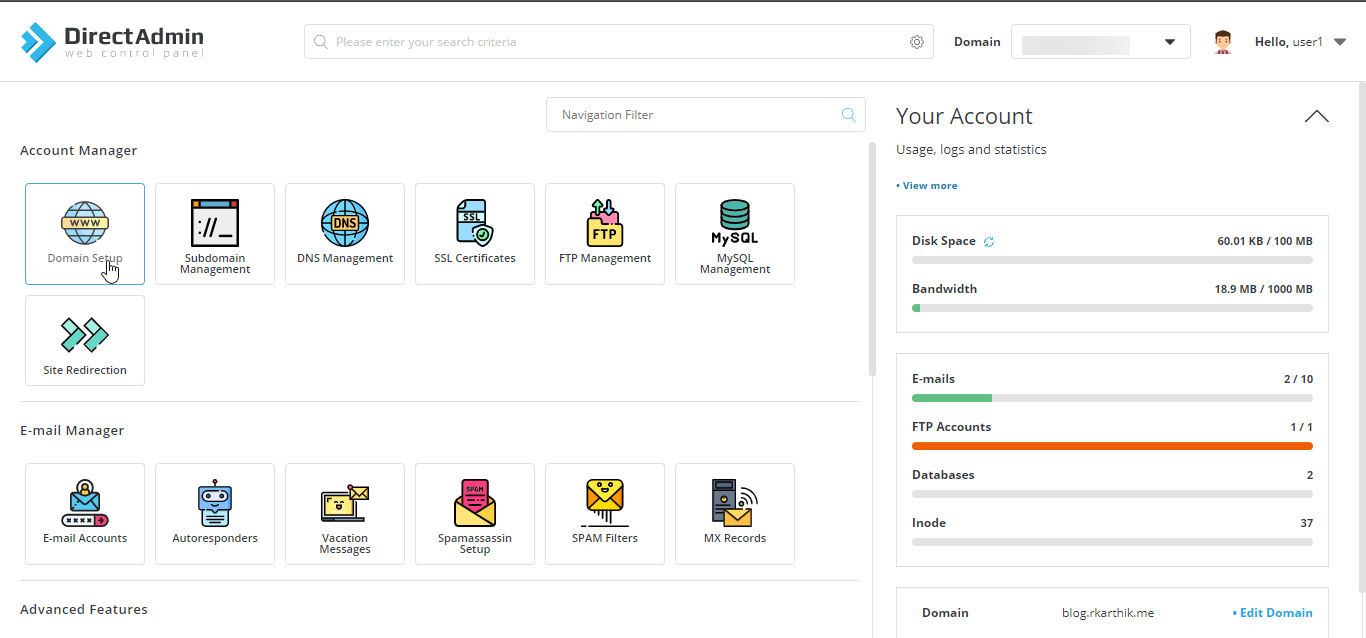
Under Account Manager, click Domain Setup.
Add a New Domain
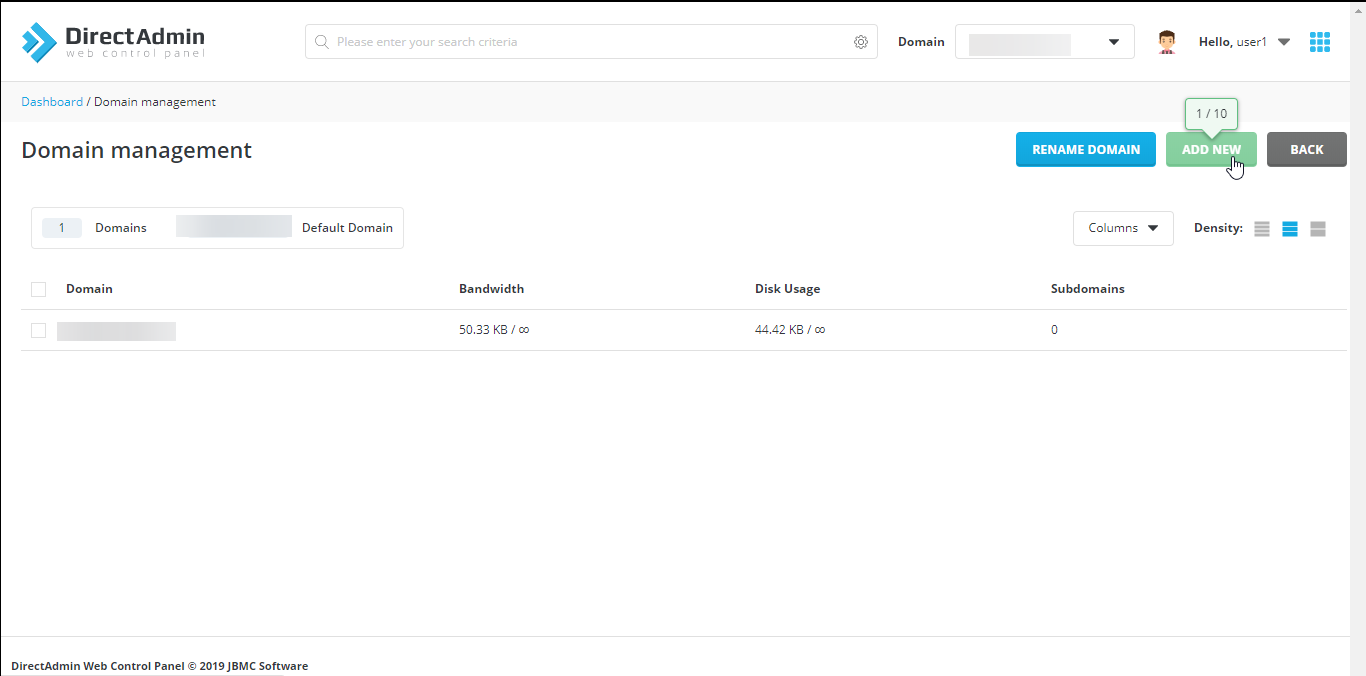
Click Add New to add a domain to your hosting account.
Enter the Domain Name
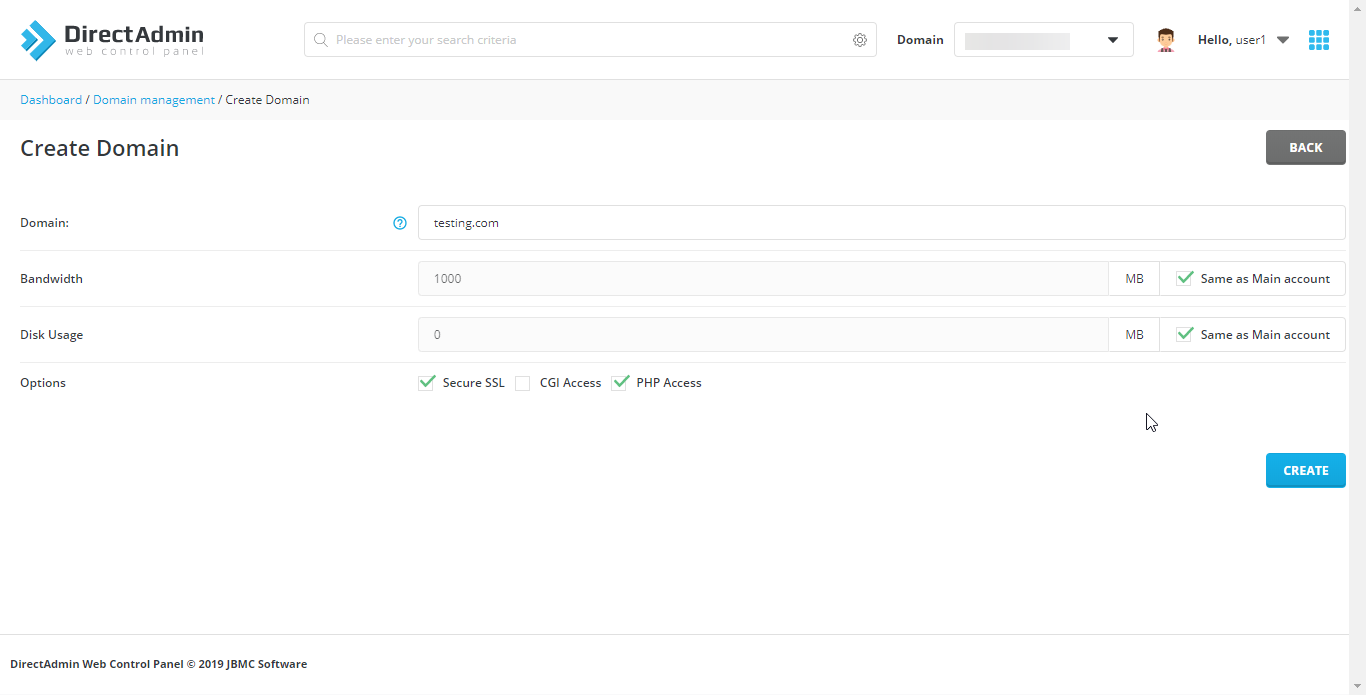
Enter the domain name you want to host.
Configure Domain Settings
Set the bandwidth and disk space allowances for the new domain. You can also choose whether to enable SSL, CGI, or PHP privileges.
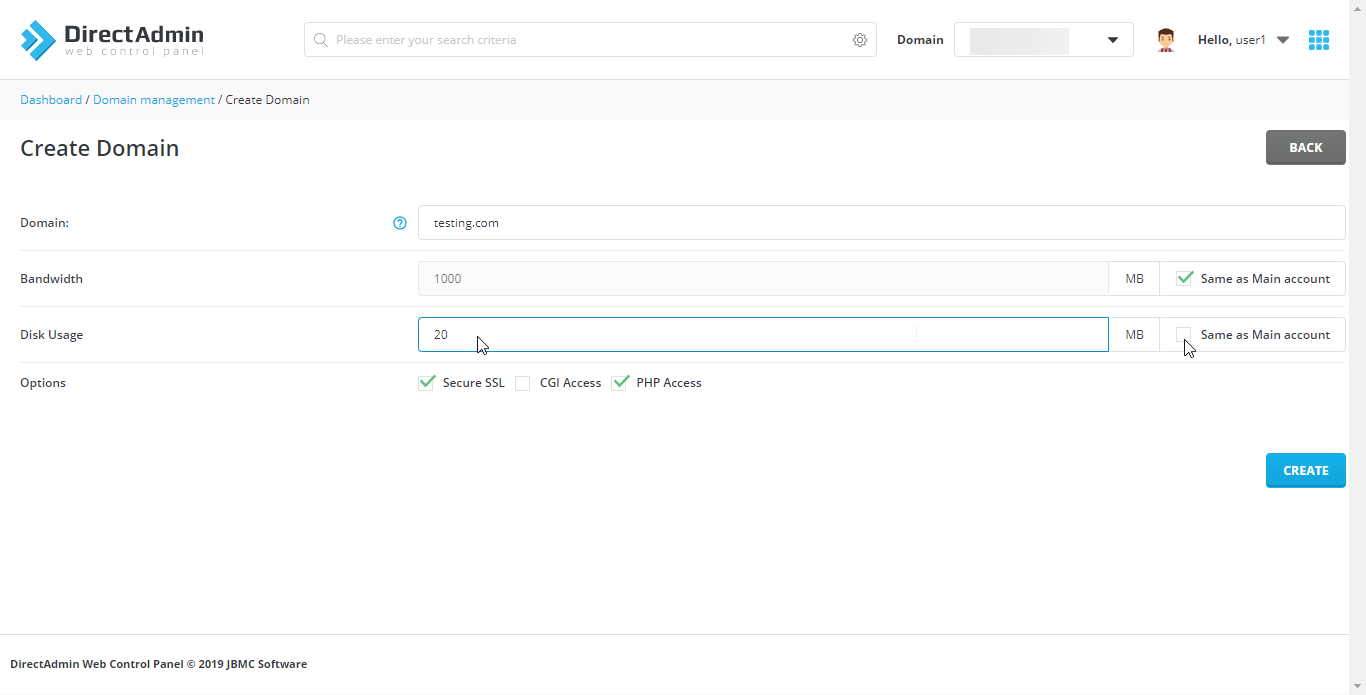
Create the Domain
Click Create to add the domain to your hosting account.
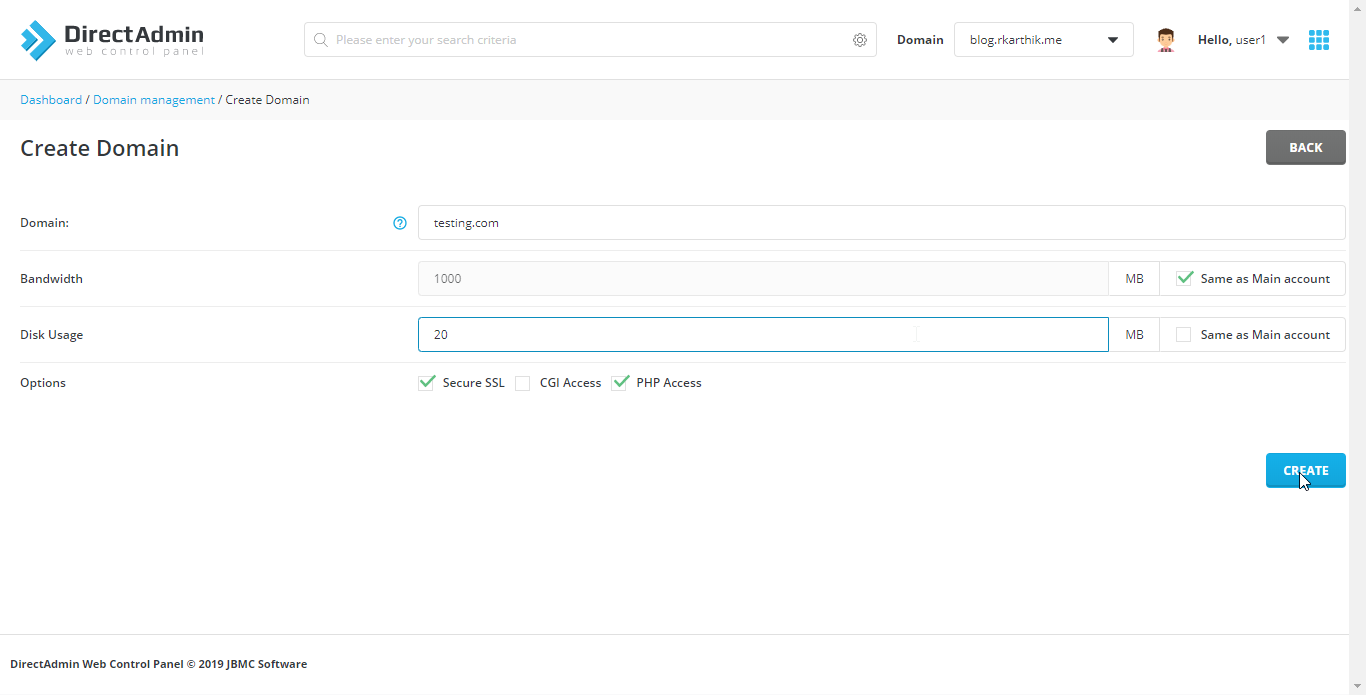
Verify Domain Creation
Once the domain is created successfully, the confirmation screen will look like this.
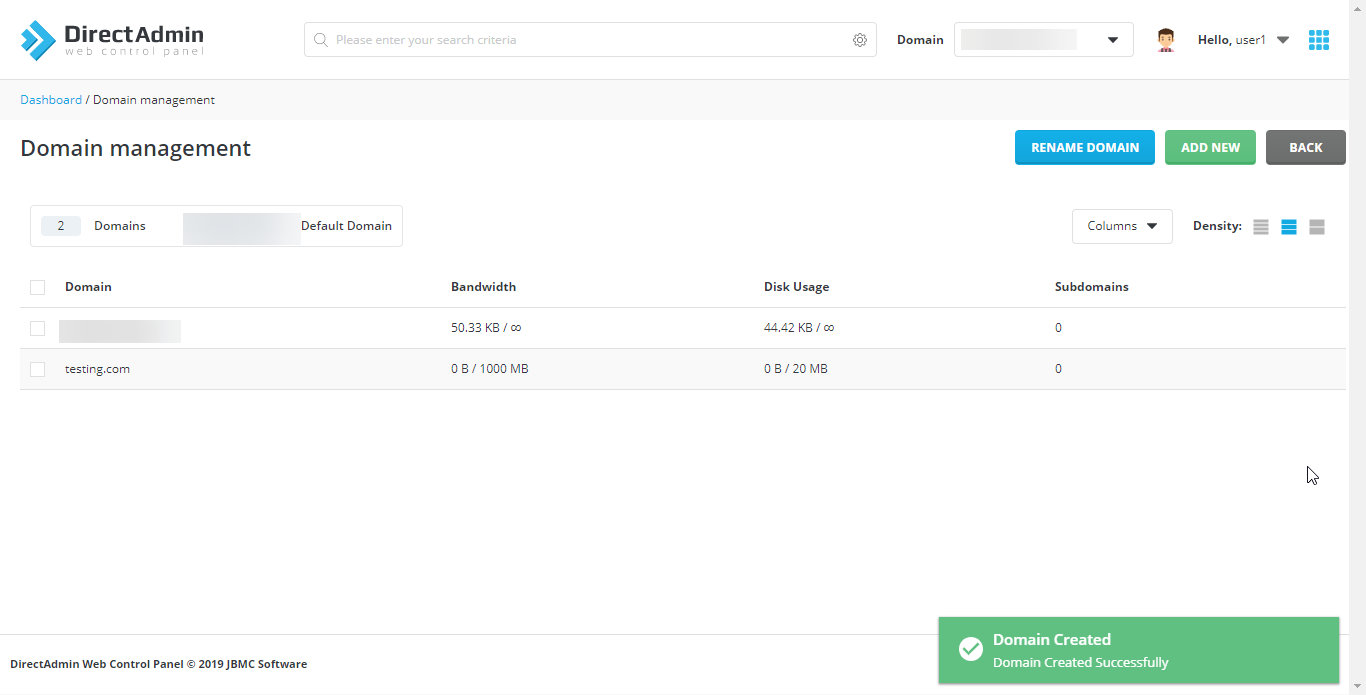
Manage the Domain
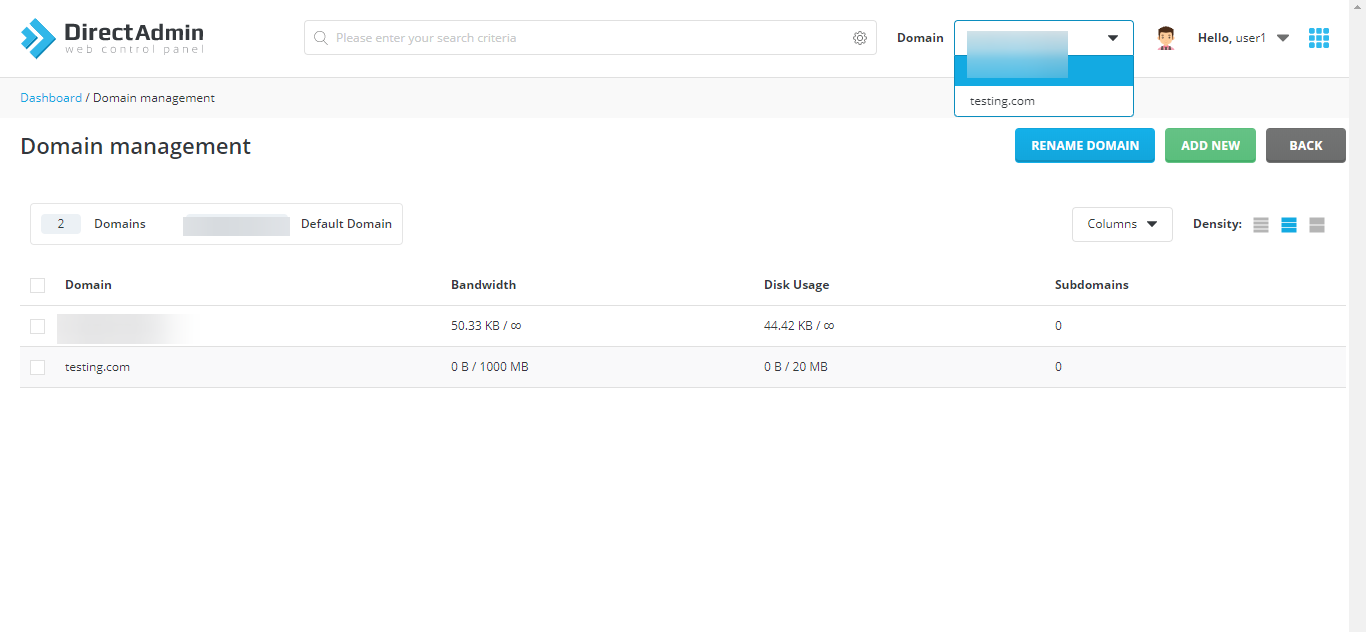
Select the checkbox next to the domain to manage it. You can set it as the default domain, delete it, suspend it, or unsuspend it using the corresponding buttons.
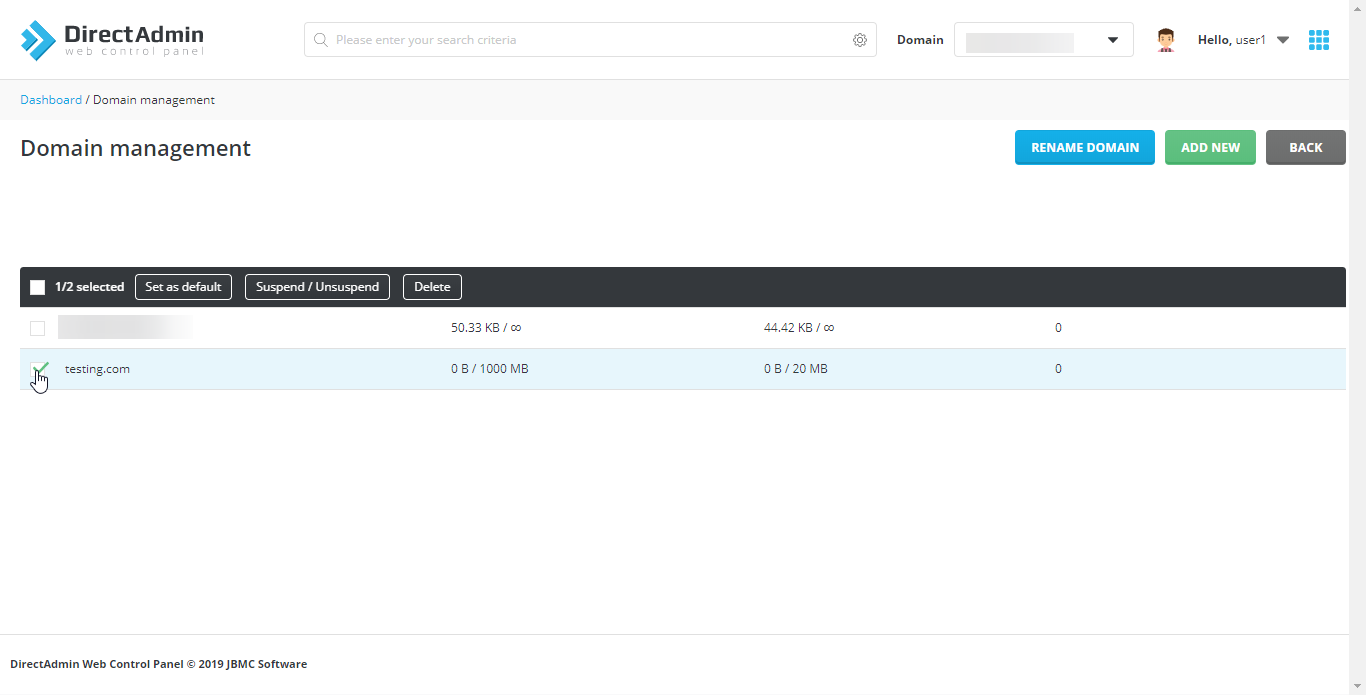
Switch Between Domains
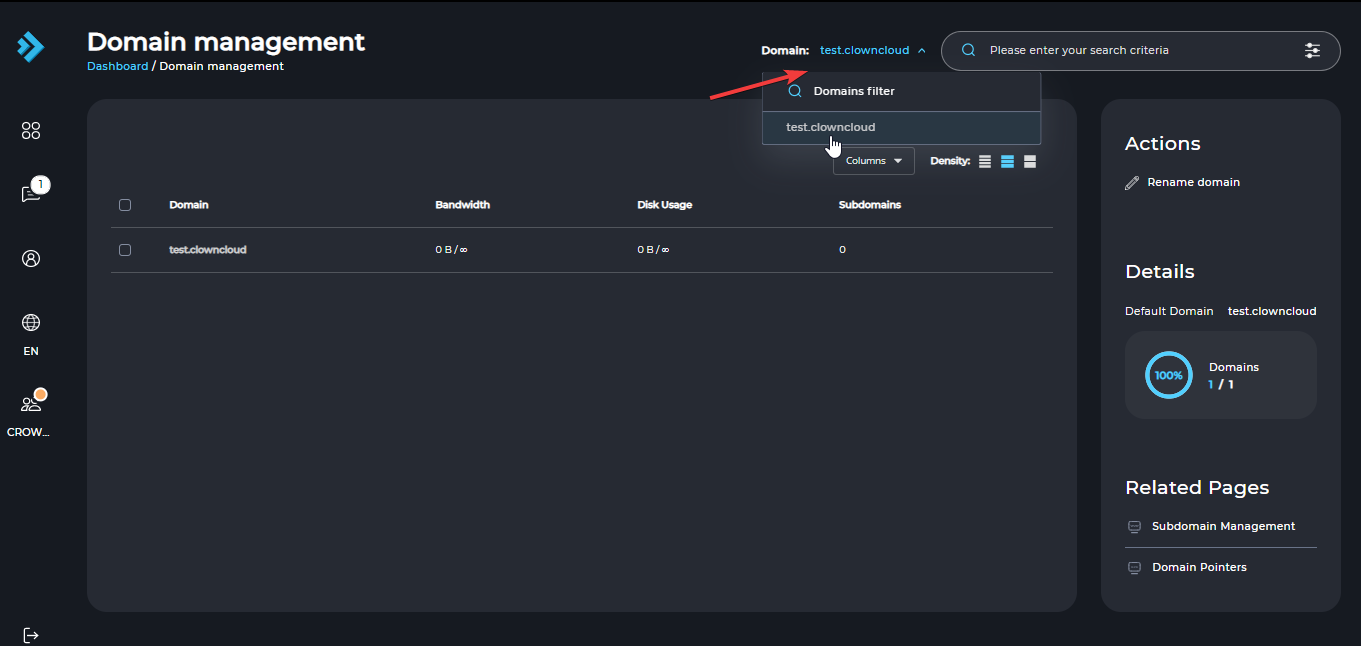
You can also switch between domains by selecting a domain from the top-right corner of the home screen.
Add and Manage a Domain in Refreshed Theme
Log in to DirectAdmin
Log in to your DirectAdmin control panel.
Open Domain Setup
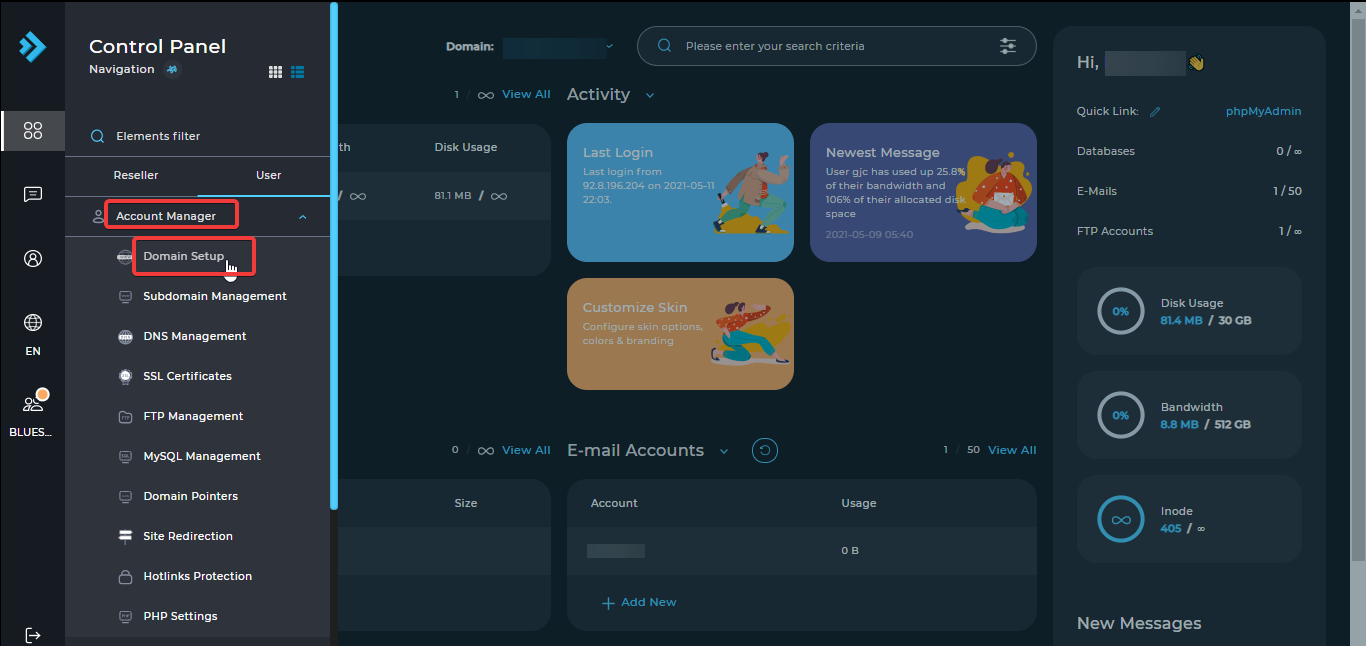
Under Account Manager, click Domain Setup.
Add a New Domain
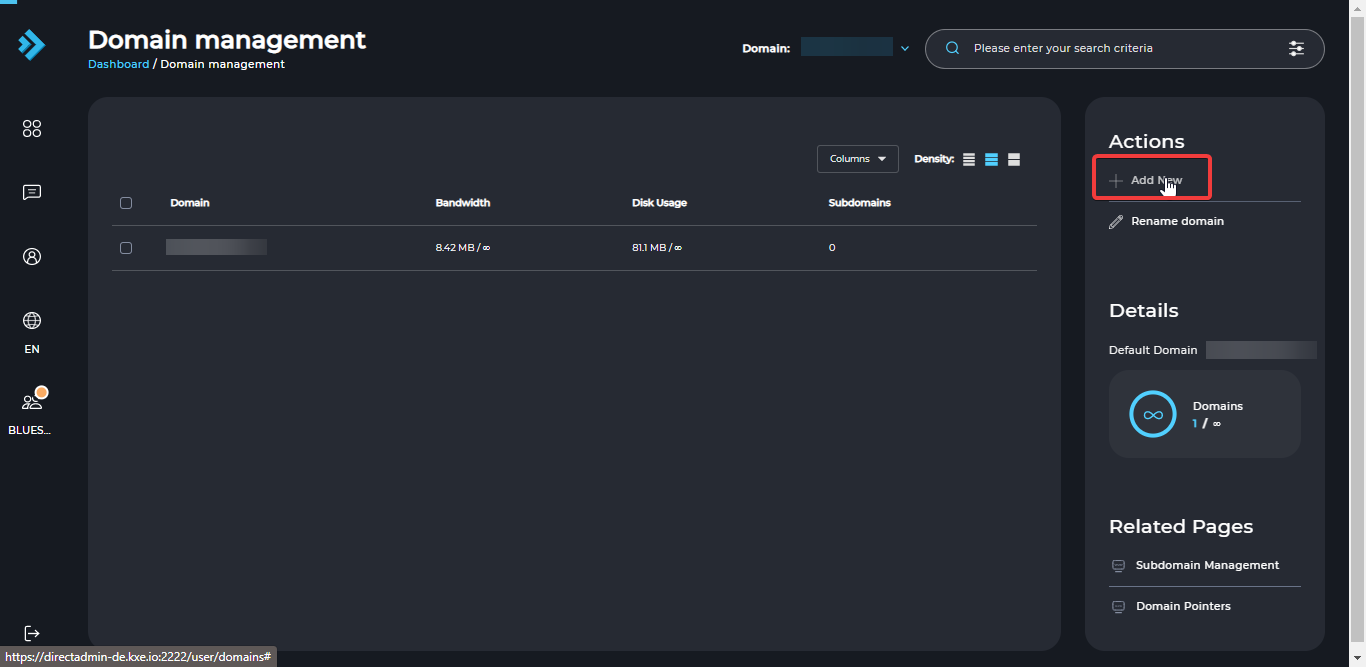
Click Add New to add a domain to your hosting account.
Enter the Domain Name
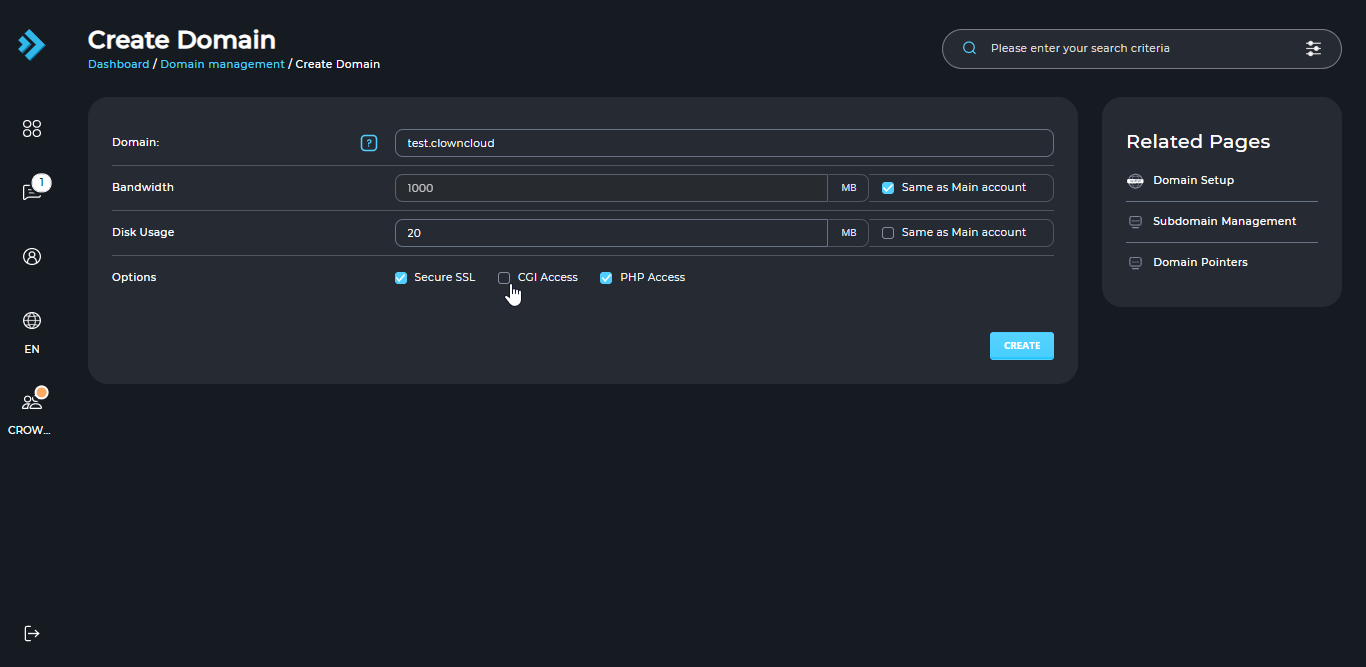
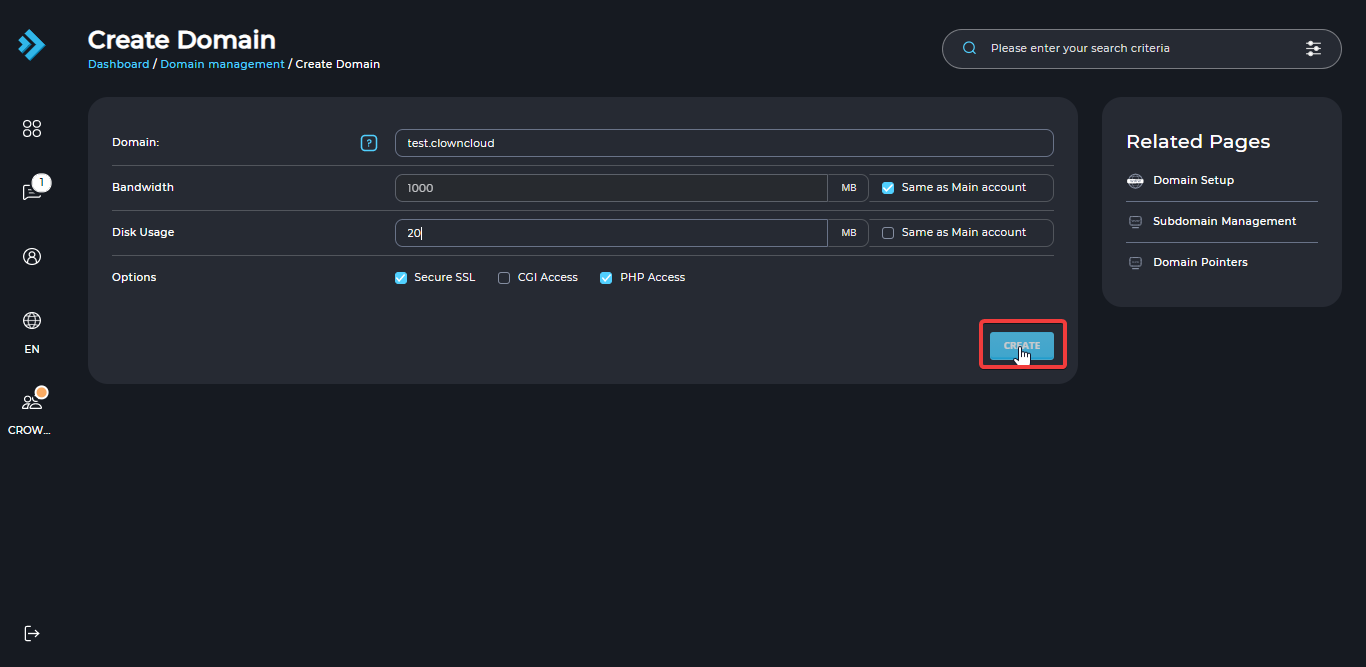
Enter the domain name you want to host.
Configure Domain Settings
Set the bandwidth and disk space allowances for the new domain. You can also choose whether to enable SSL, CGI, or PHP privileges.
Create the Domain
Click Create to add the domain to your hosting account.
Verify Domain Creation
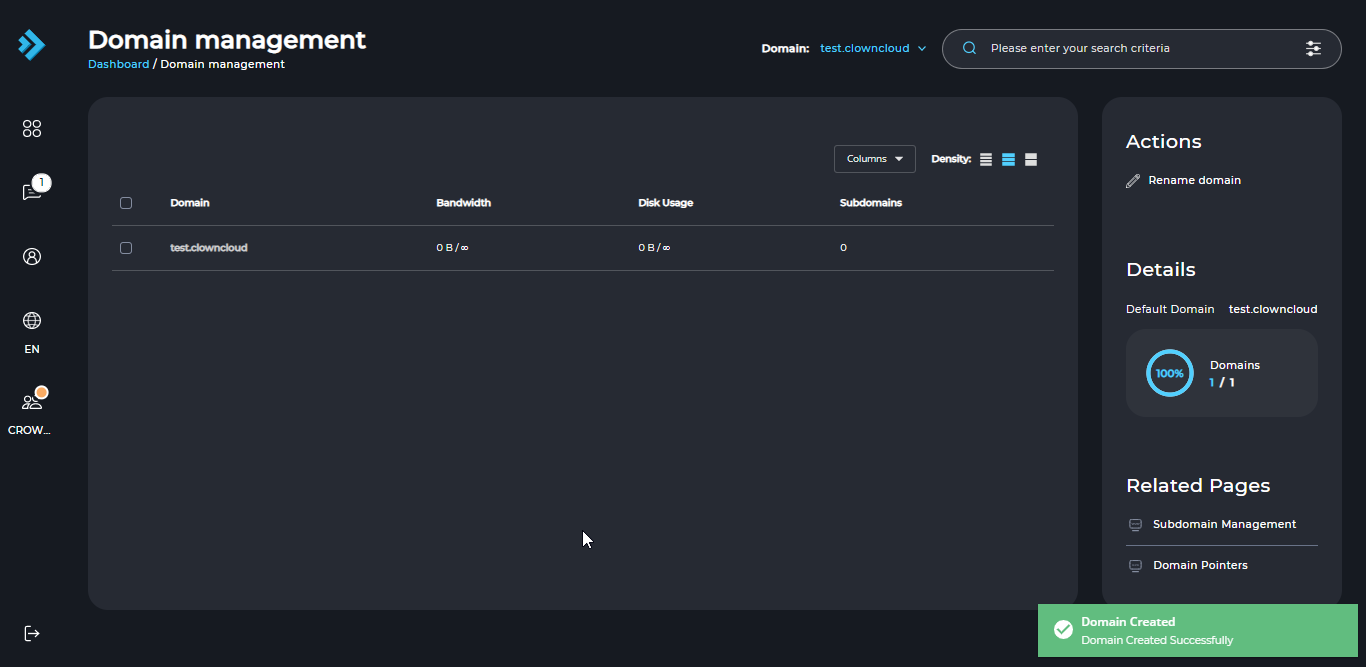
Once the domain is created successfully, the confirmation screen will look like this.
Manage the Domain
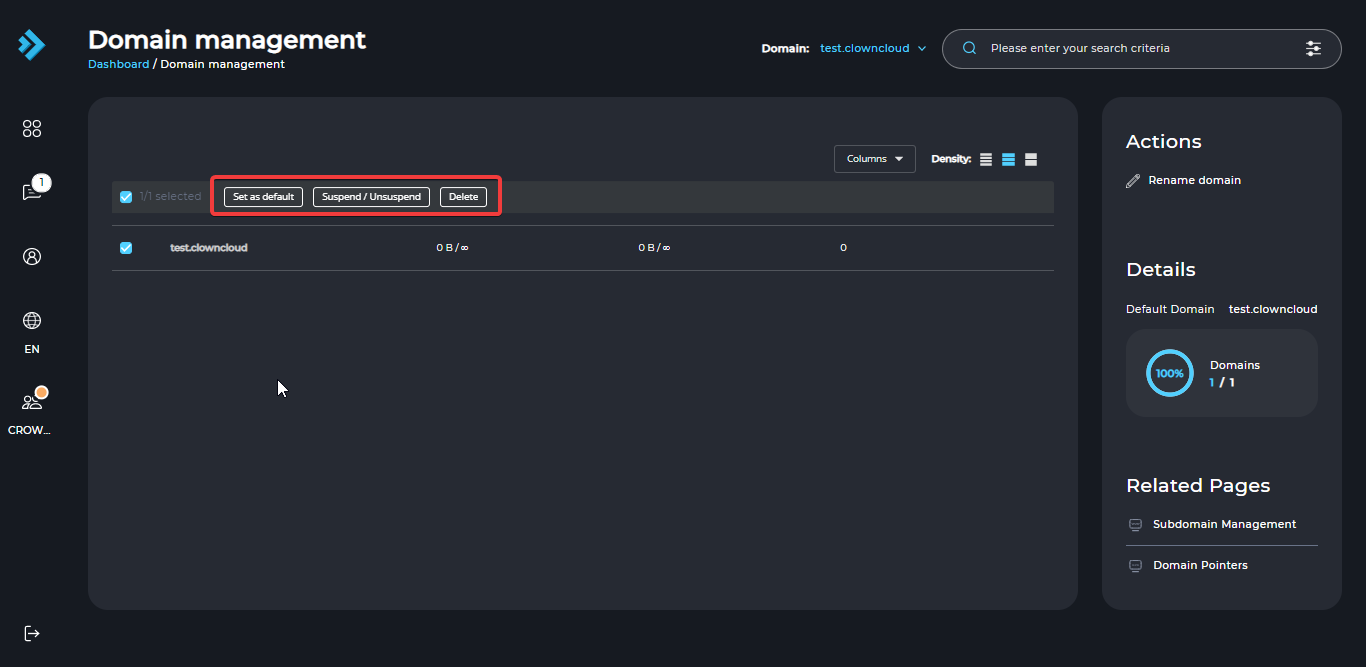
Select the checkbox next to the domain to manage it. You can set it as the default domain, delete it, suspend it, or unsuspend it using the corresponding buttons.
Switch Between Domains
You can also switch between domains by selecting a domain from the top-right corner of the home screen.