How to Create an FTP Account Under DirectAdmin
If you are using the Standard theme on DirectAdmin, switch to the Refreshed theme as shown in How to change theme or layout on DirectAdmin.
In the Refreshed Theme
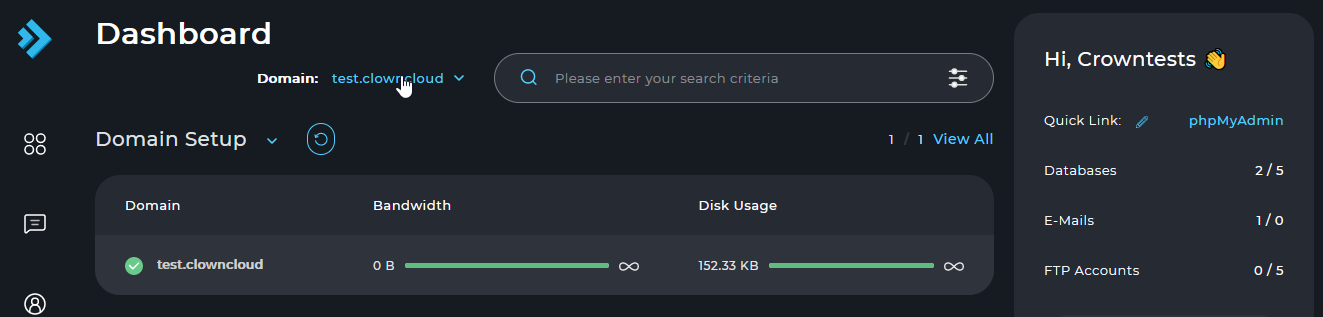
Log in and choose the domain
Log in to the DirectAdmin control panel and choose the domain for which you want to create the FTP account.
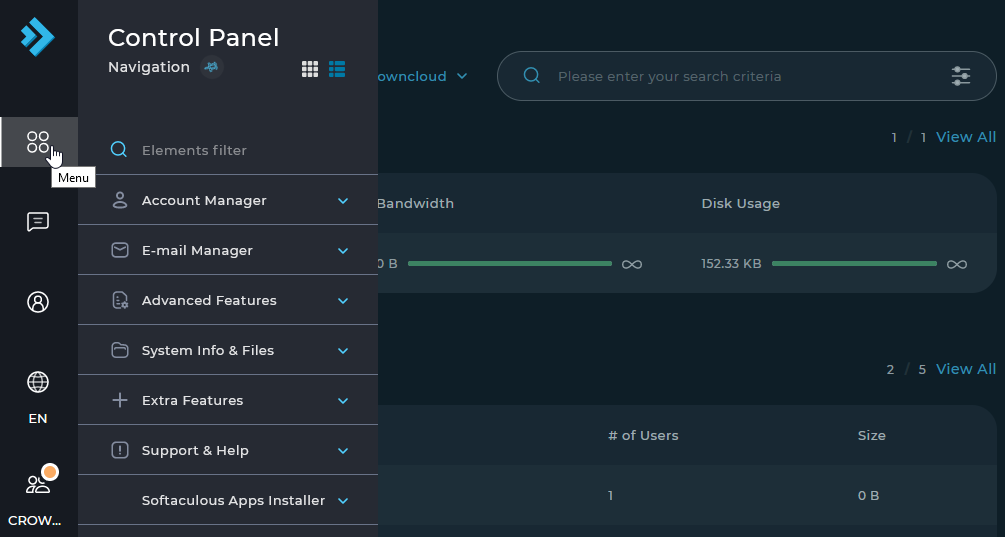
Open the Menu
Select Menu in the left sidebar.
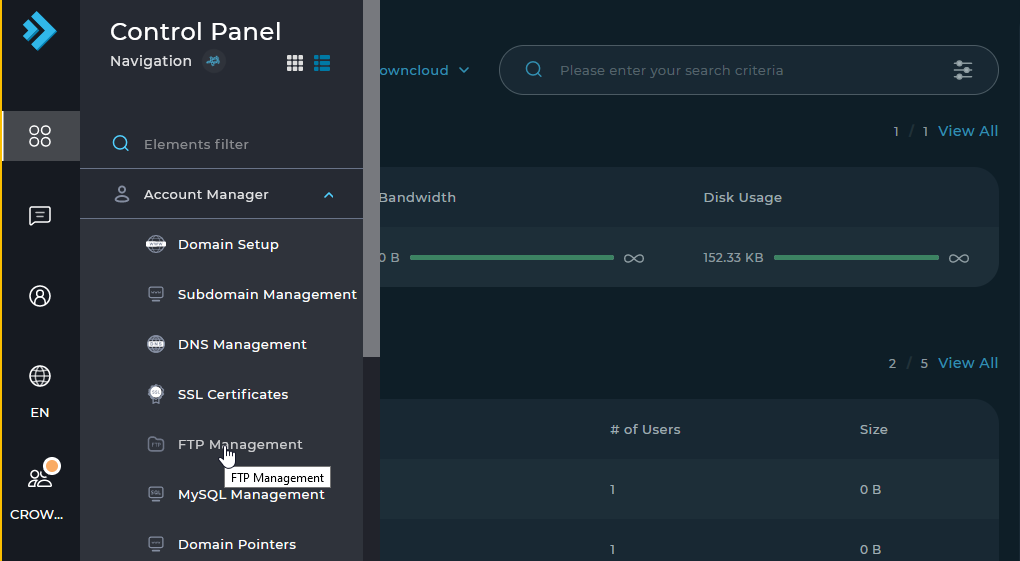
Open FTP Management
Select FTP Management.
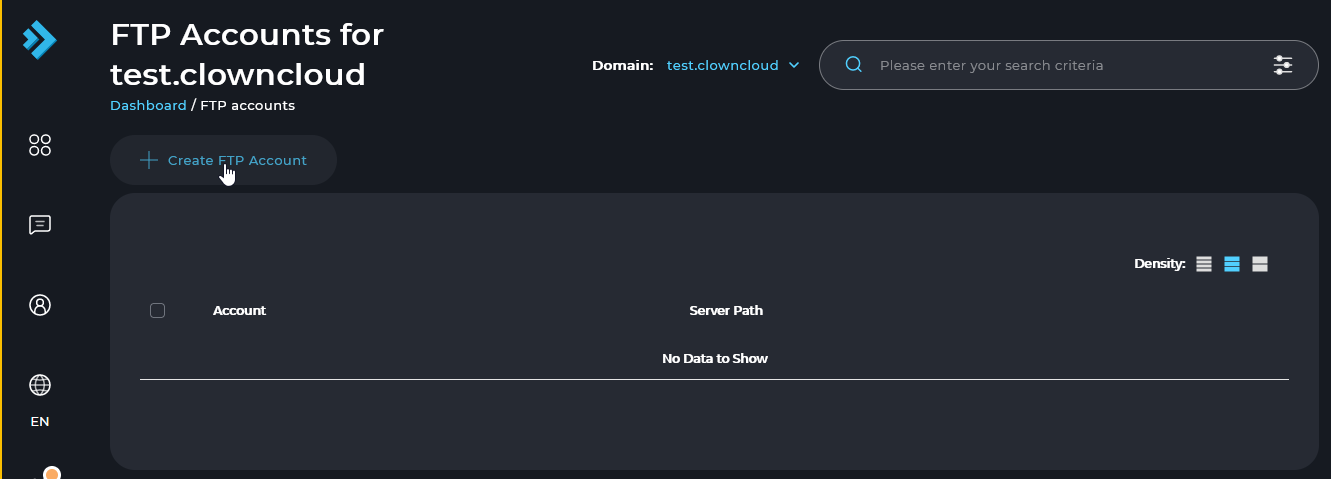
Click Create FTP Account
Click the Create FTP Account button.
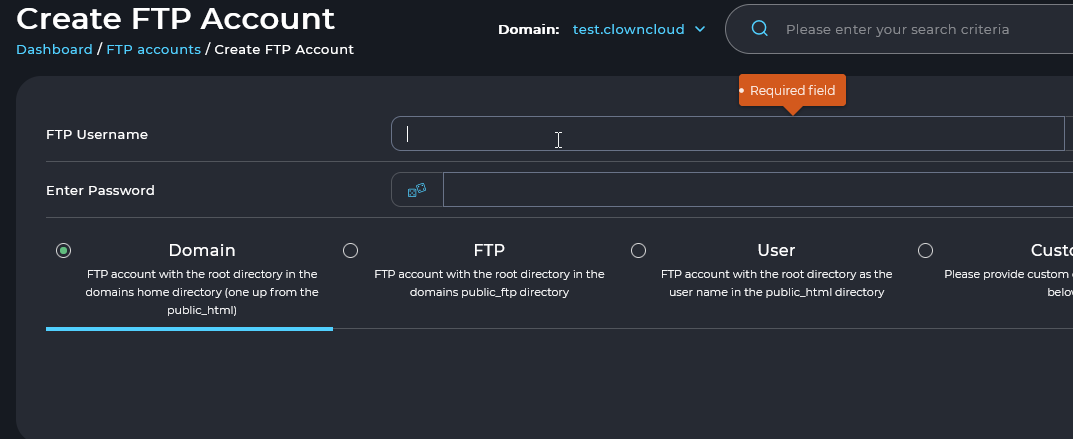
Enter the account details
Enter the FTP username and password, select the options you need, and click the Create button.
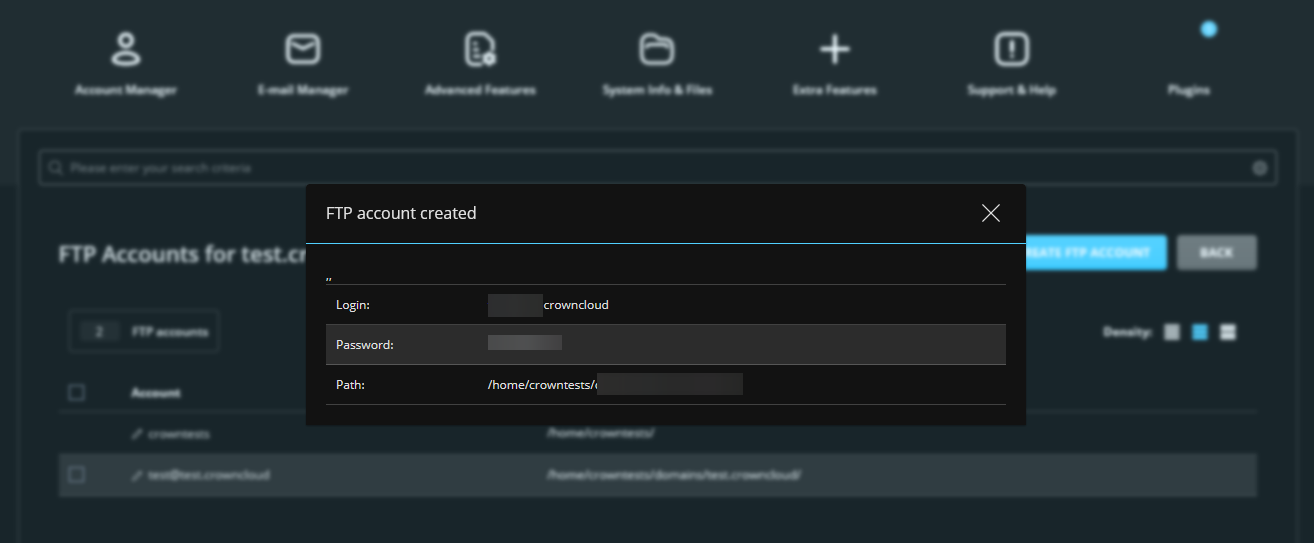
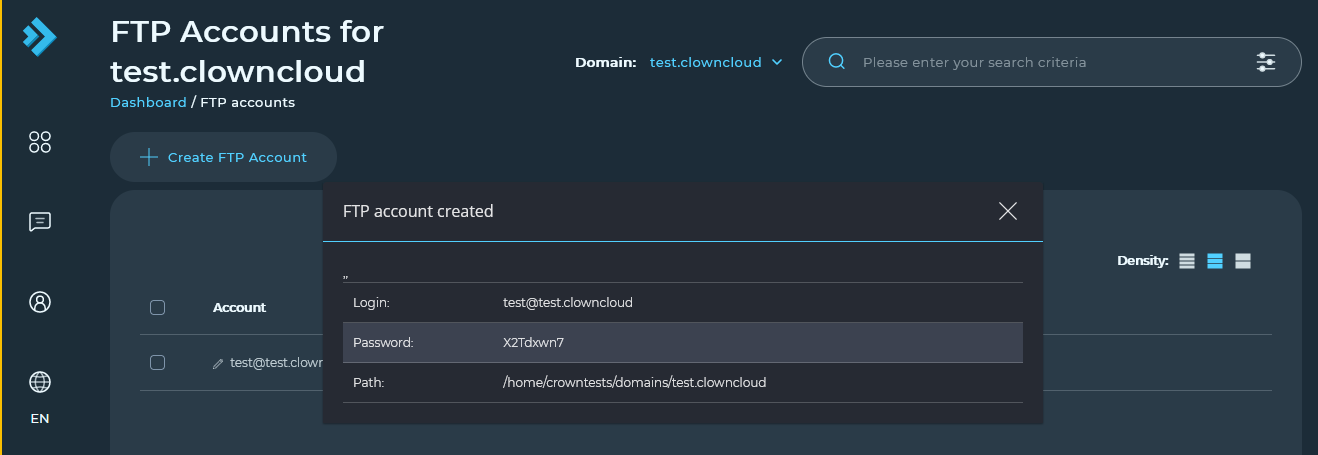
Check the new account
The details of the newly created FTP account are displayed.
In the Standard Theme
Click here to show the steps
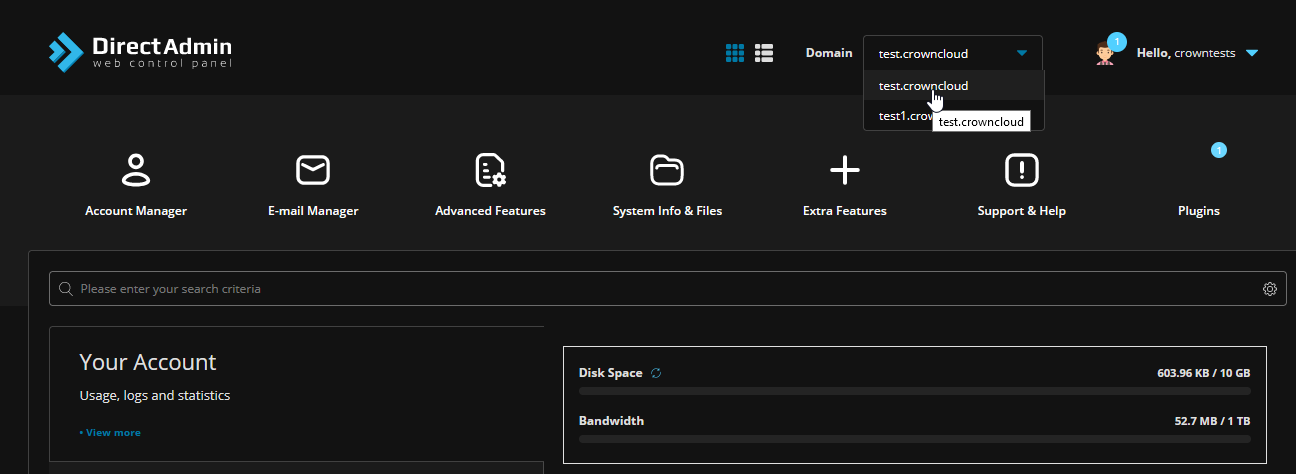
Log in and choose the domain
Log in to the DirectAdmin control panel and choose the domain for which you want to create the FTP account.
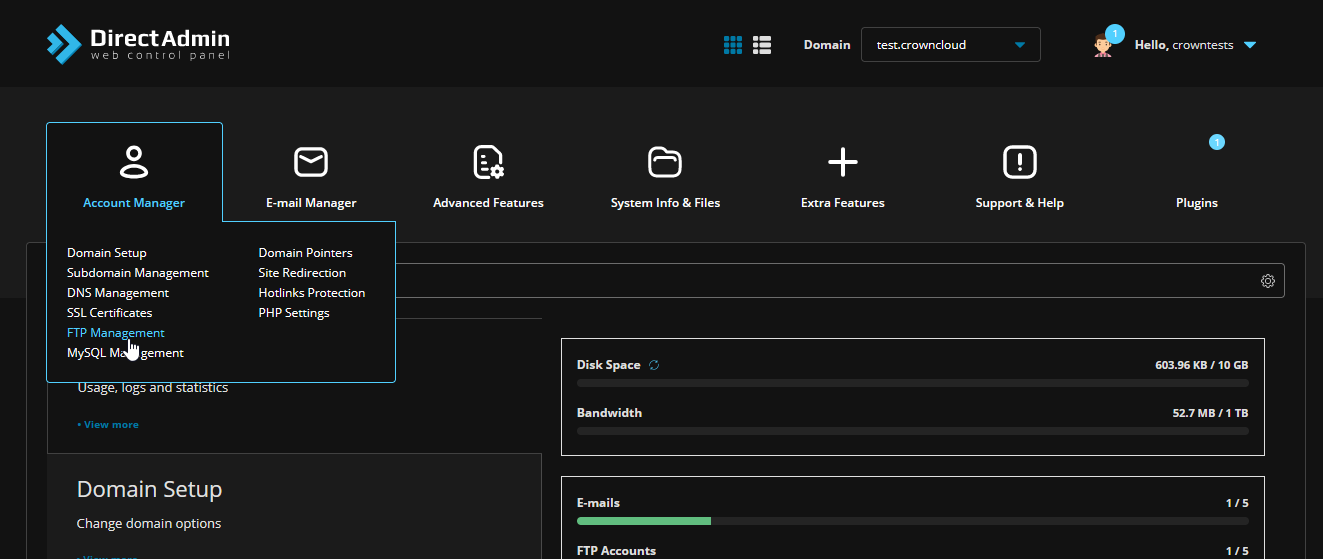
Open FTP Management
Select FTP Management from Account Manager.
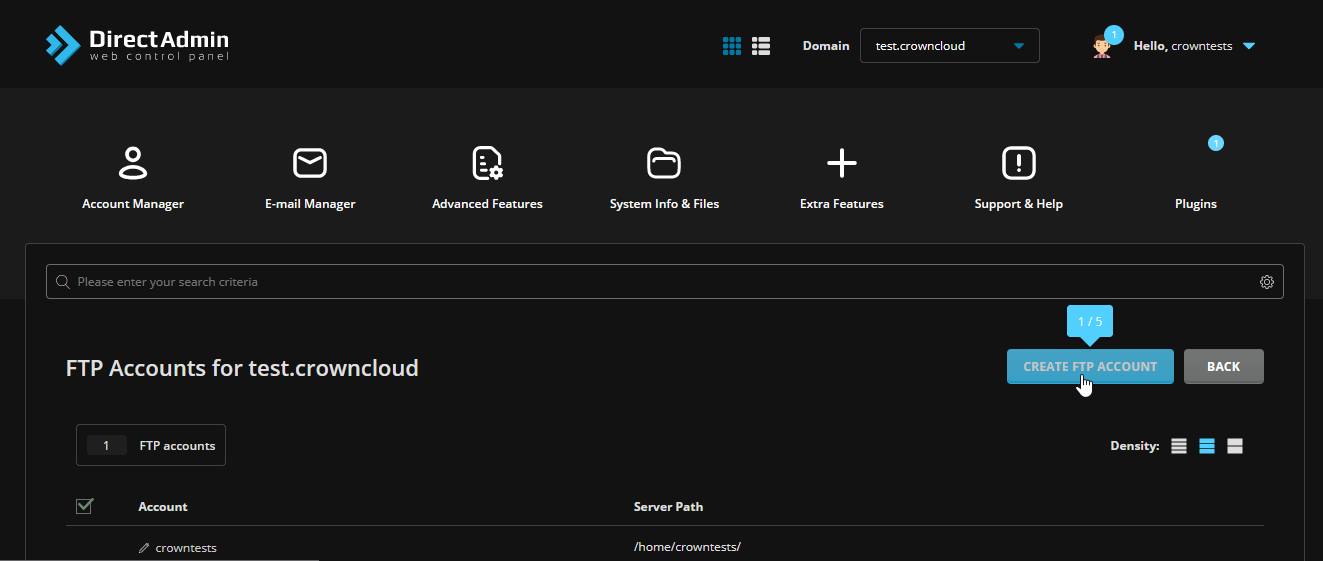
Click Create FTP Account
Click the Create FTP Account button.
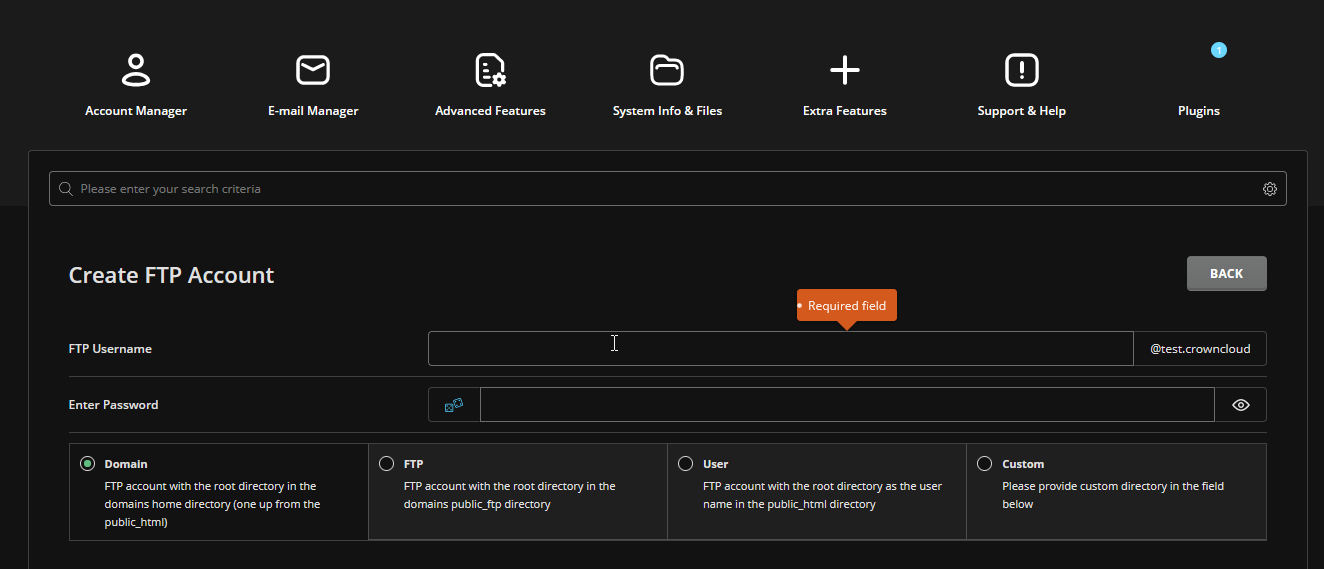
Enter the account details
Enter the FTP username and password, select the options you need, and click the Create button.
Check the new account
The details of the newly created FTP account are displayed.