

How to Restart Services in DirectAdmin
In DirectAdmin, restarting services can be necessary to apply changes, resolve issues, or maintain smooth server operation. This guide explains how to restart services through the DirectAdmin control panel.
This guide applies only to DirectAdmin VPS plans with the required administrative permissions. Shared and Reseller hosting plans cannot restart server services.
Prerequisites
Before proceeding, make sure you have:
- A DirectAdmin VPS with the required administrative permissions.
- Access to your DirectAdmin control panel.
Restart Services
Log in to DirectAdmin
Log in to your DirectAdmin control panel using your credentials.
Open Services Monitor
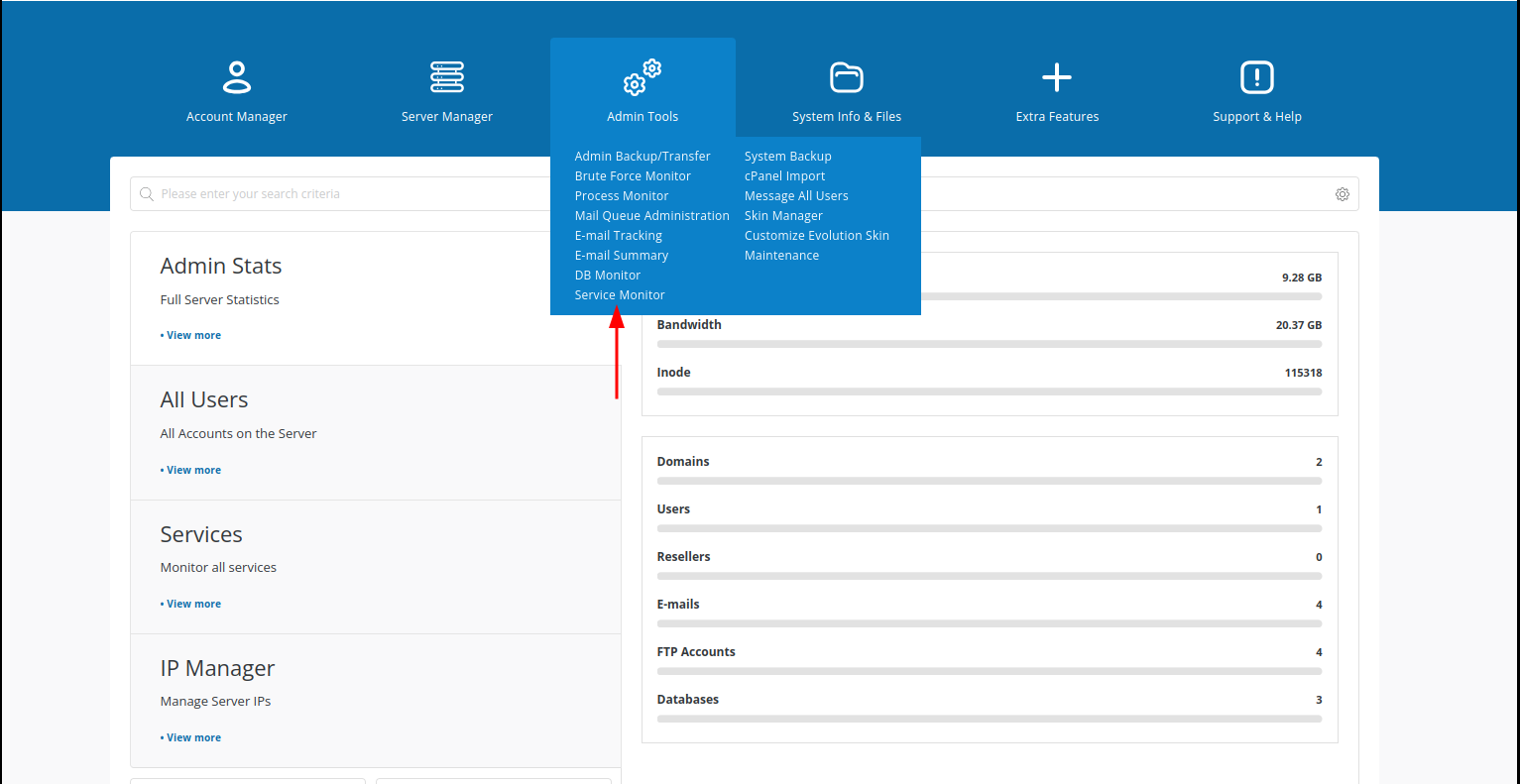
From the DirectAdmin dashboard, navigate to Admin Tools → Service Monitor.
Select services to restart
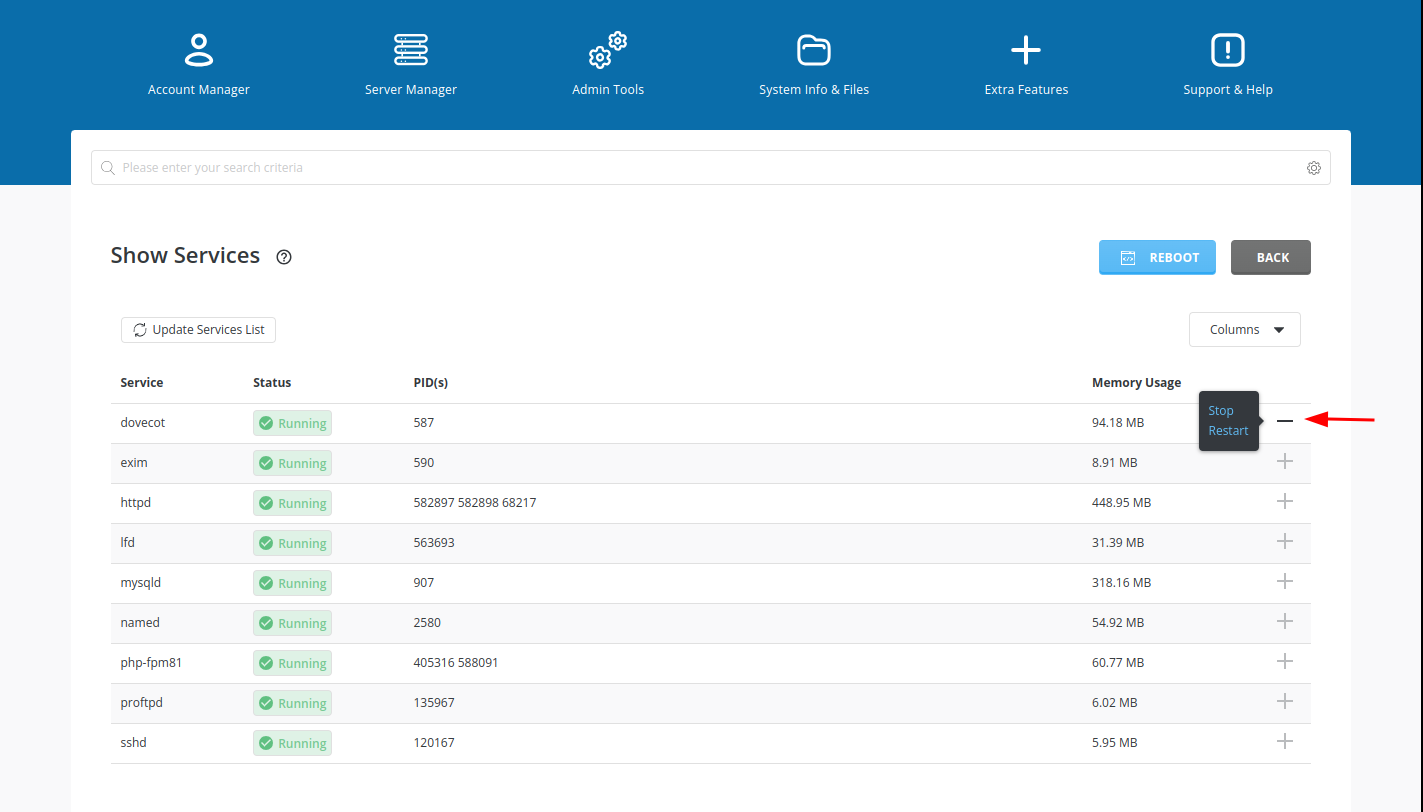
In Services Monitor, you will see a list of available services.
Select the services you want to restart by clicking the corresponding + icon.
Restart selected services
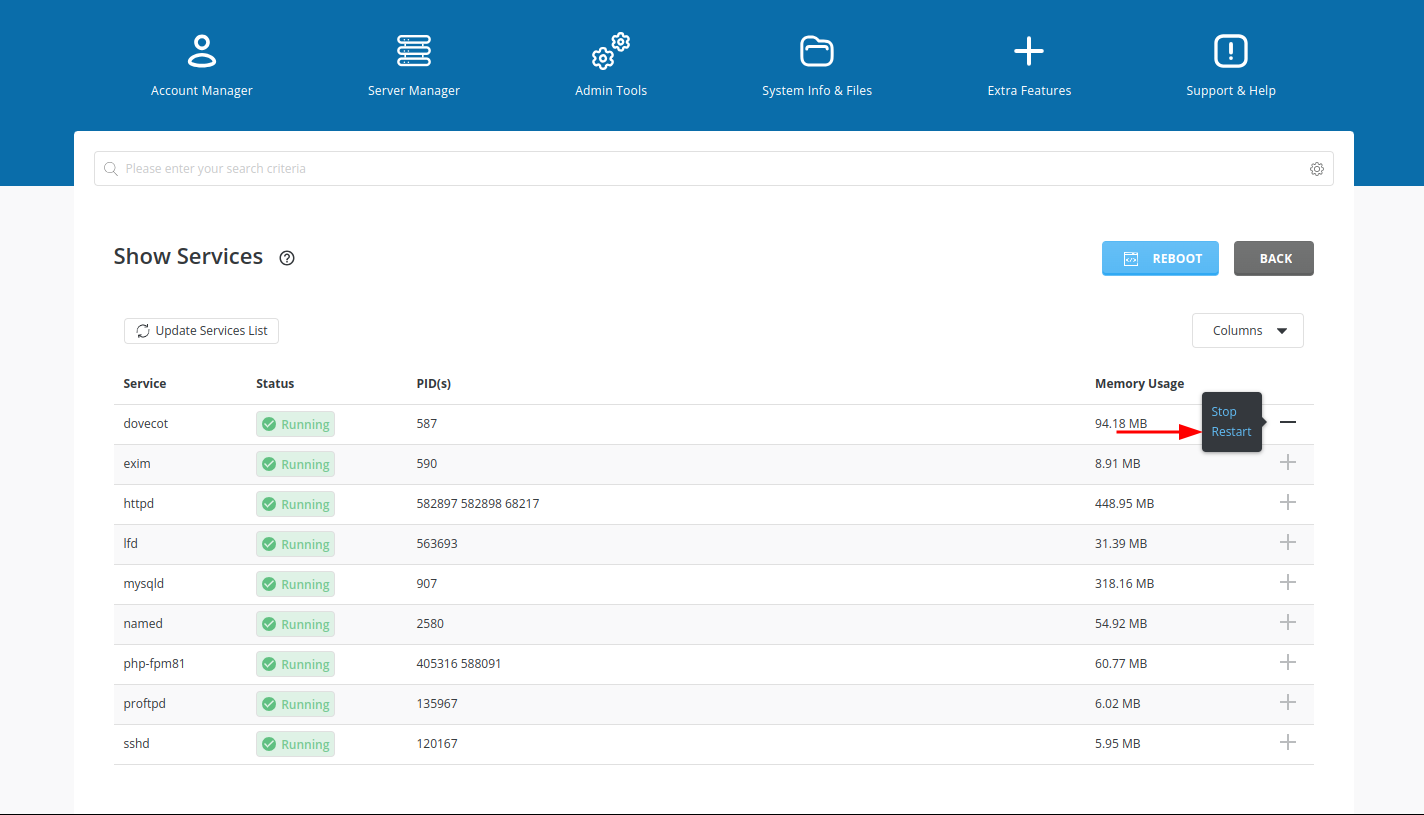
After selecting the required services, click Restart.
DirectAdmin will begin restarting the selected services.
Verify service status
Wait for the services to restart. Check the status updates or logs to confirm that the services are running correctly.
Restarting services through DirectAdmin is a straightforward way to maintain server stability and functionality.