

How to Get Started with a Node.js App in DirectAdmin
Node.js is a powerful runtime environment for building server-side applications in JavaScript. With DirectAdmin, you can deploy and manage Node.js applications on your web hosting account.
Set Up a Node.js App
Open Setup Node.js App
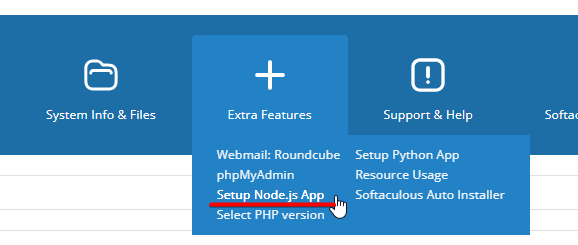
Log in to your DirectAdmin account. Go to the Extra Features section and find Setup Node.js App.
Click Create Application
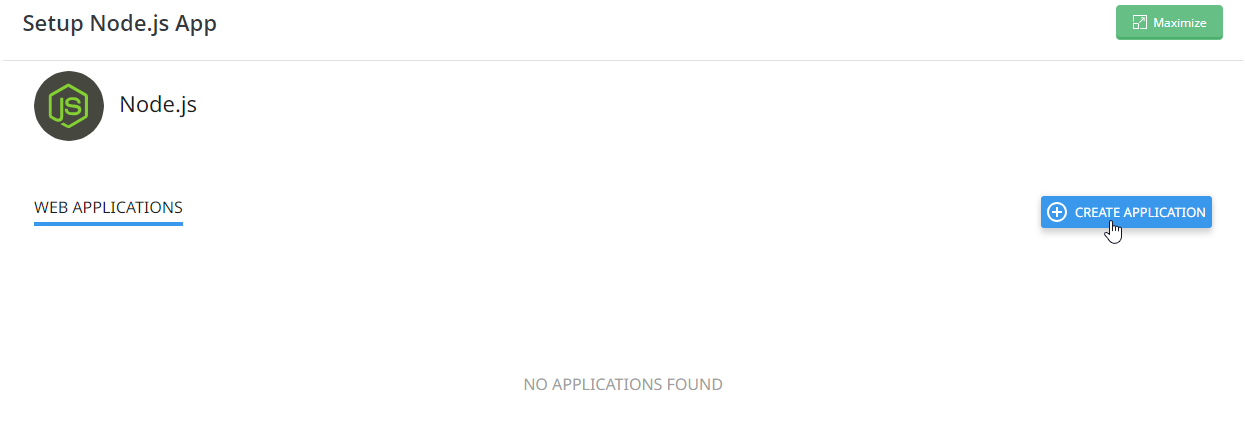
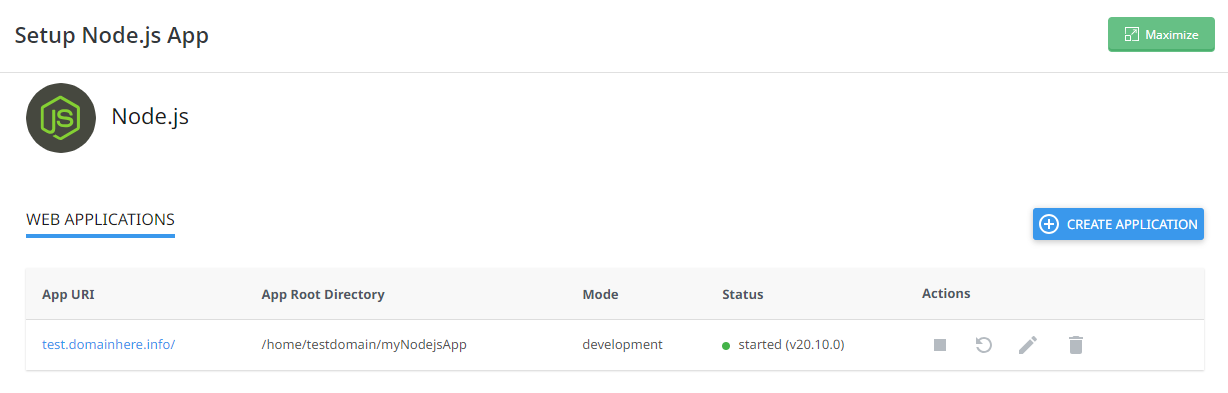
Click Setup Node.js App to open the Node.js application manager. The page lists any existing applications and has an option to create a new one.
Click the Create Application button to start the setup.
Configure the application
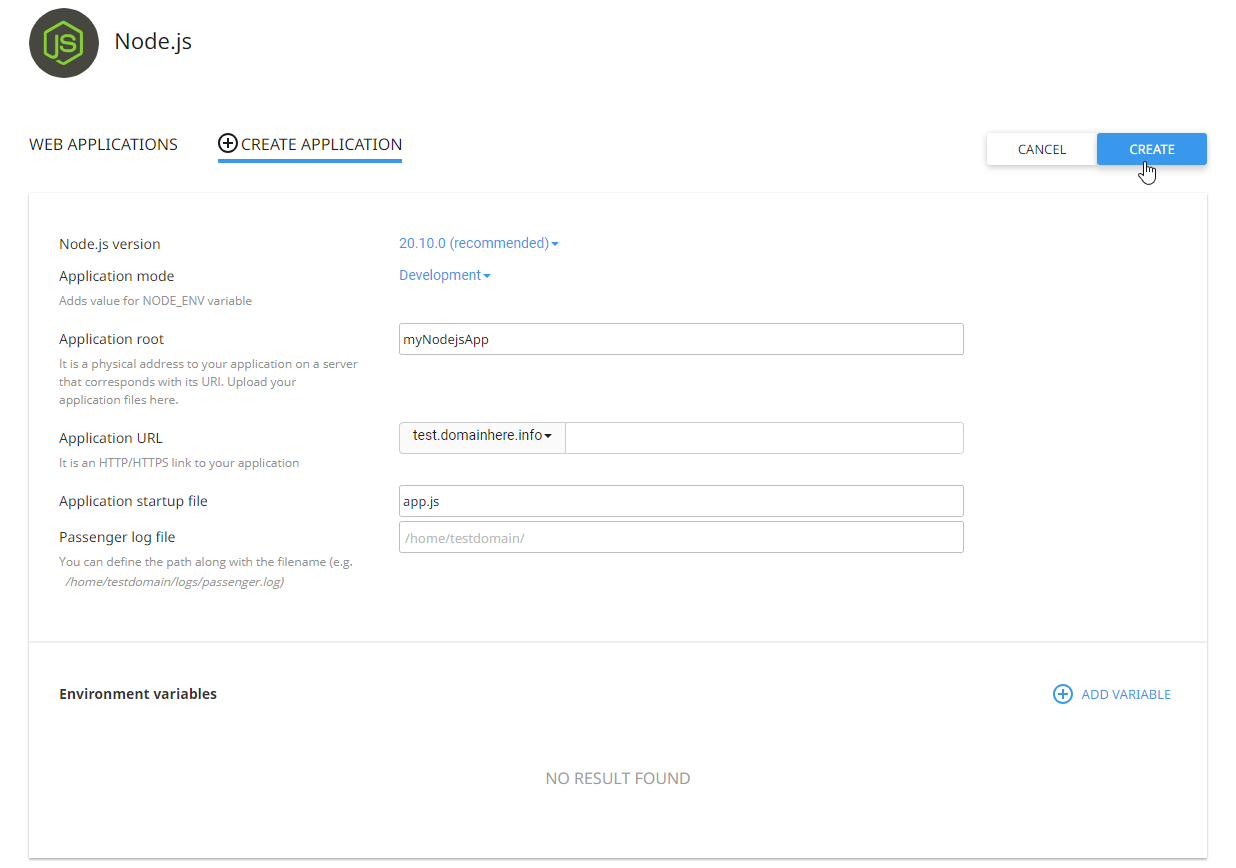
Choose the settings for your application:
- Node.js version: select the version you want to use from the dropdown menu.
- Application root: the directory where your Node.js application code resides. You can choose an existing directory or create a new one.
- Application URL path (optional): use this if the application should be accessible under a subdirectory of your domain.
Click Create to create the application.
Check the application URL
Open the application URL in your browser. You should see a page showing the Node.js version you selected.

Upload your application files
Upload your Node.js application files to the application root directory you specified during setup. Make sure to include all necessary dependencies and configuration files.
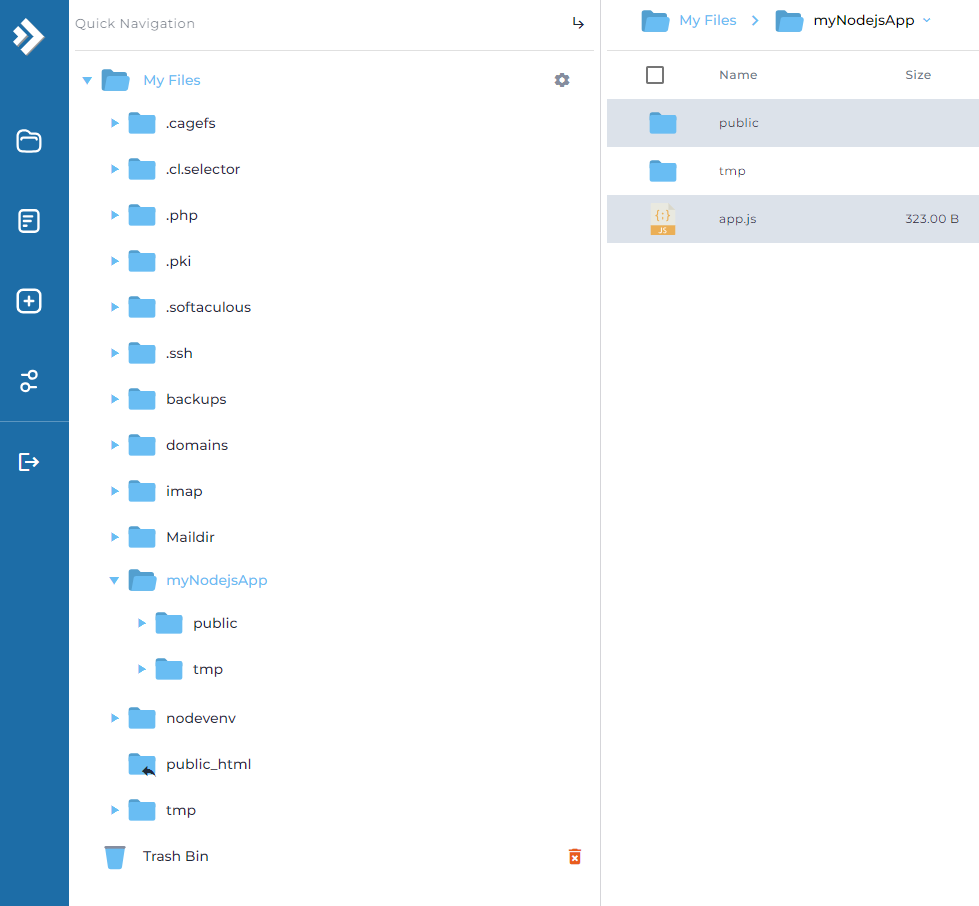
Once the files are uploaded, you can access your application through the application URL.
Managing Your Application
Once the application is created, it appears in the list on the Node.js application manager page. From there you can:
- Start, stop, and restart your Node.js application using the provided controls.
- View logs to monitor the application's activity and troubleshoot issues.
Additional Configuration (Optional)
If your application needs additional configuration or environment variables, you can set them up in the Setup Node.js App interface.
You can also configure custom startup scripts or cron jobs to automate tasks related to your Node.js application.
Monitoring and Troubleshooting
Monitor your application's performance and resource usage using DirectAdmin's built-in monitoring tools.
If you run into problems, check the application logs for error messages and consult the Node.js documentation for troubleshooting guidance. If the issue persists, contact us by opening a support ticket.