How to Add a Subdomain in DirectAdmin
If you are using the Standard theme in DirectAdmin, switch to the Refreshed theme by following How to Change Theme or Layout on DirectAdmin.
Add and Manage a Subdomain in Standard Theme
Click here to view Standard Theme instructions
Log in to DirectAdmin
Log in to your DirectAdmin control panel.
Open Subdomain Management
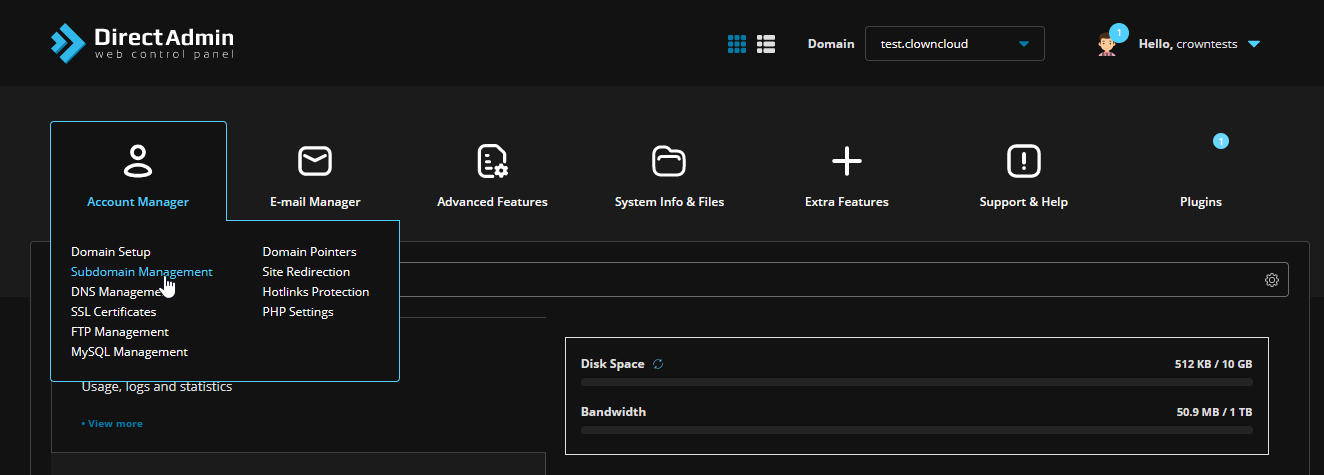
Under Account Manager, click Subdomain Management.
Add a Subdomain
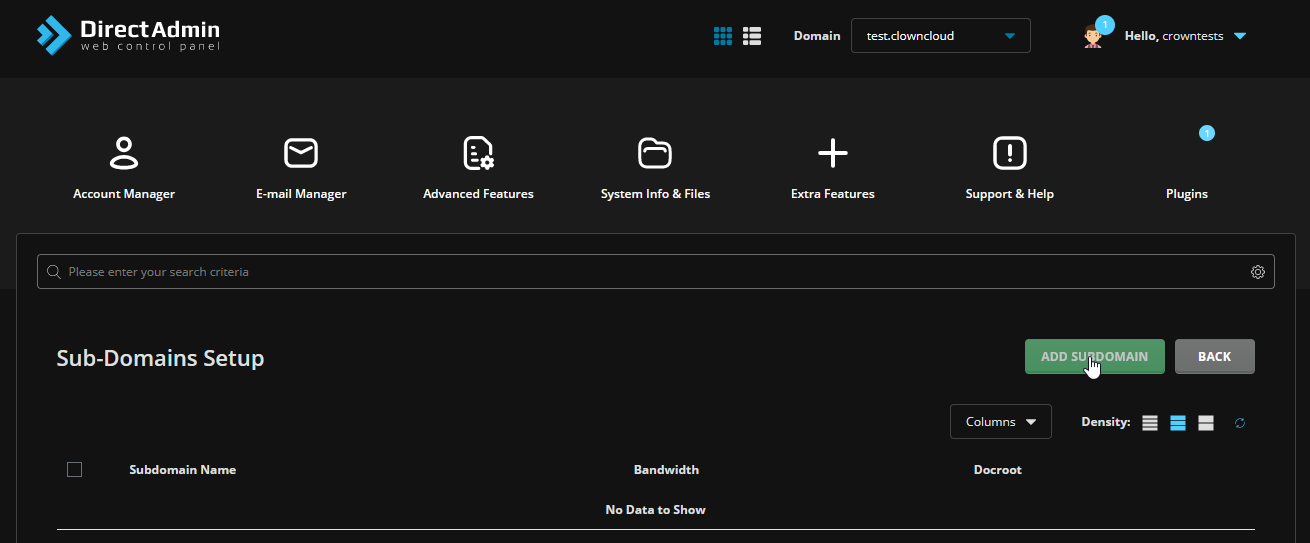
Click Add Subdomain to add a subdomain to your domain.
Enter the Subdomain Name
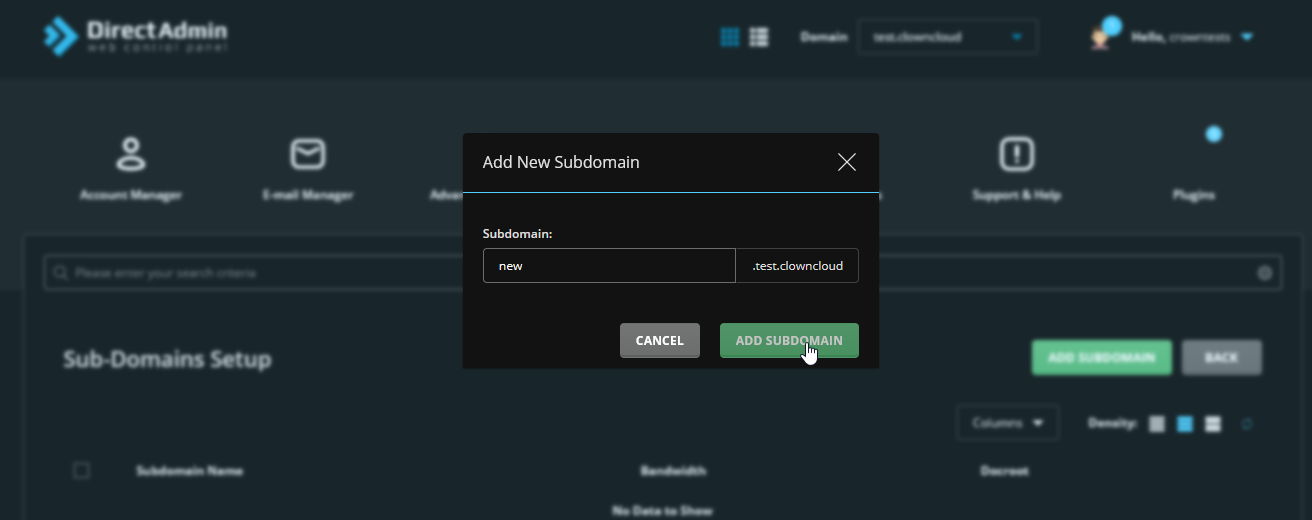
Enter the subdomain name and click Add Subdomain.
Verify Subdomain Creation
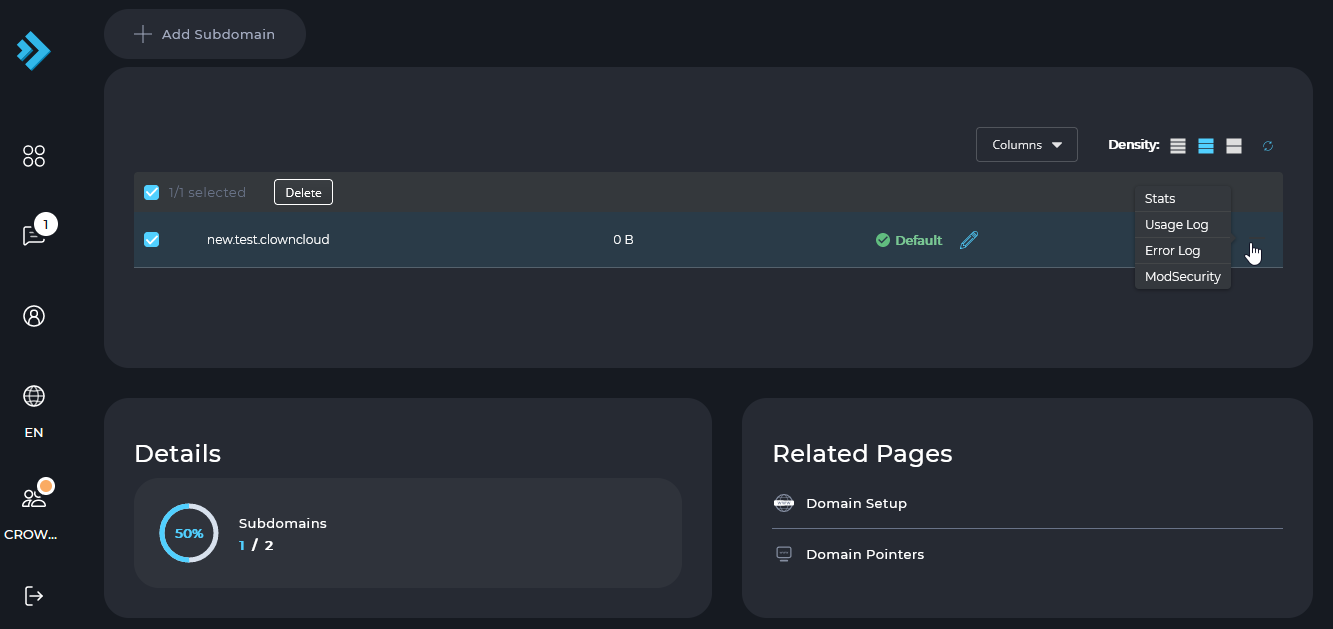
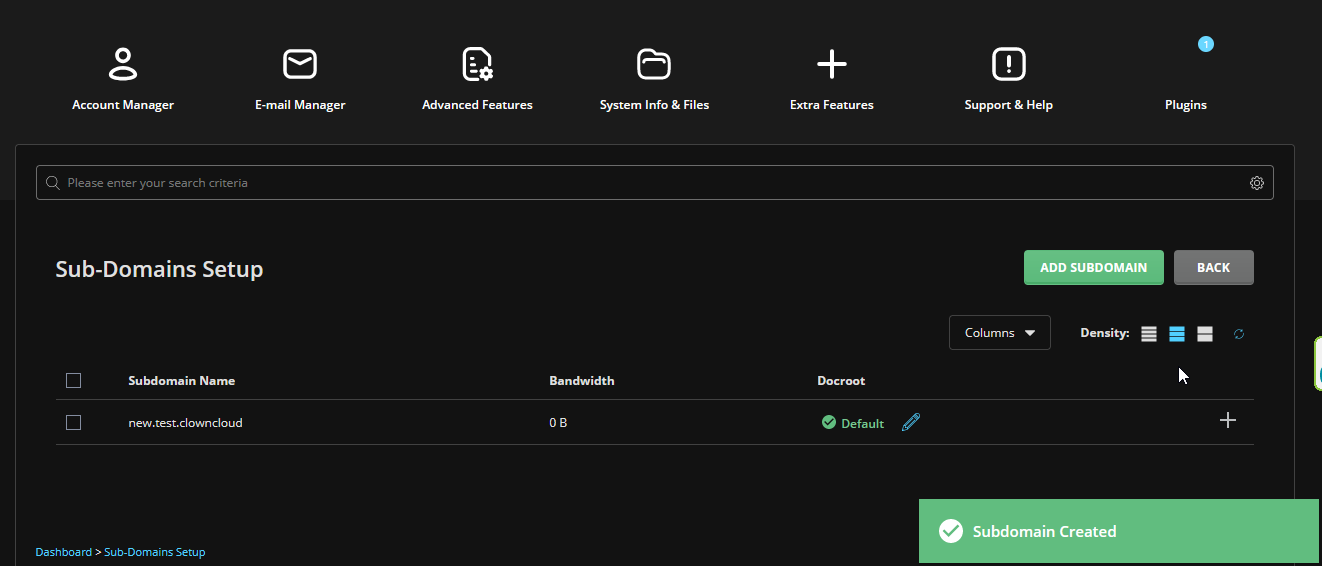
After the subdomain is added successfully, it will appear in the subdomain list.
Delete a Subdomain
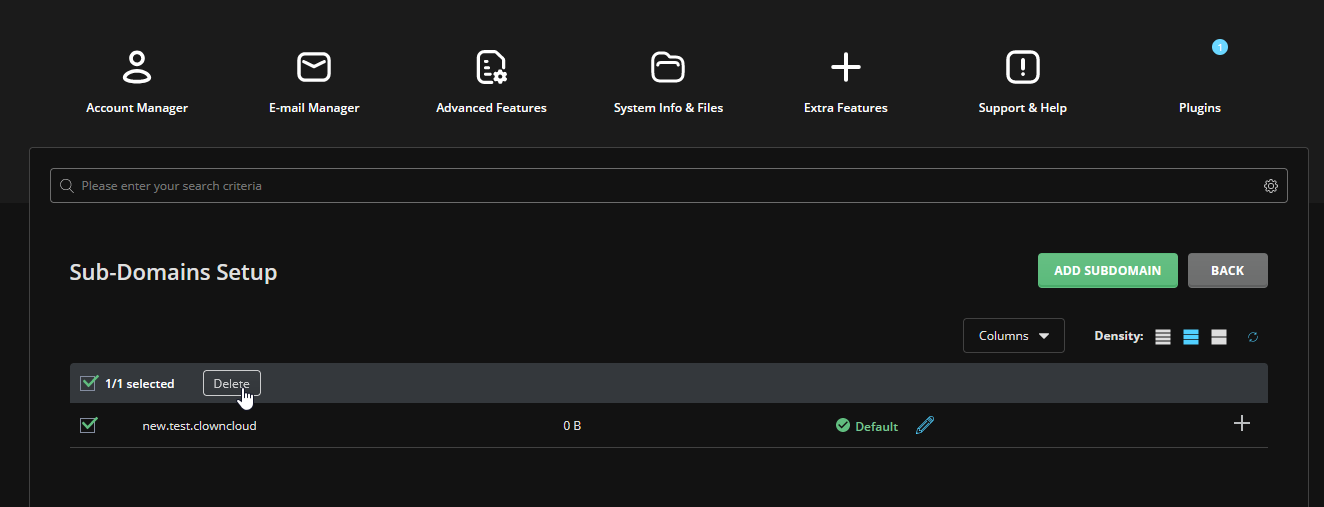
To delete a subdomain, select its checkbox and click Delete.
View Status and Logs
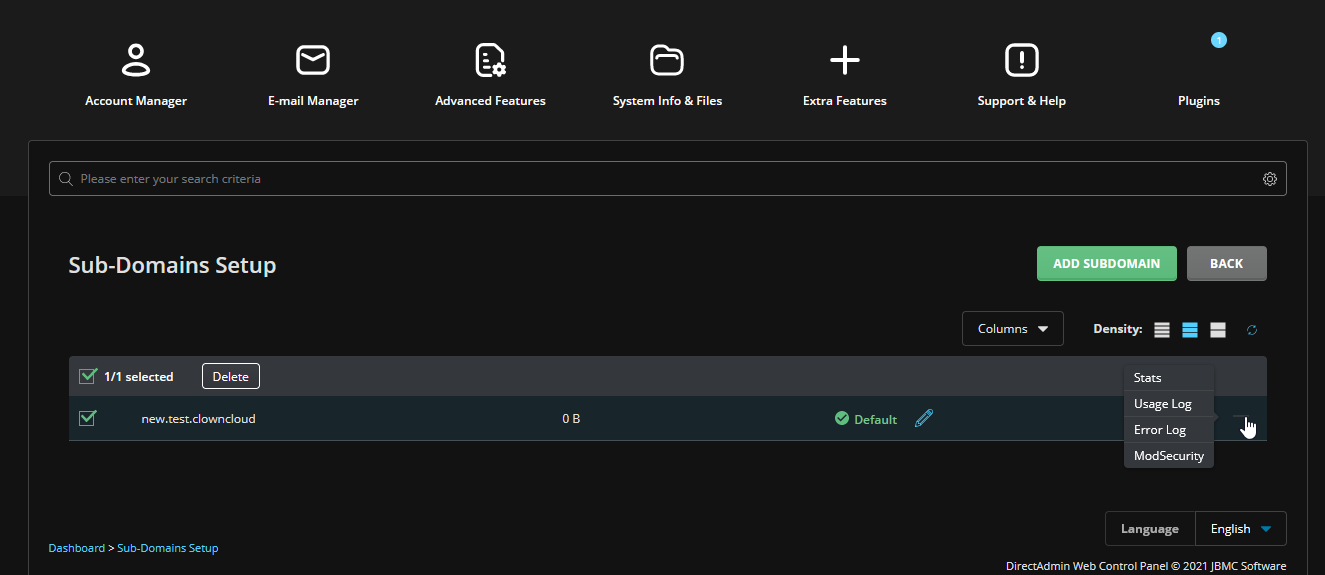
Click the + symbol on the right side of the subdomain entry to access the corresponding options, such as Status, Usage Log, and Error Log.
Add and Manage a Subdomain in Refreshed Theme
Log in to DirectAdmin
Log in to your DirectAdmin control panel.
Open Subdomain Management
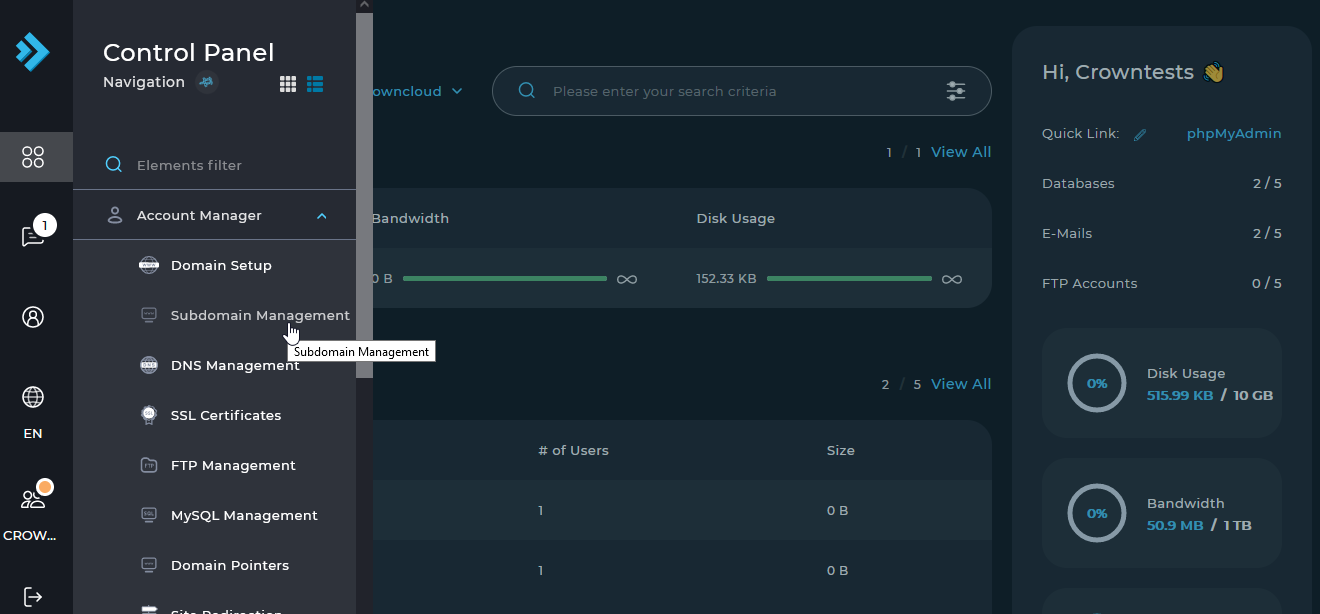
Click Menu, then select Subdomain Management under Account Manager.
Add a Subdomain
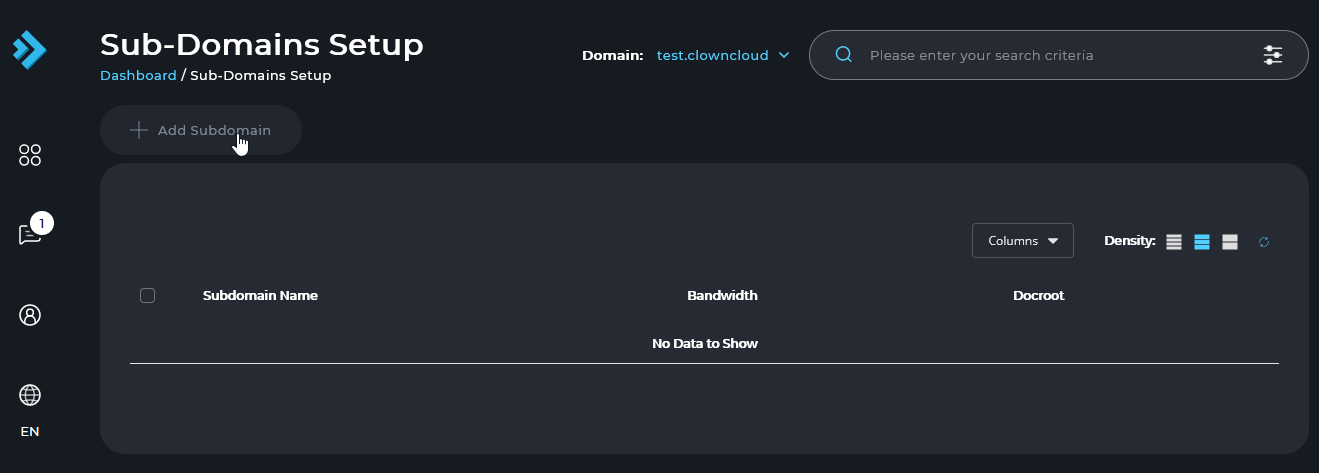
Click Add Subdomain to add a subdomain to your domain.
Enter the Subdomain Name
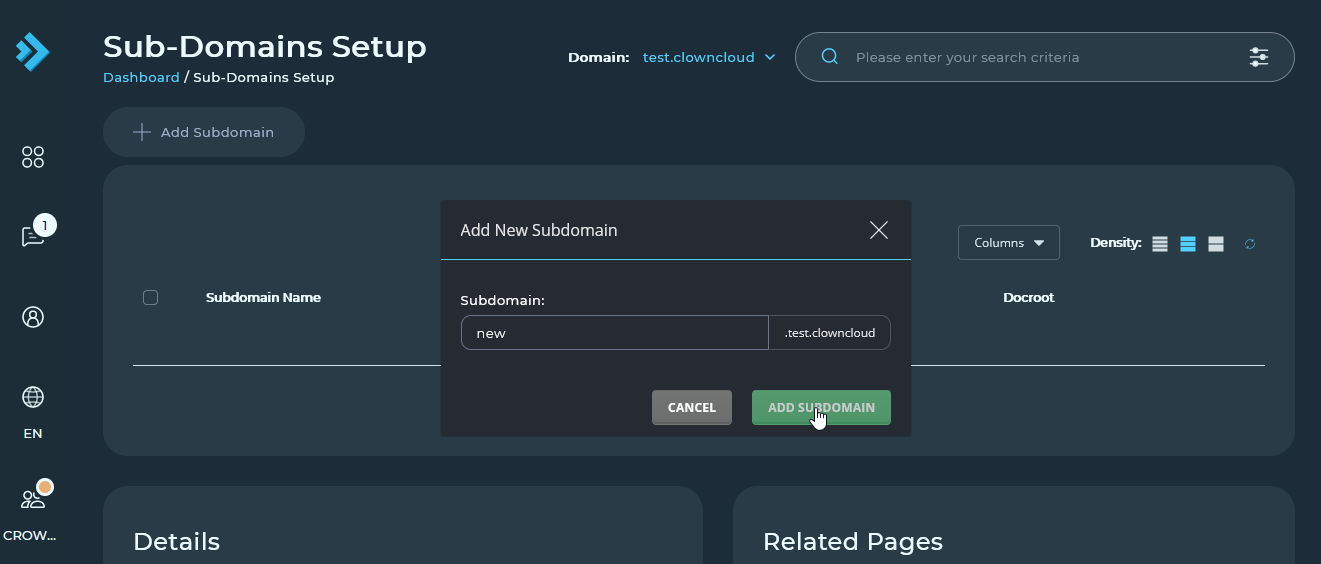
Enter the subdomain name and click Add Subdomain.
Verify Subdomain Creation
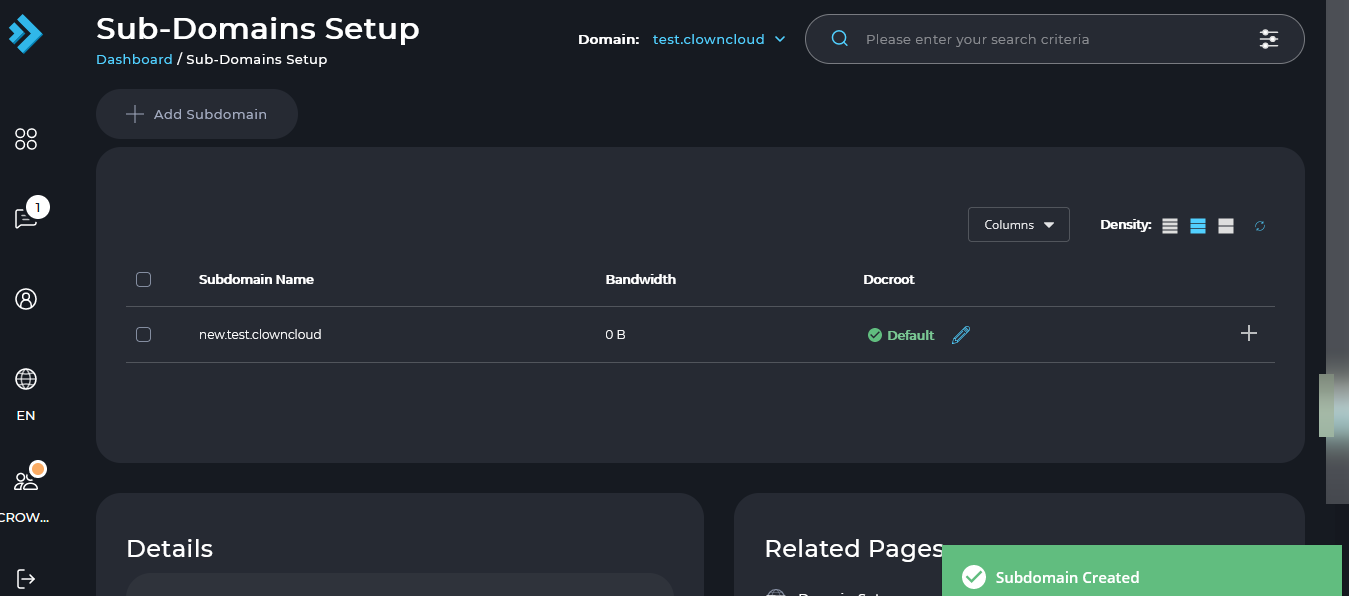
After the subdomain is added successfully, it will appear in the subdomain list.
Delete a Subdomain
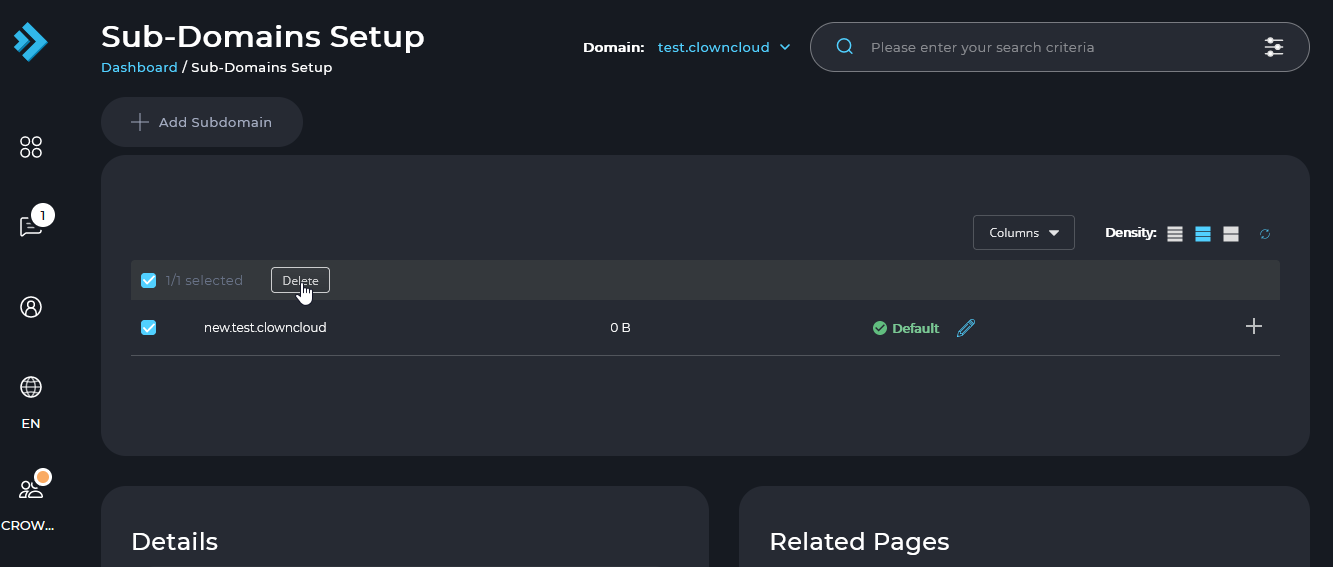
To delete a subdomain, select its checkbox and click Delete.
View Status and Logs
Click the + symbol on the right side of the subdomain entry to access the corresponding options, such as Status, Usage Log, and Error Log.