

How to Unblock an IP Address in DirectAdmin (Reseller Account)
If you are using our DirectAdmin reseller hosting and you or your clients are unable to access the hosted website, email, or DirectAdmin control panel, your local system's IP address may have been blocked by the server firewall due to multiple failed login attempts or security rules.
For reseller accounts, we have enabled a self-service firewall feature that lets you check and unblock your own IP address directly, without contacting support.
Requirements
- You must be logged in as a Reseller in DirectAdmin.
- This feature works only if your IP is blocked by ConfigServer Security & Firewall (CSF).
If your own system's IP address is blocked, you will not be able to access the DirectAdmin control panel. In that case, log in to DirectAdmin from a different network or IP address so you can check and unblock the blocked IP.
To find your local system's IP address, visit ip-api.com.
Unblock Your IP Address
Log in to DirectAdmin
Access your DirectAdmin control panel using your reseller login credentials.
Open ConfigServer Security & Firewall
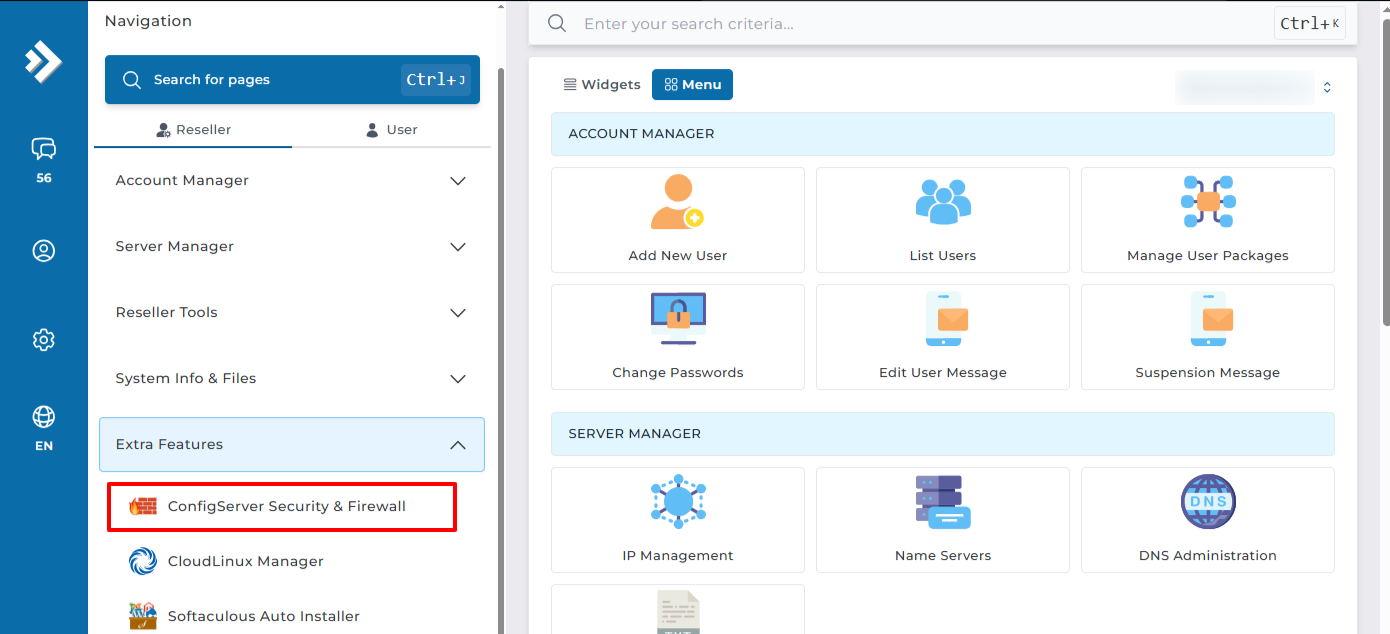
From the DirectAdmin dashboard, navigate to Extra Features and click ConfigServer Security & Firewall.
Search for the IP address
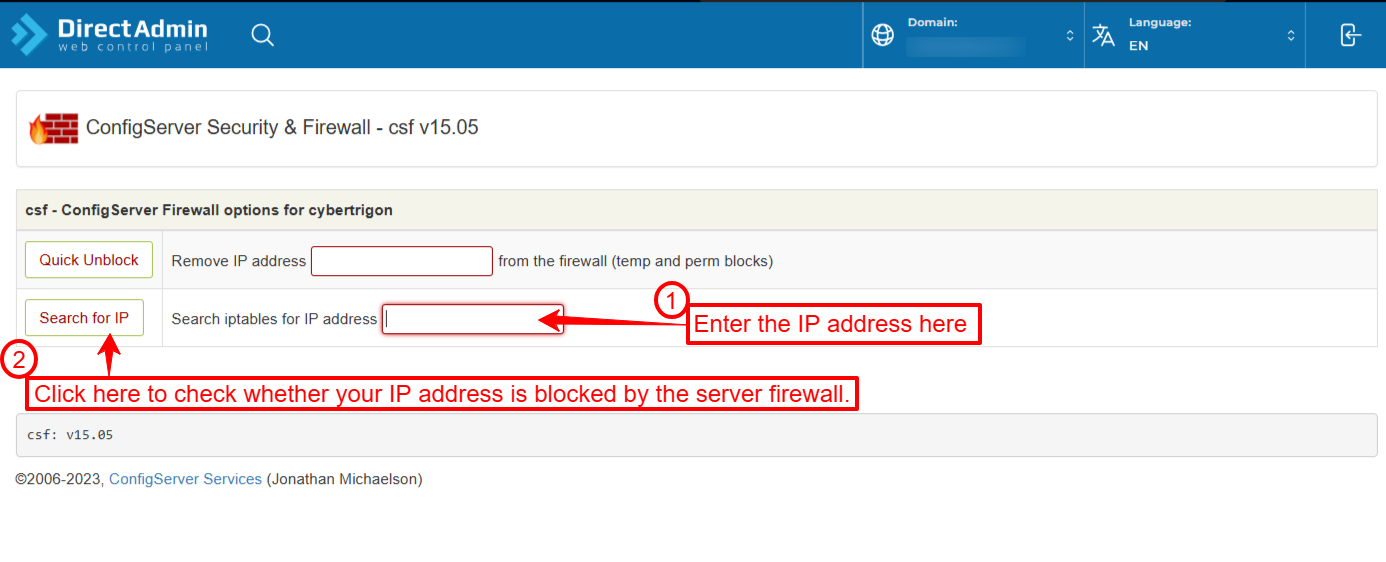
Find the Search For IP section, enter your local system's IP address in the search box, and click the Search For IP button.
Check the result
-
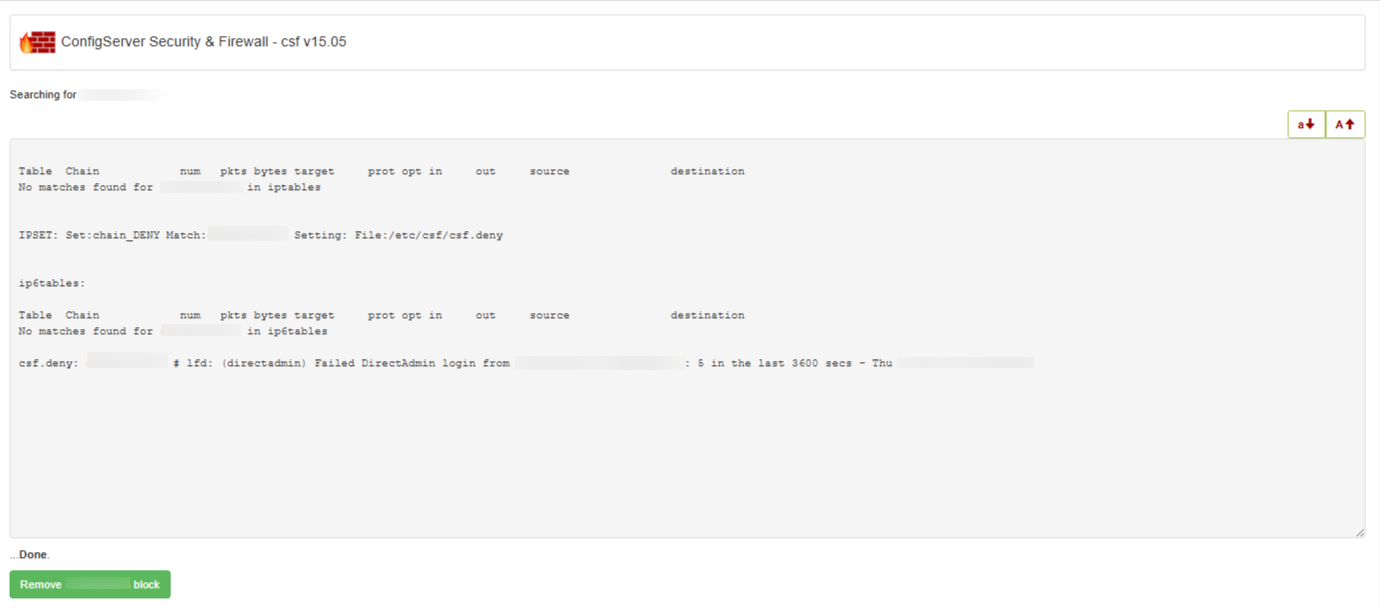
If the IP address is blocked, you will see a message that it is listed in the firewall, along with a button to remove (unblock) the IP address. Click that button.
-
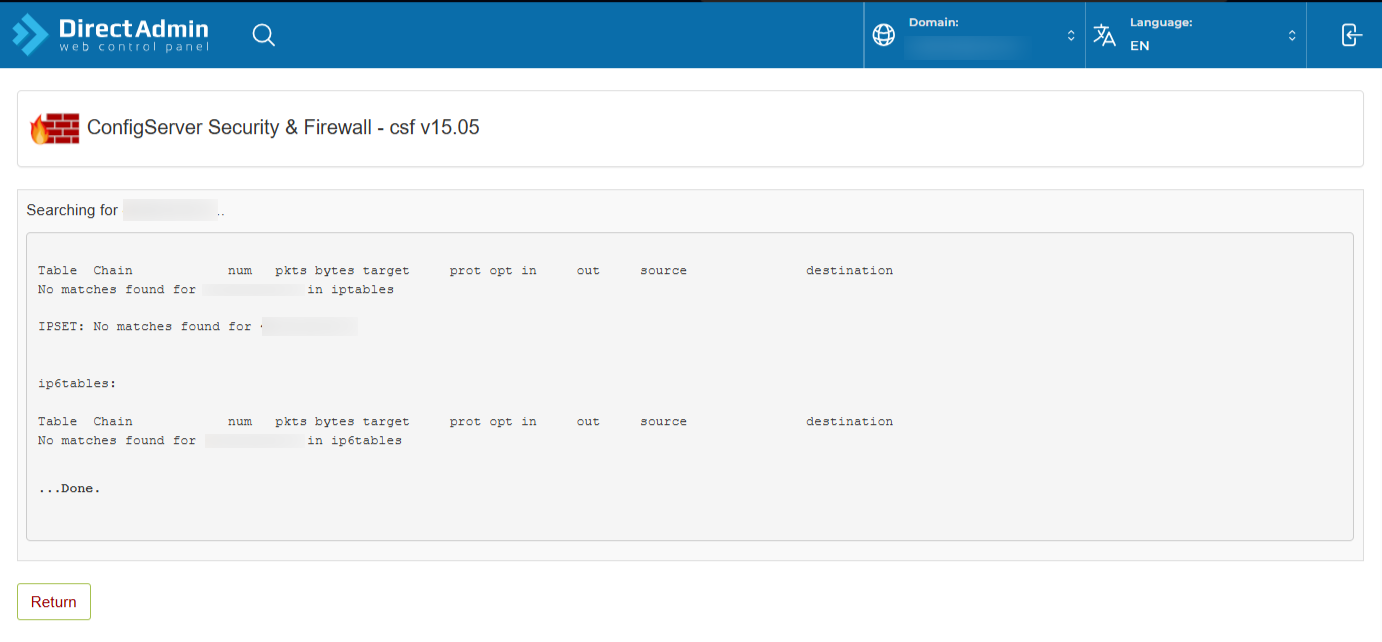
If the IP address is not blocked, you will see a message such as "No search found for this IP address". The firewall is not the cause.
Test your access
After unblocking, refresh your browser and try accessing your website, email, or DirectAdmin again.
If you still have problems or cannot access the control panel, please contact our support team.