

How to Enable and Install Automatic SSL Certificate in DirectAdmin
DirectAdmin supports the Automatic Certificate Management Environment (ACME), which allows SSL certificates to be issued and renewed automatically using Let's Encrypt.
If your domain is currently using a manually installed SSL certificate, you can switch it to automatic certificate management by enabling ACME.
Enable Automatic SSL
Log in to DirectAdmin
Log in to your DirectAdmin control panel.
Open SSL Certificates
Navigate to Dashboard > Account Manager > SSL Certificates. Here you can manage your SSL certificate and view additional details about it.
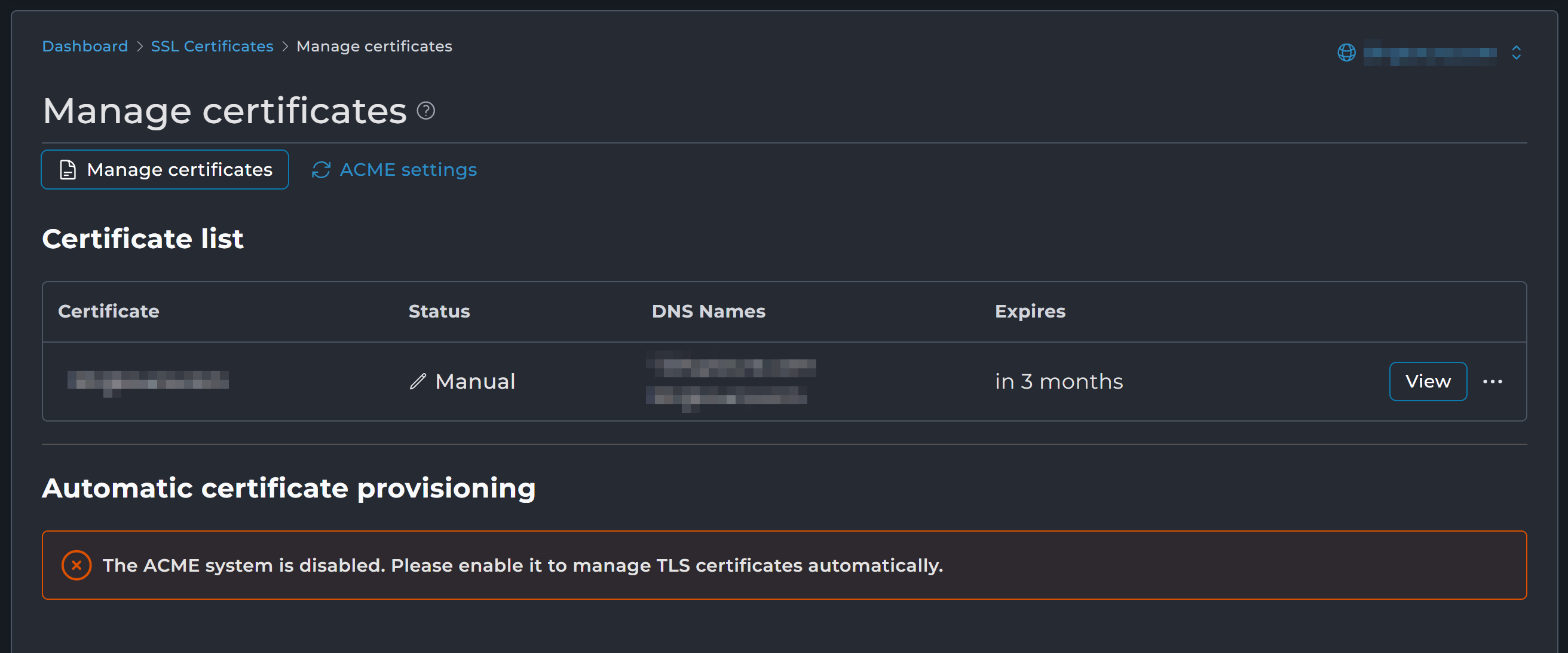
Check the current SSL status
If ACME is disabled, the certificate status shows Manual, which means DirectAdmin does not manage or automatically renew the certificate. You may also see a warning similar to:
The ACME system is disabled. Please enable it to manage SSL certificates automatically.
Open the ACME settings
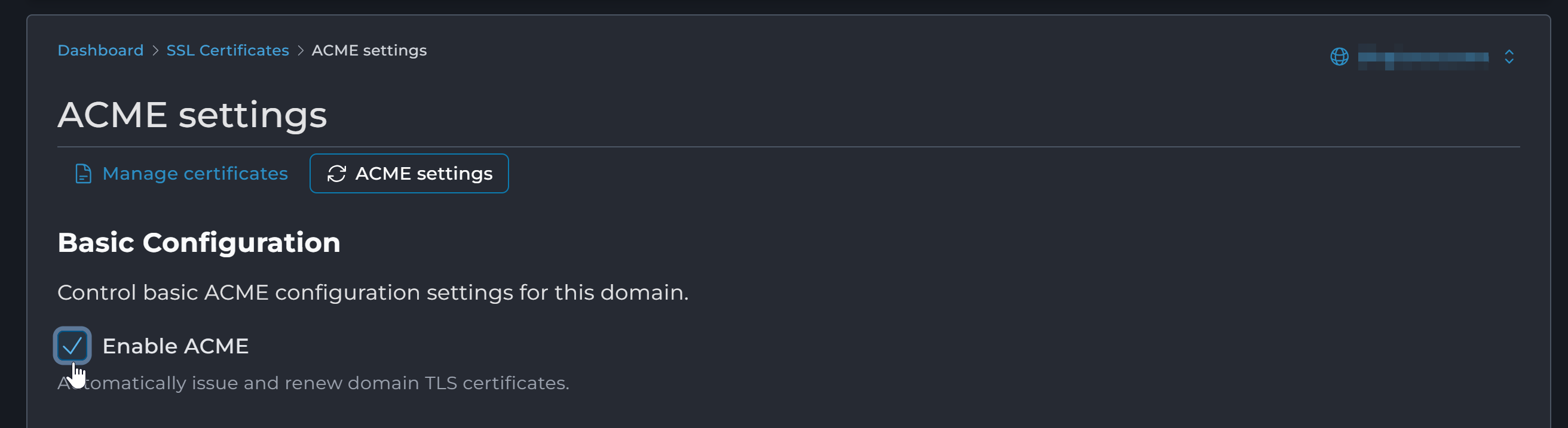
Click the ACME settings tab. In the ACME section, you can configure how DirectAdmin issues and renews SSL/TLS certificates.
Configure ACME
Tick Enable ACME so DirectAdmin can automatically issue and renew SSL/TLS certificates for the domain.
Review the other options as needed. They are explained in the ACME Settings Reference below. For most websites, the defaults are fine.
Save the configuration
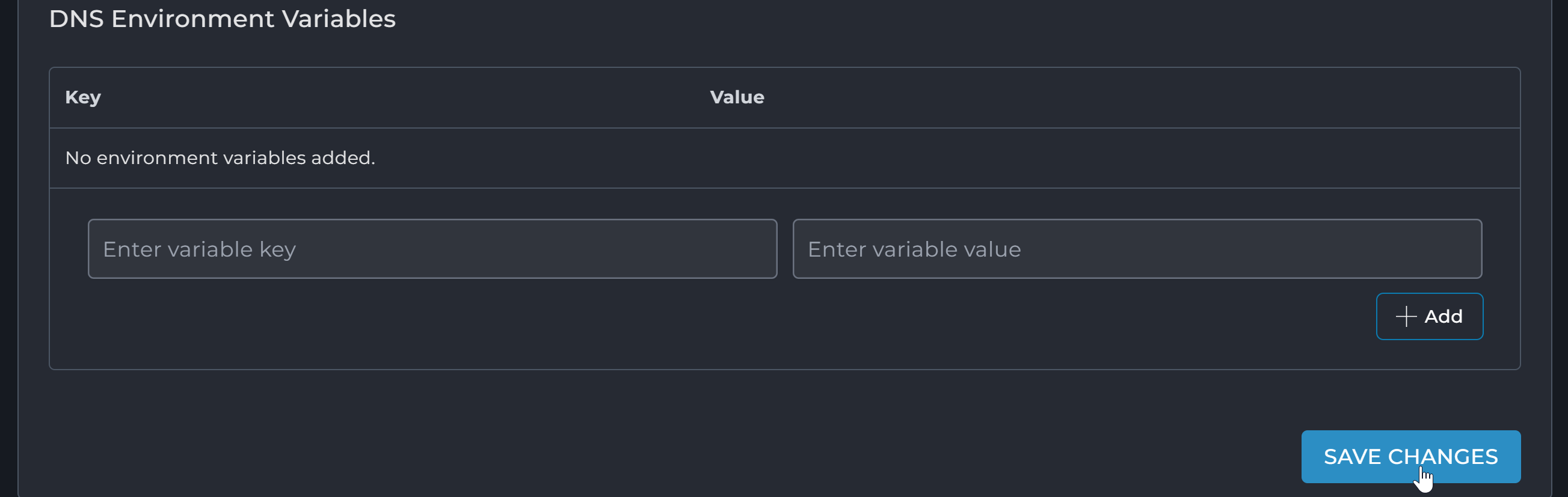
Click Save Changes.
Verify automatic certificate management
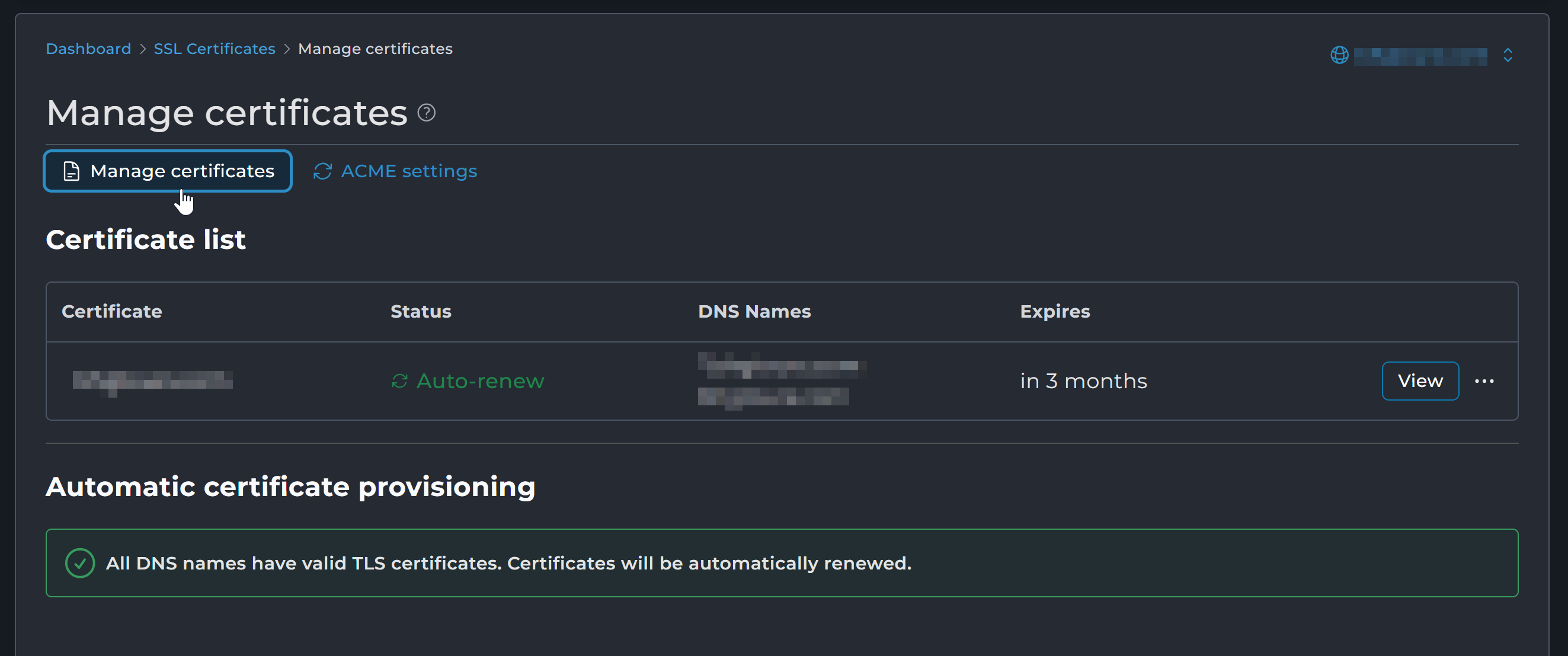
Return to the Manage certificates tab. The SSL certificate status should now show Auto-renew. You should also see this confirmation message:
All DNS names have valid TLS certificates. Certificates will be automatically renewed.
ACME Settings Reference
What Is ACME?
ACME is a protocol DirectAdmin uses to automatically obtain, install, and renew SSL certificates from supported Certificate Authorities such as Let's Encrypt or ZeroSSL.
Key Type
The key type determines the cryptographic key algorithm and key size used for the SSL/TLS certificate.
- ECDSA P-256: modern, secure, and efficient. A good choice for most modern websites.
- ECDSA P-384: a higher security level than P-256, but uses more computational resources.
- RSA 2048: the most common RSA option, with broad compatibility with older and modern systems.
- RSA 3072: stronger security than RSA 2048, with a slight performance impact.
- RSA 4096: stronger RSA security, but requires more processing than smaller RSA keys.
- RSA 8192: very large RSA keys with significantly higher processing requirements. Generally unnecessary for normal websites.
Use ECDSA P-256 for modern websites. If compatibility with older clients is required, use RSA 2048.
Prefer Wildcard Certificates
This checkbox allows DirectAdmin to request a wildcard SSL certificate that covers the main domain and its subdomains.
For most websites, leave this option disabled. Wildcard certificates require DNS-based validation and may cause certificate issuance or renewal problems when DNS is managed externally. Enable it only if you specifically need a wildcard SSL certificate.
ACME Provider
This option lets you select the Certificate Authority (CA) that DirectAdmin uses to issue and renew the SSL/TLS certificate. The available options may include:
- Server default: uses the ACME provider configured as the server's default.
- Let's Encrypt: uses Let's Encrypt to issue the SSL certificate. This is a commonly used option for free SSL certificates.
- ZeroSSL: uses ZeroSSL as the Certificate Authority.
- Let's Encrypt (testing): intended for testing only. Certificates issued through this option are not trusted by normal web browsers.
Select Server default unless you have a specific reason to use another provider. To explicitly use Let's Encrypt, select Let's Encrypt.
Skip DNS Names
This option lets you exclude specific domain names or subdomains from the SSL certificate request. If a domain is on the skip list, DirectAdmin does not include that DNS name when requesting or renewing the ACME SSL certificate.
You can add a fully qualified domain name or a wildcard domain to the list and click Add. For example, if you do not want mail.example.com included in the SSL certificate, add mail.example.com to the skip list.
External DNS Configuration
This option is used when the domain's DNS is managed by an external DNS provider instead of DirectAdmin. It is mainly needed when DirectAdmin has to perform DNS-based validation (DNS-01), such as when issuing a wildcard SSL certificate.
If your domain's DNS is managed by DirectAdmin, you normally do not need to configure this section.
Leave External DNS Configuration unconfigured unless your DNS is managed by an external provider and DNS-based SSL validation is required.
Conclusion
DirectAdmin will automatically issue and renew SSL certificates before they expire, ensuring uninterrupted HTTPS protection without manual intervention.